Features
All Features at a Glance
Discover all the features your Minecraft server gets with us.
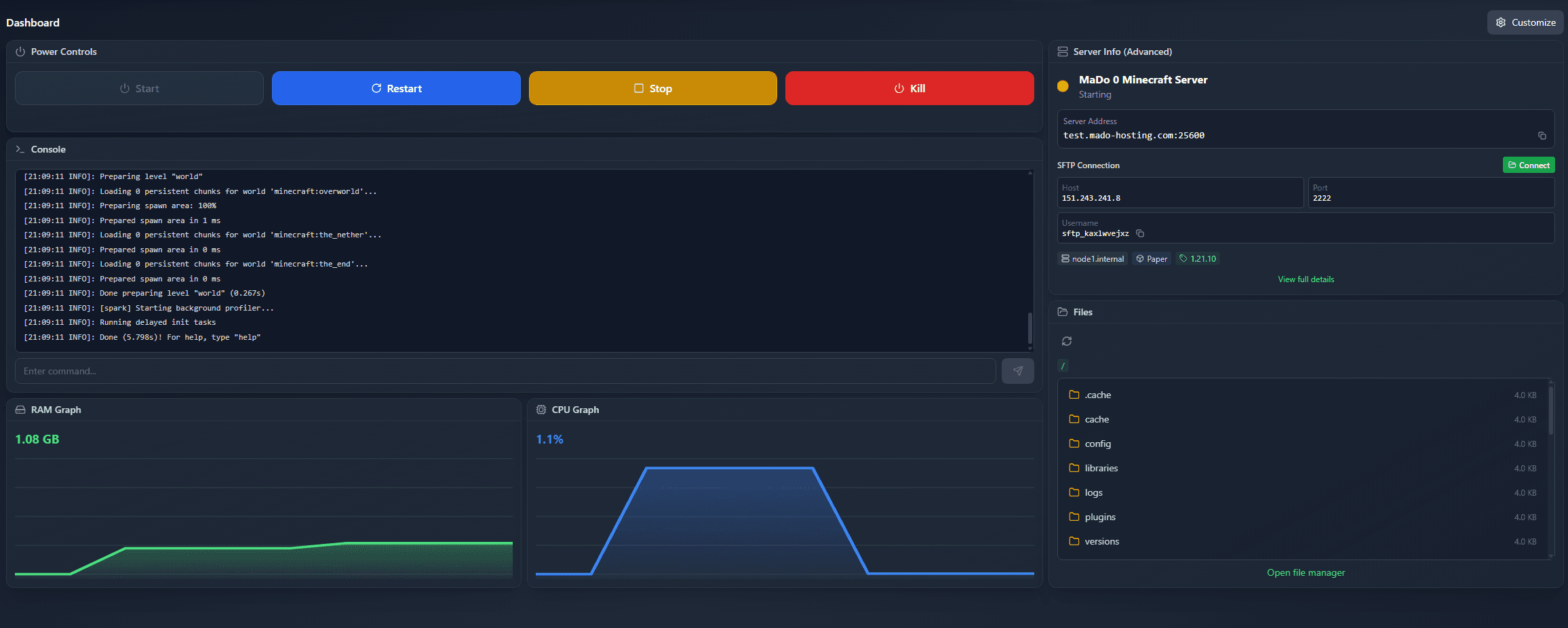
Hardware & network
What your server runs on.
All servers run in Falkenstein, Germany, on AMD Ryzen 9 9950X3D, 9950X or 7950X3D (depending on the node; 16 cores, up to 5.7 GHz).
Premium Hardware
AMD Ryzen 9 9950X3D, 9950X or 7950X3D (depending on the node; 16 cores, up to 5.7 GHz) for strong single-core performance and stable tick rates.
NVMe SSD Storage
Ultra-fast NVMe SSDs ensure minimal loading times and maximum performance.
DDoS Protection (PletX 5 Tbps)
Every server is protected by PletX DDoS protection up to 5 Tbps.
Instant Setup
Your server is automatically provisioned usually under 60 seconds and is then ready to use.
SFTP Access
Upload files securely and quickly via SFTP - ideal for mods, plugins and worlds.
Quality Support
Our support team helps you with all questions about your server.
The panel
Web Panel Features
Manage your server conveniently through our modern web interface.
Files
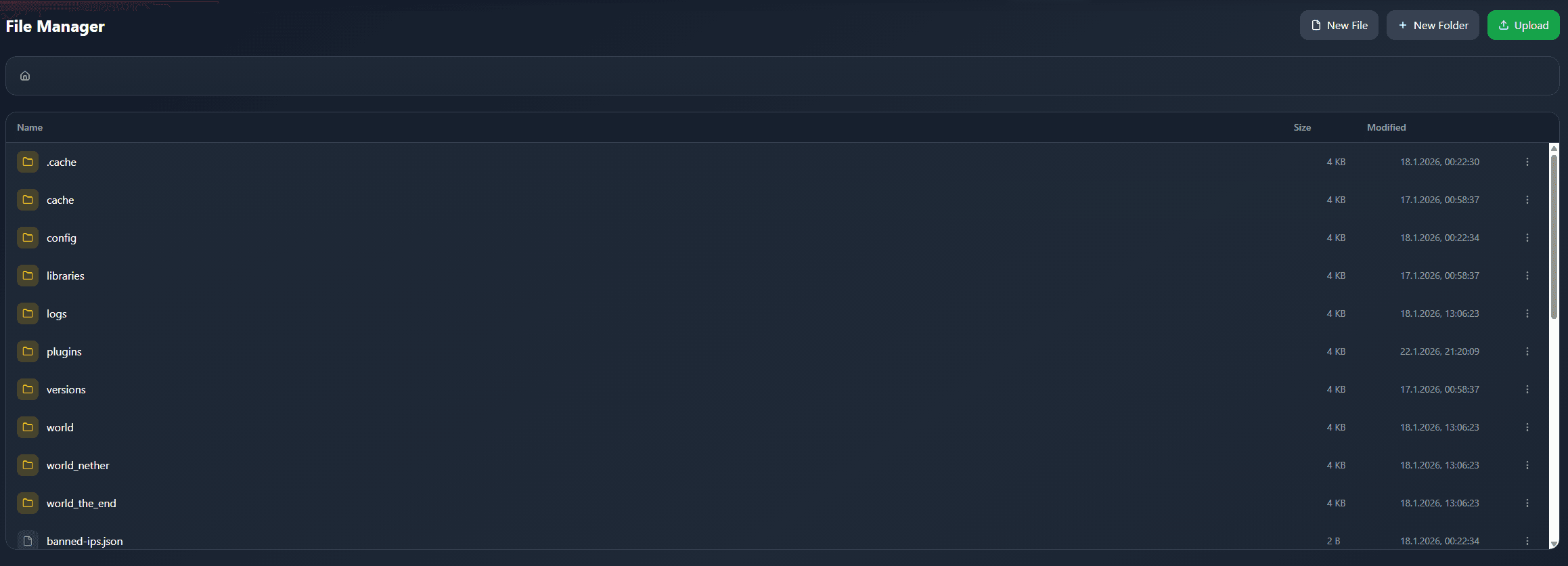
File Manager
Edit, create and delete files directly in your browser. Integrated code editor with syntax highlighting.
Upload files securely and quickly via SFTP - ideal for mods, plugins and worlds.
Automation
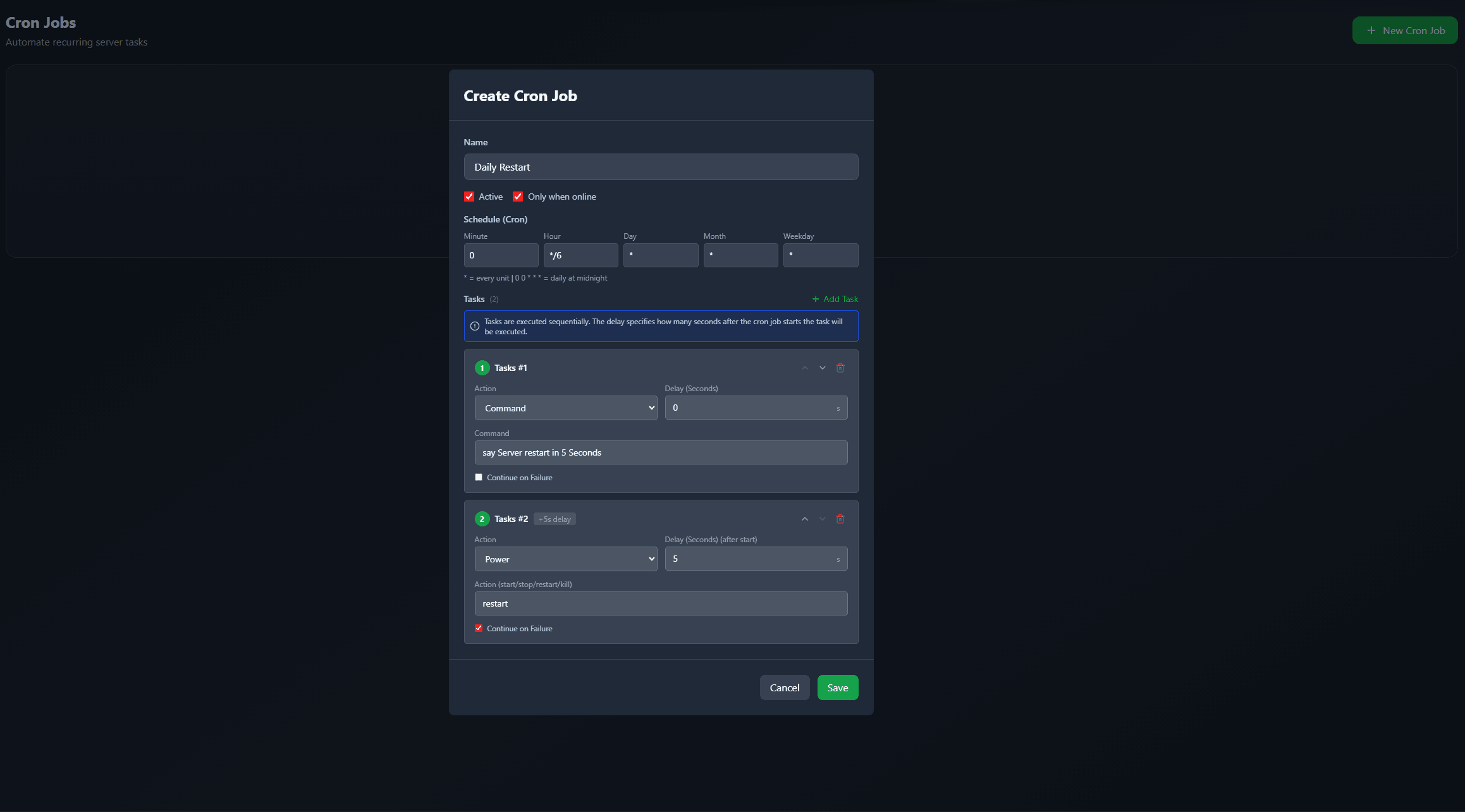
Schedules (Cron Jobs)
Automate server restarts, backups or commands with flexible cron schedules.
In this example the server warns players in chat and restarts five seconds later.
Mods & plugins
Mod & plugin browser
Browse CurseForge and Modrinth directly in the panel. Install mods and plugins with one click.
Install any CurseForge modpack with just one click - choose your desired version and start instantly.

Troubleshooting
AI Crash Analyzer
Automatic analysis of crash and startup logs with AI support. Get instant solution suggestions.

Supported Versions
- Vanilla (All Versions)
- Paper, Purpur (Performance-optimized)
- Forge, Neoforge & Fabric (Modding)
- Bedrock Edition
Features by Plan
- No Setup Fees
- Unlimited Player Slots
- Full File Access
- DDoS protection included: PletX 5 Tbps
- Backup Slots Included
- AI Crash Analyzer included
Ready for Your Own Server?
Start now with your Minecraft server and experience all features yourself.