
Wynncraft Modpack
A modpack that enhance your gameplay experience while playing Wynncraft.
Screenshots
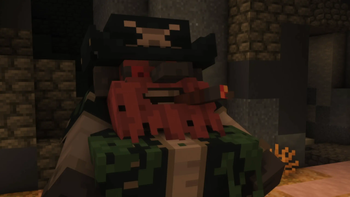



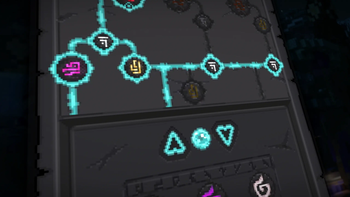
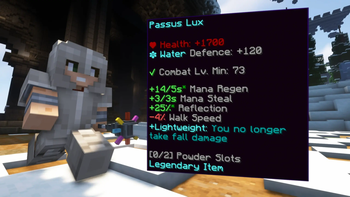
About this Modpack
WynnCraft Modpack
Wynncraft Modpack is a modpack of popular mods to enhance your gameplay experience while playing Wynncraft.
Modpack Features
- Optimizes in the Minecraft network stack. Reduces CPU and memory usage.
- Prevents the rendering of things you cannot see to improve performance.
- Optimizations for Minecraft users who have a NVIDIA GPU.
- Display total damage within a specific period of time.
- Adds features found in Optifine to this modpack, like particle and animation settings.
- Spell caster for Wynncraft.
- Seeks to enhance the gameplay experience of Wynncraft with a variety of features.
- Utility for Wynncraft, fixes reveal nicknames, stack dupe messages, and more.
- Allows for your render distance to be greater than the server's view-distance.
FAQ
What is Wynncraft and how do I play it?
Wynncraft is an open world MMORPG, full of adventures, unique experiences, and places to explore. From diverse landscapes, cities, and villages to mysterioues forest and spooky dungeons. Engage in a trilling adventure as you explore around to challenge your skills and complete quest solo or with team up with friends.
Ready to explore? Join using Wynncraft's server IP: wynncraft.com
Available Versions
How to Set Up a Wynncraft Modpack Server
Order Server
Choose at least 4 GB RAM (6 GB recommended for Wynncraft Modpack). Based on player count: per 8 players.
Install Modpack in Dashboard
Open the modpack browser in the dashboard, search for "Wynncraft Modpack" and click "Install". The fabric loader and Minecraft 1.20.2 are configured automatically.
Start Server & Play
Start the server – all mods are loaded automatically. Share the server IP with friends and play together!
Frequently Asked Questions
Wynncraft Modpack server crashes or won't start – what to do?
Most common causes: insufficient RAM or wrong fabric loader. Check latest.log for "OutOfMemoryError" → increase RAM to at least 6 GB. For "Mixin" or "ClassNotFoundException" errors: modpack version and loader don't match. With Mado Hosting, loader and Minecraft version are auto-configured on modpack install – preventing most startup issues.
How much RAM does a Wynncraft Modpack server really need?
Minimum 4 GB, recommended 6 GB for stable performance. per 8 players. Important: Minecraft modpacks need more RAM than vanilla – plan extra per additional player. With Mado Hosting, you can scale RAM up live at any time without data loss (from €5.2/month).
Can I add custom mods to Wynncraft Modpack without conflicts?
Yes, but check compatibility: only use mods for the same loader (fabric) and same Minecraft version (1.20.2). Common issues: ID conflicts with recipe mods and incompatible coremod versions. The Mado dashboard mod browser only shows compatible mods and warns about known conflicts.
Wynncraft Modpack server lagging – performance tips
1) Increase RAM to 6 GB+. 2) Reduce server view-distance to 8 (server.properties). 3) Pre-generate chunks with the "Chunky" plugin. 4) Use /spark profiler to check which mods consume the most tick time. With Mado Hosting, all servers run on NVMe SSDs with dedicated CPU cores – eliminating hardware as a bottleneck.
Similar Modpacks

![Better MC [FABRIC] - BMC2](https://cdn.modrinth.com/data/shFhR8Vx/a19c2bcb51d38f32f138d3607e91cb2b7b8e387f_96.webp)

![Better MC [FORGE] - BMC4](https://cdn.modrinth.com/data/4BV47HRn/7f5ef7cc61b2593609aabef3ed07a866a4f11b73_96.webp)


Rent Wynncraft Modpack Server
Start your own server with automatic modpack installation.
Supported Versions
Start your Wynncraft Modpack Server now
From €5.20/month; 6 GB RAM is recommended for best performance.
Configure Server →