
Accessible Step
Step up full blocks without reaching for the jump button. Now for multiple mod loaders!
Screenshots
About this Mod
Accessible Step
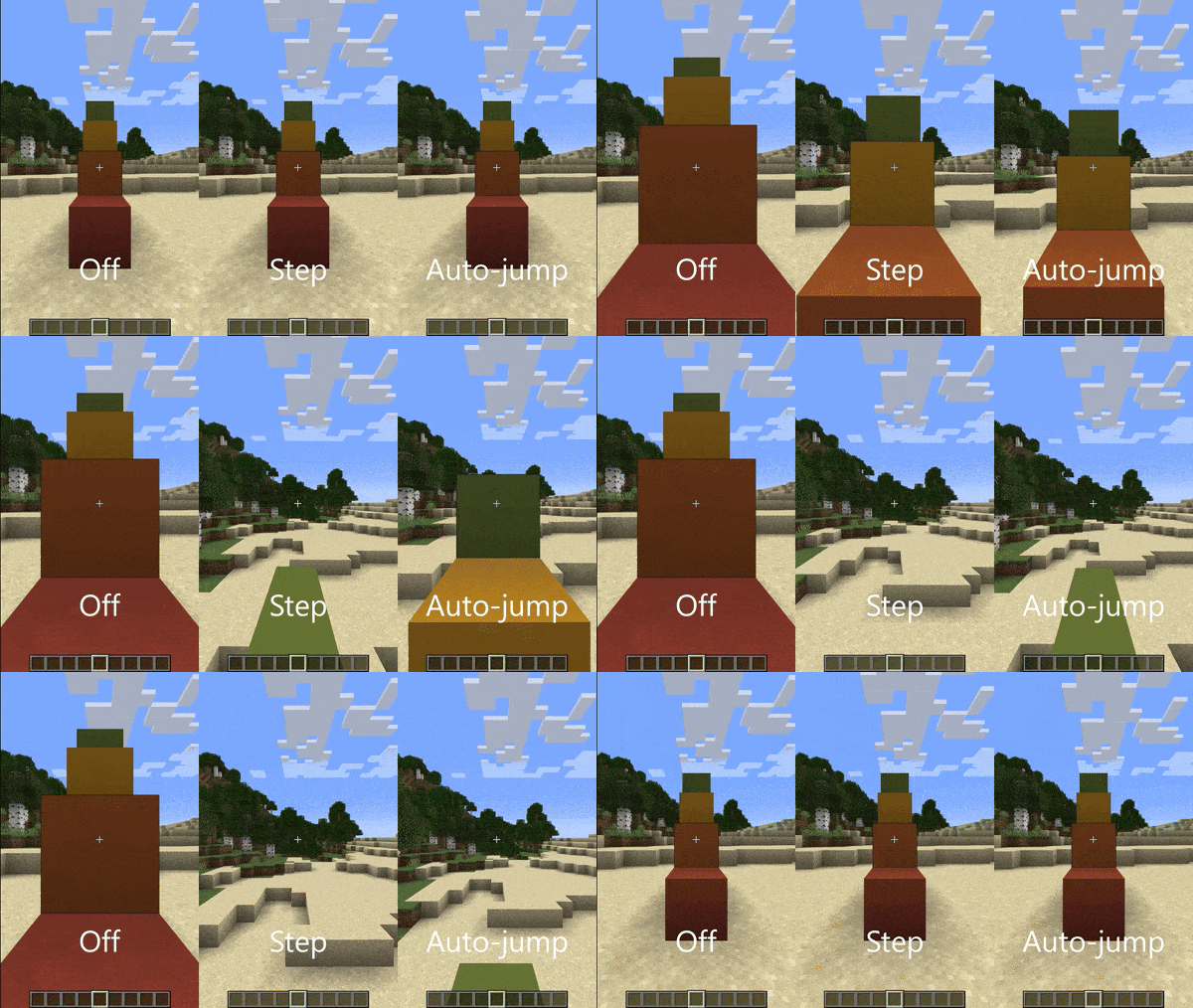
Walk up full-height blocks without reaching for the jump button.
- Fabric releases of this mod require Fabric API.
- Neoforge/Forge releases do not require any other mods.
This mod adds a new "Step Assistance" option into the Accessibility and Controls screens, replacing the auto-jump option. Like auto-jump, it is off by default on new installations of Minecraft, so you will need to turn it on yourself.
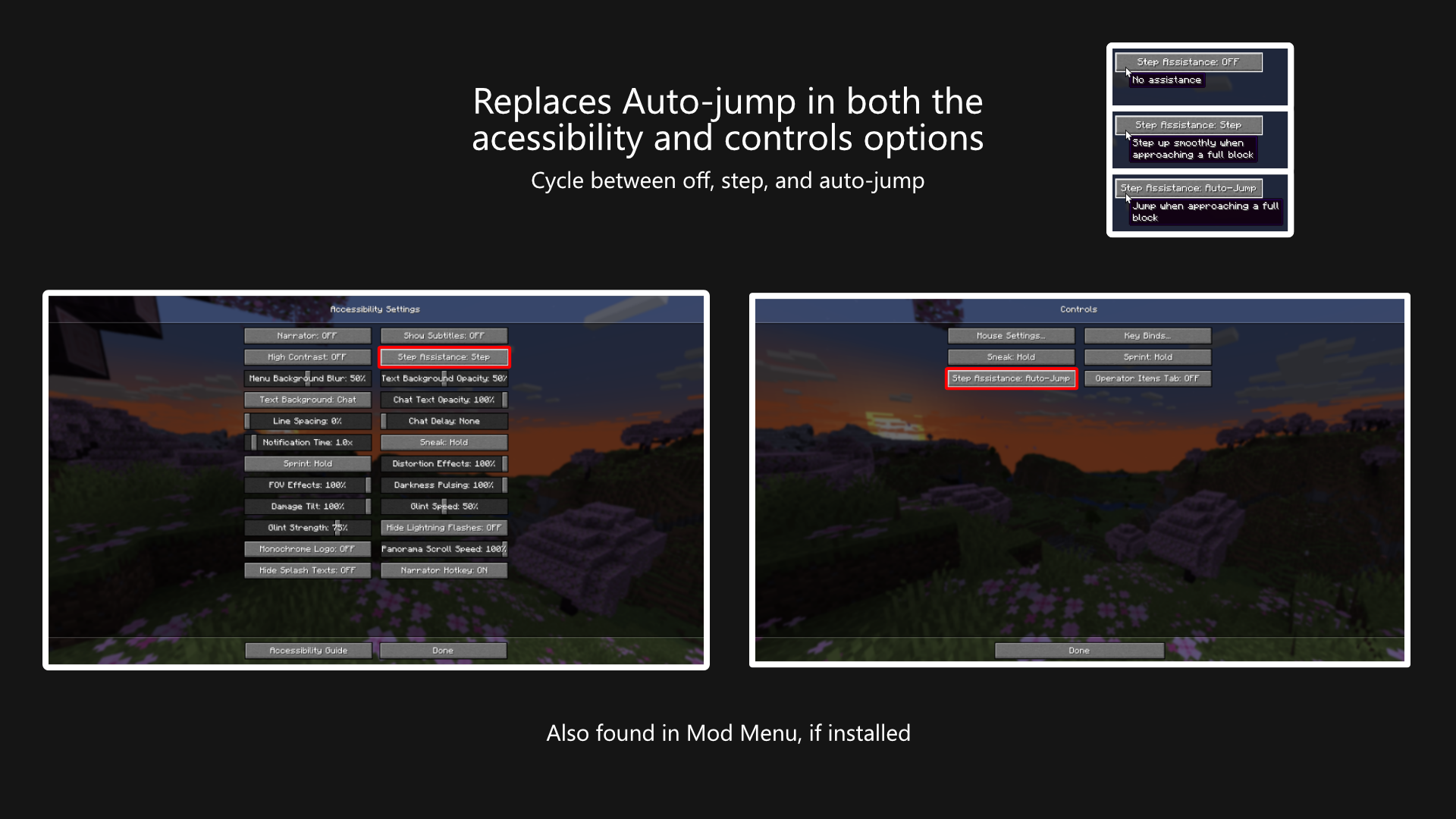
The option can be cycled between three values:
- Off, where no assistance is given.
- Step, where the player's step height is increased to cover full blocks.
- Auto-jump, where Minecraft's built-in auto-jump is used.
Does this work on Multiplayer?
Yes, this mod works on multiplayer. This mod does not have to be installed on the server.
Why yet another stepping-up-blocks mod?
Mostly, it's because I'm learning to mod and small projects like these are good ways to learn new parts of the game's code.
But also I've wanted to maintain a small set of mods that I commonly use so I can update them whenever I like. I've since over-engineered some automation to update things automatically, so I'm more confident that I can actually maintain these mods over a longer term.
I'm probably not going to port this further back than 1.20, but if you find yourself needing this for earlier versions, check out StepUp for Fabric, or StepItUp for Forge.
Translation
A big thank you to the following people for their work:
- VladAndreiMorariu - Italian
- se5473351 - Chinese (Simplified)
- FluorescentLava - Chinese (Simplified)
If you want to help make this mod easier to use for people around the earth, then please don't hesitate to create a pull request adding/updating the language files on GitHub.
License
This mod is licensed under the Mozilla Public License 2.0. You may use this mod in your mod packs.
Available Versions
How to Install Accessible Step on Your Client
Install the Mod Loader Locally
Install fabric for your local Minecraft version.
Download the Matching File
Choose the Accessible Step file for fabric and Minecraft 26.3.
Install Mod
Place the .jar file in your local .minecraft/mods folder and restart Minecraft. No server-side installation is required.
Compatibility
Mod Loaders
Minecraft Versions
26.3, 26.2, 26.1.2 (+21 more)
Server-side
✗ UnsupportedRecommended RAM
4 GB(min. 3 GB)Frequently Asked Questions
Does Accessible Step need to be installed on the Minecraft server?
No. Modrinth marks Accessible Step as unsupported on the server side. Install it only in your local Minecraft mods folder. Your server can remain unchanged unless the mod page lists an additional dependency.
Which version and loader does Accessible Step require?
Use a file for fabric, forge, neoforge and your exact Minecraft version. Supported versions include 26.3, 26.2, 26.1.2. Files for different loaders are not interchangeable.
Accessible Step is not working – what should I check?
First check the Minecraft version, loader version and required dependencies. Put the .jar file in your local .minecraft/mods folder and remove older duplicates. Because this mod is client-side, adding server RAM will not fix it.
Similar Mods




![[ETF] Entity Texture Features](https://cdn.modrinth.com/data/BVzZfTc1/af683d206d50b05258d865b0d6e4aa2f2cee12f2_96.webp)

Minecraft Server for Your Group
Accessible Step stays on your client. Host a compatible world for your group.