
Adventure Dungeons
Data pack that will add more structures to your Minecraft world
Screenshots
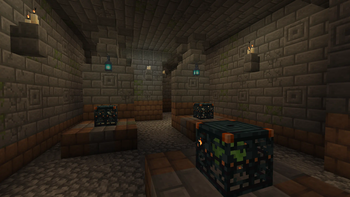
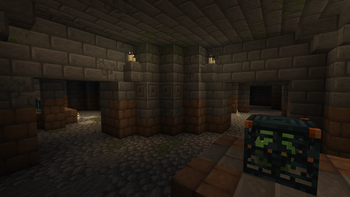
About this Mod
Adventure Dungeons is datapack that adds new structures to your Minecraft world. Every structure has a different idea behind it, but it's still trying to look like they're from vanilla Minecraft.
Here's a list of all structures from this datapack:
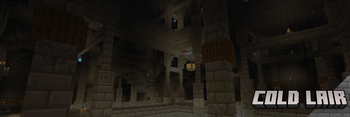
Cold Lair

Underground dungeon that can be found deeper under overworld's snow biomes. Consist of big room with bridges in middle that connects to other rooms in this dungeon.
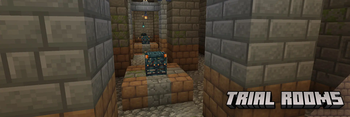
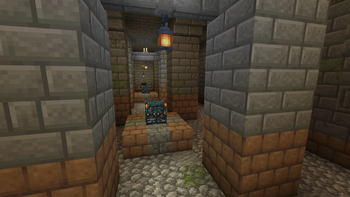
Trial Rooms

Underground dungeon that consists of rooms filled with trial spawners and vaults to loot. Can be found everywhere in overworld.
Bygone Dungeon

Underground dungeon that can be found under forest and plains biomes. Has chests and vaults to loot with trial spawners to fight.
Ruins

Small overworld structure that hidden in gravel or sands. While digging in it you can brush some gravel or sand with your brush to find some loot or even find chest that will have a explorer map to all underground dungeons from this datapack. Has a alternative variant called 'Underground Camp'.
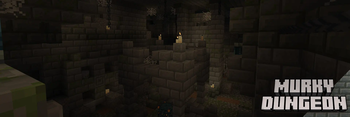
Murky Dungeon

Underground dungeon that can be found under swamps. Labyrinth-like structure, in which will be easy to get lost and has chests and vaults to loot with trial spawners to fight.
Custom advancements
Also this datapack has a custom advancements that will even reward you for finding all structures from this datapack:

Available Versions
How to Install Adventure Dungeons on Your Server
Order Server
Order a Minecraft Java server with at least 4 GB RAM (6 GB recommended).
Set datapack Loader
In the panel under "Egg", select the datapack loader and matching Minecraft version (1.21.1).
Install Mod
Open the mod browser in the dashboard and search for "Adventure Dungeons". Click "Install" – done! Alternatively, upload the .jar via SFTP to the /mods folder.
Compatibility
Mod Loaders
Minecraft Versions
1.21.1, 1.21, 1.20.6 (+2 more)
Server-side
✓ RequiredRecommended RAM
6 GB(min. 4 GB)Frequently Asked Questions
Adventure Dungeons server crashes on startup – what to do?
Most common cause: wrong datapack version or insufficient RAM. Check the server log (latest.log) for "OutOfMemoryError" or "Mixin" errors. With Mado Hosting: ensure at least 4 GB RAM is allocated and the loader matches the mod version (1.21.1). You can switch loaders with one click in the panel.
Is Adventure Dungeons compatible with datapack and fabric and forge and neoforge?
Adventure Dungeons officially supports datapack, fabric, forge, neoforge for Minecraft 1.21.1, 1.21, 1.20.6. Note: Forge and Fabric mods are NOT cross-compatible – pick one loader and stick with it. The Mado dashboard automatically detects incompatible loader combinations.
Server lagging with Adventure Dungeons – how to optimize performance?
Recommended RAM: 6 GB (per 5 players). Use /spark profiler to check if Adventure Dungeons consumes the most tick time. Common fixes: reduce server view-distance to 8-10, install "performant" or "starlight" as supplementary mods on Forge. With Mado Hosting, your server runs on NVMe SSDs with dedicated CPU cores for minimal latency.
Similar Mods




Rent Modded Server
Install Adventure Dungeons with just one click on your server.