
Arda Paths
Customize and reveal guiding paths for players to follow in the world.
Screenshots
About this Mod
ArdaPaths
Customize and reveal guiding paths for players to follow in the world.
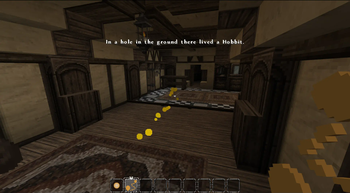
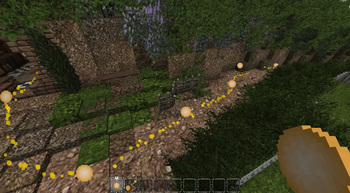
ArdaPaths is a Fabric mod designed to immerse players in a world by allowing configurable paths to show animated trails.
The mod is initially configured for use on ArdaCraft and with their recreation of Middle-earth. With ArdaPaths, players can embark on their own journey through Middle-earth like never before, tracing the iconic paths of beloved characters from the Lord of the Rings series.
Whether it's Frodo's perilous trek to Mount Doom or Aragorn's valiant march to reclaim his throne, each path can be meticulously plotted using the features in this mod.
Blocks and Items
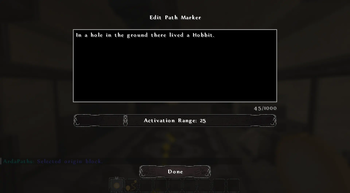
Path Marker: This is the main item of the mod. When placed in the world, multiple path markers can be connected together. By using the path marker item on a path marker block, then selecting another path marker, you can set the second block as the target; a path will now appear between the two blocks. Path markers can also have a message and a range configured that is displayed when players get close enough. Ctrl + Use with this item on an existing path marker allows you to configure the range and message. Using this item on a path marker, then clicking on another, will set the second marker as the targeted path.
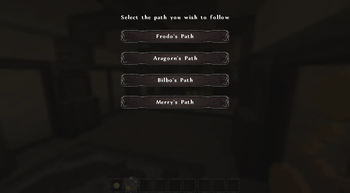
Pathfinder: This item is used by the player to select, reveal, and follow the paths created using the Path Marker. Using this item opens a selection menu that allows you to select from the configured paths and teleport to the selected path.
Configuration
By default, ArdaPaths is configured for use on the ArdaCraft server with four built-in paths of characters from the LOTR series.
New paths can be added to the arda-paths/server.json file with the following format:
{
    "paths": [
        {
            "id": "0",
            "name": "A Custom Path",
            "primary_color": {
                "red": 255,
                "green": 215,
                "blue": 0
            },
            "secondary_color": {
                "red": 230,
                "green": 194,
                "blue": 0
            },
            "tertiary_color": {
                "red": 255,
                "green": 227,
                "blue": 77
            },
            "chapters": {
                "default": {
                    "id": "default",
                    "name": "Default",
                    "date": "0",
                    "index": 0
                }
            }
        }
    ]
}
Available Versions
How to Install Arda Paths on Your Server
Order Server
Order a Minecraft Java server with at least 3 GB RAM (4 GB recommended).
Set fabric Loader
In the panel under "Egg", select the fabric loader and matching Minecraft version (26.2).
Install Mod
Open the mod browser in the dashboard and search for "Arda Paths". Click "Install" – done! Alternatively, upload the .jar via SFTP to the /mods folder.
Compatibility
Mod Loaders
Minecraft Versions
26.2, 26.1.2, 1.21.1 (+2 more)
Server-side
✓ RequiredRecommended RAM
4 GB(min. 3 GB)Frequently Asked Questions
Arda Paths server crashes on startup – what to do?
Most common cause: wrong fabric version or insufficient RAM. Check the server log (latest.log) for "OutOfMemoryError" or "Mixin" errors. With Mado Hosting: ensure at least 3 GB RAM is allocated and the loader matches the mod version (26.2). You can switch loaders with one click in the panel.
Is Arda Paths compatible with fabric?
Arda Paths officially supports fabric for Minecraft 26.2, 26.1.2, 1.21.1. The Mado dashboard automatically detects incompatible loader combinations.
Server lagging with Arda Paths – how to optimize performance?
Recommended RAM: 4 GB (per 8 players). Use /spark profiler to check if Arda Paths consumes the most tick time. Common fixes: reduce server view-distance to 8-10, install "performant" or "starlight" as supplementary mods on Forge. With Mado Hosting, your server runs on NVMe SSDs with dedicated CPU cores for minimal latency.
Similar Mods




Rent Modded Server
Install Arda Paths with just one click on your server.