
Better Mipmaps
Unlocks mipmap levels higher than 4 to reduce visual arifacts with high resolution resource packs
Screenshots
About this Mod
Overview
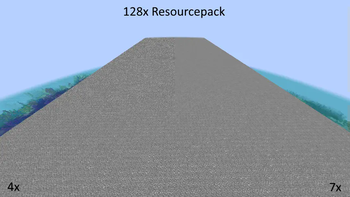
Have you ever noticed how noisy Minecraft looks in the distance when using a high-resolution resource pack?The reason is that by default, Minecraft only supports full mipmaps for 16x16 textures and below.
Anything higher than that will have incomplete mipmaps.
This mod fixes this by increasing the maximum level of mipmaps to 10 (1024x1024).
The optimal mipmap level depends on the resolution of your resource pack and can be found in the table below:
| Texture Resolution | Optimal Mipmap Level |
|---|---|
| 1 | 0 |
| 2 | 1 |
| 4 | 2 |
| 8 | 3 |
| 16 | 4 |
| 32 | 5 |
| 64 | 6 |
| 128 | 7 |
| 256 | 8 |
| 512 | 9 |
Technical Details
The problem with generating a full mipmap pyramids for Minecraft textures is that Minecraft combines all block textures into one big texture atlas. The maximum mipmap level of this atlas is a smallest maximum mipmap level of any individual texture.
So even when using a 99% complete resource pack, a single left-over 16x16 texture will limit the atlas to 4 mipmap levels. To work around this, this mod will automatically attempt to upscale smaller textures before the stitching process.
Available Versions
How to Install Better Mipmaps on Your Client
Install the Mod Loader Locally
Install fabric for your local Minecraft version.
Download the Matching File
Choose the Better Mipmaps file for fabric and Minecraft 1.21.11.
Install Mod
Place the .jar file in your local .minecraft/mods folder and restart Minecraft. No server-side installation is required.
Compatibility
Mod Loaders
Minecraft Versions
1.21.11, 1.21.10, 1.21.9 (+14 more)
Server-side
✗ UnsupportedRecommended RAM
4 GB(min. 3 GB)Frequently Asked Questions
Does Better Mipmaps need to be installed on the Minecraft server?
No. Modrinth marks Better Mipmaps as unsupported on the server side. Install it only in your local Minecraft mods folder. Your server can remain unchanged unless the mod page lists an additional dependency.
Which version and loader does Better Mipmaps require?
Use a file for fabric and your exact Minecraft version. Supported versions include 1.21.11, 1.21.10, 1.21.9. Files for different loaders are not interchangeable.
Better Mipmaps is not working – what should I check?
First check the Minecraft version, loader version and required dependencies. Put the .jar file in your local .minecraft/mods folder and remove older duplicates. Because this mod is client-side, adding server RAM will not fix it.
Similar Mods




![[ETF] Entity Texture Features](https://cdn.modrinth.com/data/BVzZfTc1/af683d206d50b05258d865b0d6e4aa2f2cee12f2_96.webp)

Minecraft Server for Your Group
Better Mipmaps stays on your client. Host a compatible world for your group.