
Bridging Mod
Reacharound Placement / Bedrock Bridging for Fabric, Forge & Quilt with a few extra tweaks
Screenshots
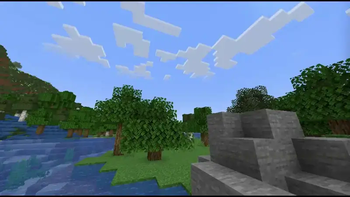
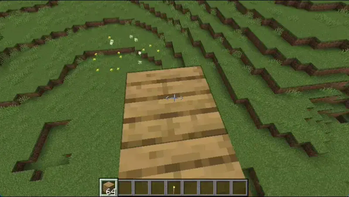

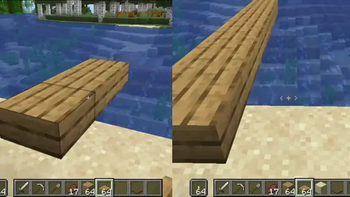
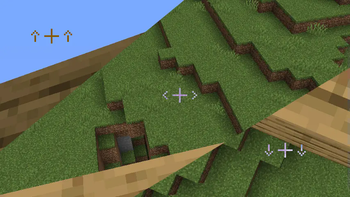
About this Mod



Project Overview

This mod adds a bridging assist feature often referred to as "Reach-Around Placement" for Forge, Fabric, & Quilt! It's very similar to features found in both Minecraft: Bedrock Edition & the Quark mod, taking the best parts from both.
Bridging allows for placing blocks in gaps in front, above, or below blocks, even if the surface isn't visible! When it's available, a crosshair is shown to indicate where that block will be placed. When the F3 menu is visible, there's an extra outline showing the exact position it's placing in (but you can turn it on all the time in the config)
Scroll down to see it all in detail, screenshots and all!
This mod's official project pages can be found below:
⚠️ Online Play Warning
This mod should only be used in singleplayer, or on small servers where all the players involved are okay with it! SMPs, homemade skyblock with friends - that kinda stuff.
It should NOT be used on big networks or on servers where these kinds of modifications are disallowed! You can (and probably will) get banned for using it! It doesn't work on Hypixel anyway, and I won't be fixing that.
📜 Credits
Versions of the Bridging Mod older than v2.0.0 were a Fabric port of Quark's "Reach-Around Placement". You can find Quark's source here: https://github.com/VazkiiMods/Quark
Versions since have rewritten it from scratch.
Translations:
- Mexican Spanish: @TheLegendofSaram
- Ukranian: @Melishy, @StarmanMine142, @Tarteroycc, @Xicscon
- Russian: @Melishy
- Traditional Chinese: @yichifauzi
- Chinese (Simplified): @Xinyang-Gao
- Turkish: @RuyaSavascisi
- Italian: @exclusive.adom
Translations are always welcome & very appreciated! Please submit them Here!
☎️ Contact
- Discord: Support Server or @CG360
- GitHub: /squeeglii
In Action
Out the box:

Out of the box, the mod just works. It bridges with a crosshair, works on every axis, and tries to keep out of the way when you don't need it. It lets you place blocks in air gaps on both up/down and horizontally. This is useful for
- Building Platforms
- Filling in walls
- Building staircases in the nether & the end
- ...Bridging.
Slabs just work naturally, blocks align to the blocks you're building off properly, and torches no longer get in your way.
This mod is a bit more similar to Bedrock's reacharound than it is to Quark's. It's much more lenient, but it has that added verticality.

The Crosshair
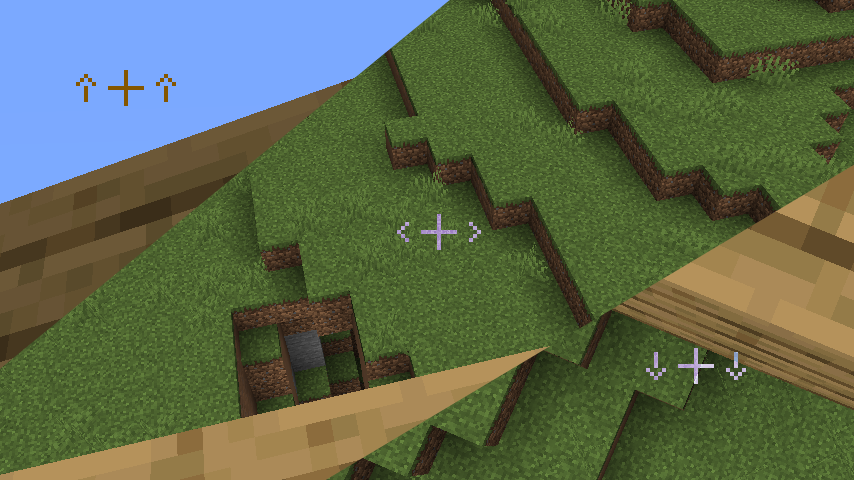
It blends in with your regular crosshair and even has support for DynamicCrosshair (Thank you Crendgrim!)
It's only visible when you're about to place a block using bridging mode, and hints to where the block will be bridged off of (up/down/horizontally)
Configurable
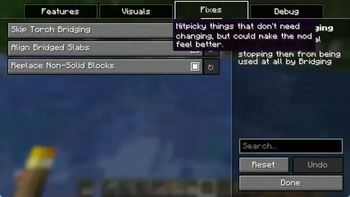

Almost every part of the mod is configurable! The config is split into 4 main tabs:
- Main: These settings affect how the Bridging feature works. From changing the delay to let you spam more, to locking bridging to the horizontal axis!
- Visuals: Pretty self-explanatory. You can turn on outlines here, or turn off the crosshair.
- Fixes: Everything in this section is meant to make the mod feel smoother, but if it's making the mod do unexpected things, try turning off some of these.
- Debug: Most of this is off by default. It's used to help test the mod during development and isn't that useful. But hey, if you want to use it, it's there! Mostly visual aids.
And if Bridging is being awkward and you don't want to go into the config to turn it off, there's a handy keybind!

Anyways, here's the config:
Available Versions
How to Install Bridging Mod on Your Client
Install the Mod Loader Locally
Install fabric for your local Minecraft version.
Download the Matching File
Choose the Bridging Mod file for fabric and Minecraft 26.3.
Install Mod
Place the .jar file in your local .minecraft/mods folder and restart Minecraft. No server-side installation is required.
Compatibility
Mod Loaders
Minecraft Versions
26.3, 26.2, 26.1.2 (+32 more)
Server-side
✗ UnsupportedRecommended RAM
4 GB(min. 3 GB)Frequently Asked Questions
Does Bridging Mod need to be installed on the Minecraft server?
No. Modrinth marks Bridging Mod as unsupported on the server side. Install it only in your local Minecraft mods folder. Your server can remain unchanged unless the mod page lists an additional dependency.
Which version and loader does Bridging Mod require?
Use a file for fabric, forge, neoforge, quilt and your exact Minecraft version. Supported versions include 26.3, 26.2, 26.1.2. Files for different loaders are not interchangeable.
Bridging Mod is not working – what should I check?
First check the Minecraft version, loader version and required dependencies. Put the .jar file in your local .minecraft/mods folder and remove older duplicates. Because this mod is client-side, adding server RAM will not fix it.
Similar Mods




Minecraft Server for Your Group
Bridging Mod stays on your client. Host a compatible world for your group.