
CapeMod
Provides free capes and exclusive perks for creators. Visible for anyone using the mod.
Screenshots
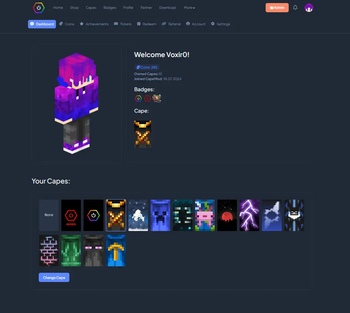
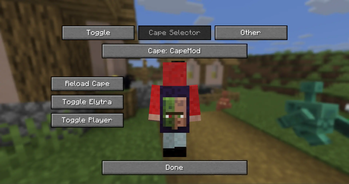
About this Mod

Cape Mod 1.8 - 26.1 for Forge and Fabric
Get free capes and exclusive perks for creators!
Visible for anyone using the mod.
https://capemod.net
Supported Versions:
- Fabric: 1.17 - 26.1.2
- Forge: 1.8.9, 1.12.2
How to install / use
- Download and install Forge or Fabric.
- Download and add CapeMod to your mods.
- Register an account and get capes at: https://capemod.net
- Manage and equip your capes at: https://capemod.net/dashboard
Features:
- Transparent and animated capes.
- Free Capes: Earn stylish capes without spending real money.
- Themes: Diffrent themes for the same cape.
- Creator Rewards: Creators can reward their community with custom capes.
- Earning Opportunities: Various ways to earn capes and coins, including gameplay and daily rewards.
- Wide Version Support: Compatible with multiple Minecraft versions.
Creator Benefits:
Creators can distribute capes to their community, for example, by offering them to subscribers on Twitch or as rewards through channel points. They can design and manage their own capes, distributing them directly to their followers. Currently, capes are distributed manually via the dashboard, but we plan to automate this process so players can receive capes instantly upon subscribing.
Manage Your Cape:
You can view and manage your capes through our dashboard at https://capemod.net/. Additionally, a "Manage Cape" button is available in your skin customization settings.
FAQ:
How do I get capes?
Capes can be purchased using in-game coins, which you earn by playing on specific servers or through daily rewards. Future updates will introduce more earning methods. Note that capes cannot be purchased with real money. Certain capes, such as Twitch or YouTube capes, may require meeting specific follower or subscriber milestones.
How can I manage my cape?
Access our dashboard to view all your owned capes, where you can activate, deactivate, or change them. You can also purchase capes with your earned coins.
Who can see my capes?
Anyone with the mod installed can see your capes, regardless of their Minecraft version.
How can I apply for my own cape as a creator?
Visit our website for the application form and requirements for creating your own cape.
API:
We offer an API that allows you to retrieve information about player capes and enable creators to manage their cosmetics.
CapeMod Integration
If you want to integrate CapeMod into your mod or client, please contact us directly via [email protected]
Useful Links:
Screenshots
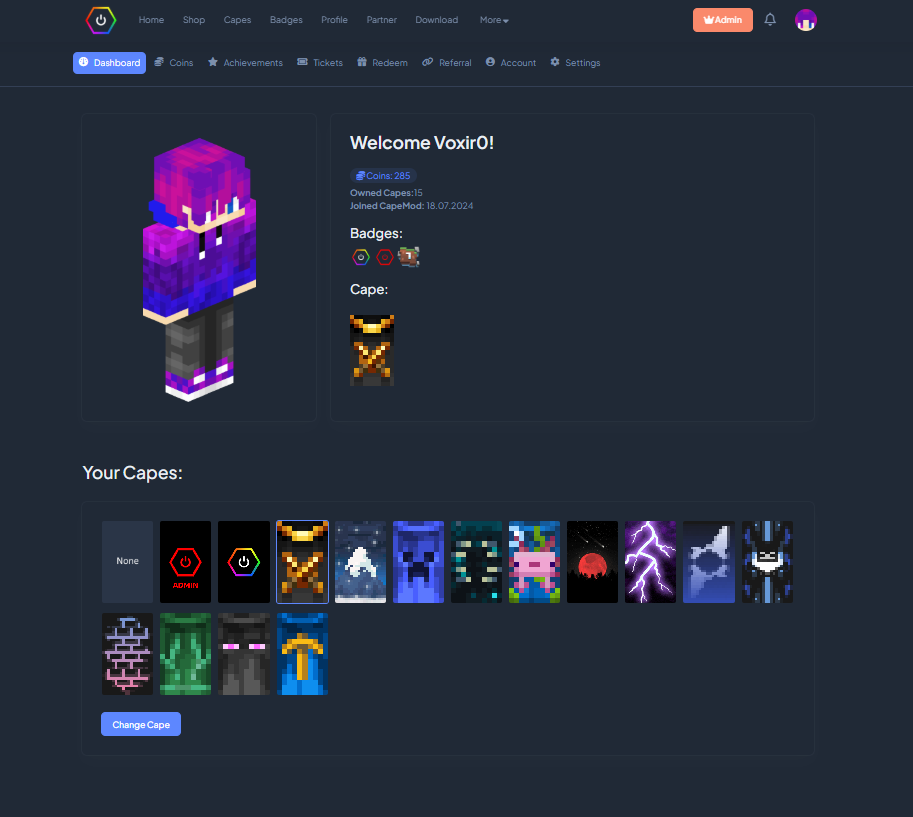
Dashboard to manage Capes, Account.
Support Us
Help us keep our servers running. Your support makes a difference!

Available Versions
How to Install CapeMod on Your Client
Install the Mod Loader Locally
Install fabric for your local Minecraft version.
Download the Matching File
Choose the CapeMod file for fabric and Minecraft 26.3.
Install Mod
Place the .jar file in your local .minecraft/mods folder and restart Minecraft. No server-side installation is required.
Compatibility
Mod Loaders
Minecraft Versions
26.3, 26.2, 26.1.2 (+33 more)
Server-side
✗ UnsupportedRecommended RAM
4 GB(min. 3 GB)Frequently Asked Questions
Does CapeMod need to be installed on the Minecraft server?
No. Modrinth marks CapeMod as unsupported on the server side. Install it only in your local Minecraft mods folder. Your server can remain unchanged unless the mod page lists an additional dependency.
Which version and loader does CapeMod require?
Use a file for fabric, forge, liteloader, neoforge, quilt and your exact Minecraft version. Supported versions include 26.3, 26.2, 26.1.2. Files for different loaders are not interchangeable.
CapeMod is not working – what should I check?
First check the Minecraft version, loader version and required dependencies. Put the .jar file in your local .minecraft/mods folder and remove older duplicates. Because this mod is client-side, adding server RAM will not fix it.
Similar Mods





Minecraft Server for Your Group
CapeMod stays on your client. Host a compatible world for your group.