
Compost
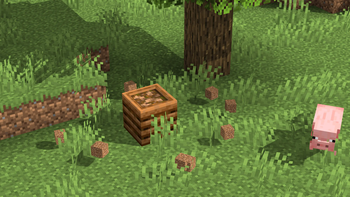
Create compost based on what you toss into a composter!
Screenshots
About this Mod
Create compost based on what you toss into a composter!
Get more than just bone meal!
Compost modifies the vanilla composter to allow you to change what compost you get out of it! With version 3.x, the composter now uses a vanilla styled loot table for generating compost, offering the vast configurability that loot tables make possible. Simply create a data pack with a compost:composter loot table to use your own configuration!
You can make some items renewable that should be but are not, create deep interactions with different compostables for a complex and realistic compost, or simply make the compost give a modded compost item. The choice is yours!
Let the world change your compost!
Compost supports using origin-based conditions in your loot table. You can have compost that generates only under certain light levels, elevations, biomes, dimensions, and more! Have a mod that adds an origin-based condition such as one that checks if it is snowing? Compost can use that to determine what compost is created, allowing nature to play a distinct role the composting process.
Grow compost based on what compostables you add to it!
Compost adds a loot condition for matching what compostables have been used on the composter, so what you put in can determine what you get out! Want a chance of getting apple seeds when you compost apples? How about modded mulch when you compost saplings? Compost gives you the ability to do such and more!
Please note that the default compost loot table is designed to showcase Compost's compostable matching condition to make bone meal available for villager farmers. You may also find mushrooms growing in your compost when the composter is rained upon in game versions that support the necessary conditions.
Get the goods!
You can find releases of Compost on both Modrinth and CurseForge and also access development builds on GitHub!
Compost supports Fabric 1.16+, Forge 1.16+, and NeoForge 1.20.2+.
Figure it all out!
You can delve into the wiki for details or submit a bug report if something isn't quite right!
Still need something? Head on over to the discussions forum for support, to read announcements, or discuss anything about the mod!
Available Versions
How to Install Compost on Your Server
Order Server
Order a Minecraft Java server with at least 3 GB RAM (4 GB recommended).
Set fabric Loader
In the panel under "Egg", select the fabric loader and matching Minecraft version (26.3).
Install Mod
Open the mod browser in the dashboard and search for "Compost". Click "Install" – done! Alternatively, upload the .jar via SFTP to the /mods folder.
Compatibility
Mod Loaders
Minecraft Versions
26.3, 26.2, 26.1.2 (+345 more)
Server-side
✓ RequiredRecommended RAM
4 GB(min. 3 GB)Frequently Asked Questions
Compost server crashes on startup – what to do?
Most common cause: wrong fabric version or insufficient RAM. Check the server log (latest.log) for "OutOfMemoryError" or "Mixin" errors. With Mado Hosting: ensure at least 3 GB RAM is allocated and the loader matches the mod version (26.3). You can switch loaders with one click in the panel.
Is Compost compatible with fabric and forge and neoforge?
Compost officially supports fabric, forge, neoforge for Minecraft 26.3, 26.2, 26.1.2. Note: Forge and Fabric mods are NOT cross-compatible – pick one loader and stick with it. The Mado dashboard automatically detects incompatible loader combinations.
Server lagging with Compost – how to optimize performance?
Recommended RAM: 4 GB (per 8 players). Use /spark profiler to check if Compost consumes the most tick time. Common fixes: reduce server view-distance to 8-10, install "performant" or "starlight" as supplementary mods on Forge. With Mado Hosting, your server runs on NVMe SSDs with dedicated CPU cores for minimal latency.
Similar Mods



Rent Modded Server
Install Compost with just one click on your server.