
Constant Music
Control the silence between music.
Screenshots
About this Mod
Never be stuck in silence again!
Minecraft has some of the most wonderful music. Atmospheric and ambience. However, there are times when you'll find yourself in silence, with only the sounds of mobs and breaking blocks keeping you company. This mod aims to fix that. With Constant Music, you can reduce or completely eliminate the amount of delay Minecraft adds between playing background tracks. It defaults to 0 seconds, which results in the next track playing immediately. But feel free to set it higher if you desire!
Versions for Fabric, Forge and NeoForge
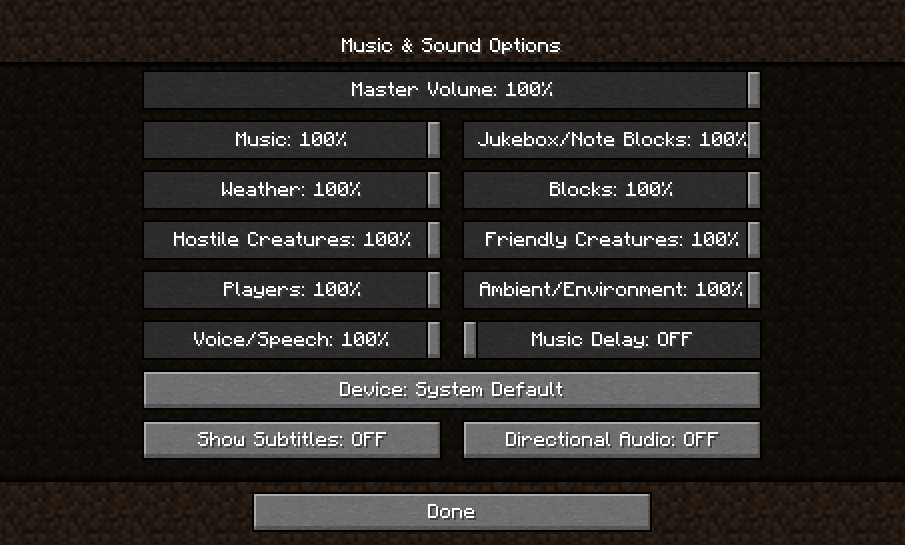
The amount of time between tracks is easy to configure and can be done so in multiple locations. First, there is a slider in the "Music & Sounds Options" screen:

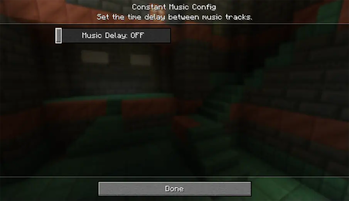
Second, there is a mod config screen with the same slider accessible through the mod menu. If you're using Fabric, it's only available with ModMenu installed:

And lastly, there is a config file created in the Minecraft folder that can edited directly if needed. The file is located within the Minecraft directory at config/constantmusic.toml
Dependencies
This mod requires the Fabric API mod if you are using the Fabric mod loader.
Languages
Rudimentary language support has been provided by machine translations. Translators and native speakers can help improve the translations at Constant Music's Crowdin Project.
Alternative Mods
If you are looking for a mod that does the same thing but with a few more advanced features, such as skipping tracks and a now playing widget, check out Simple Music Control:
License
This mod is under the GNU LESSER GENERAL PUBLIC LICENSE
Feel free to use this mod in any modpack.
Available Versions
How to Install Constant Music on Your Client
Install the Mod Loader Locally
Install fabric for your local Minecraft version.
Download the Matching File
Choose the Constant Music file for fabric and Minecraft 1.21.8.
Install Mod
Place the .jar file in your local .minecraft/mods folder and restart Minecraft. No server-side installation is required.
Compatibility
Mod Loaders
Minecraft Versions
1.21.8, 1.21.7, 1.21.6 (+18 more)
Server-side
✗ UnsupportedRecommended RAM
4 GB(min. 3 GB)Frequently Asked Questions
Does Constant Music need to be installed on the Minecraft server?
No. Modrinth marks Constant Music as unsupported on the server side. Install it only in your local Minecraft mods folder. Your server can remain unchanged unless the mod page lists an additional dependency.
Which version and loader does Constant Music require?
Use a file for fabric, forge, neoforge, quilt and your exact Minecraft version. Supported versions include 1.21.8, 1.21.7, 1.21.6. Files for different loaders are not interchangeable.
Constant Music is not working – what should I check?
First check the Minecraft version, loader version and required dependencies. Put the .jar file in your local .minecraft/mods folder and remove older duplicates. Because this mod is client-side, adding server RAM will not fix it.
Similar Mods




![[ETF] Entity Texture Features](https://cdn.modrinth.com/data/BVzZfTc1/af683d206d50b05258d865b0d6e4aa2f2cee12f2_96.webp)

Minecraft Server for Your Group
Constant Music stays on your client. Host a compatible world for your group.