
Diggus Maximus
Lightweight vein mining for Fabric 1.14+
About this Mod
Diggus Maximus is a mod for Fabric bringing quick and easy "Vein Mining".
Please be sure to check out all the mods that this mod has been inspired by, EasyExcavate, Ore Excavation, VeinMiner.
A mod created to make mining veins of the same blocks significantly easier. Simply hold the "excavate" key(bound to ~ by default,configurable) while mining a block and all the connected blocks will be mined as well, saving you the time from mining each individually.
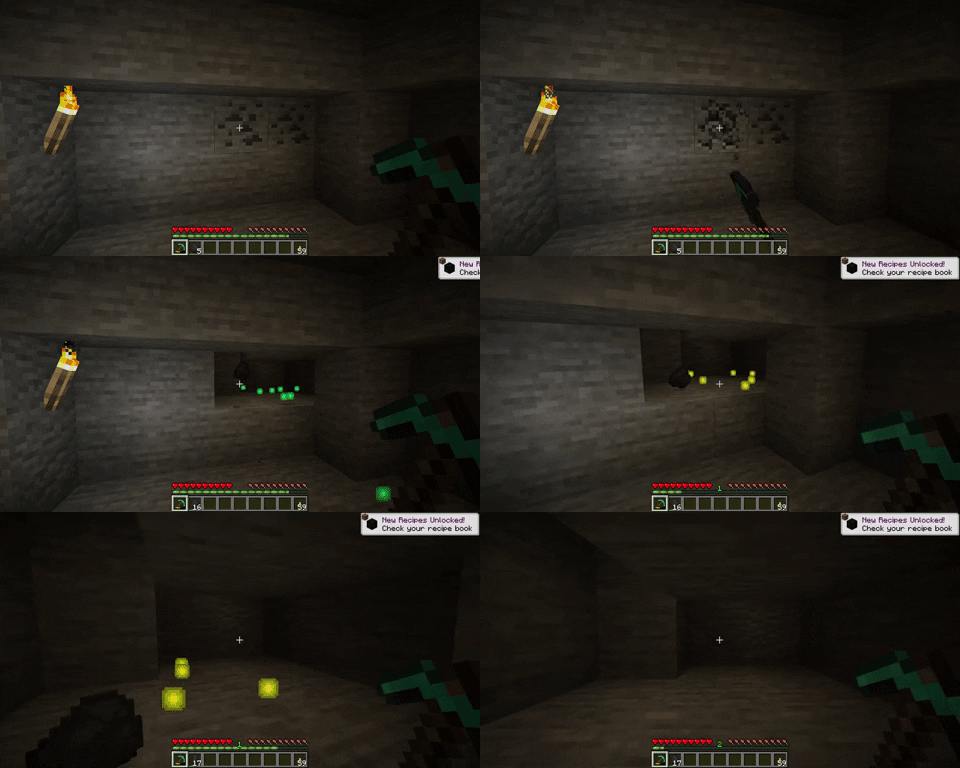
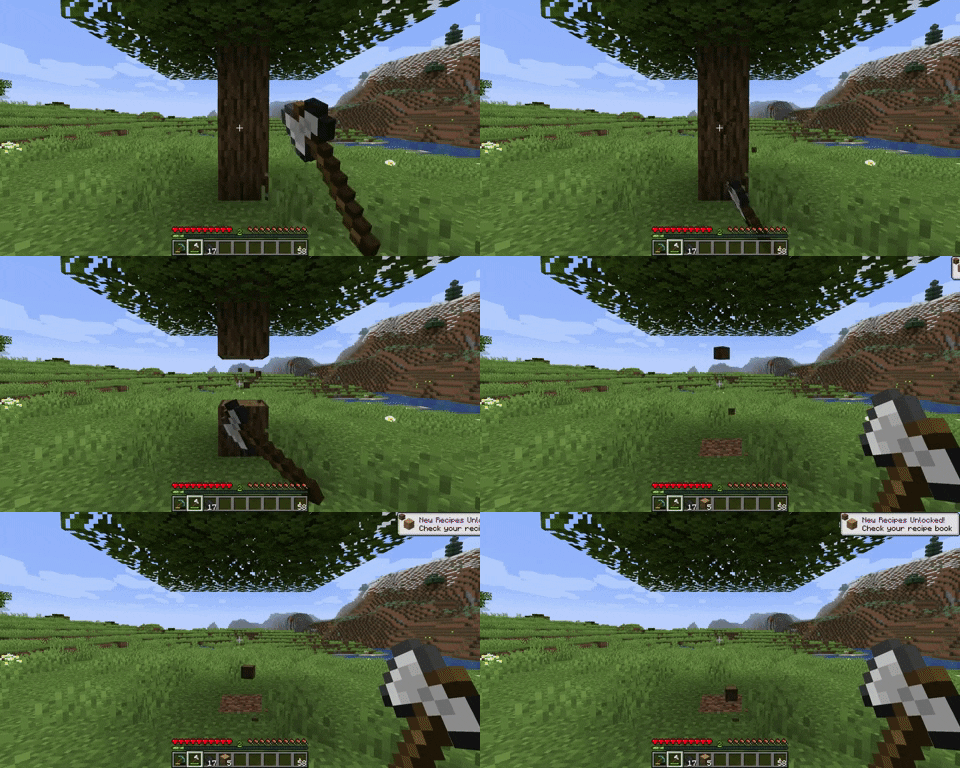
Diggus Maximus is highly configurable, featuring:
- Automatically picking up the mined blocks
- maximum number of blocks to mine
- max distance from start block to spread
- the ability to excavate with your hand
- Tool durability
- Player exhaustion
- A blacklist/whitelist
- Auto stopping before tool breaks
- Support for mining BlockTags
Diggus Maximus is required to be installed on both the client, and the server. While playing on a server, the server config will override the clients
Available Versions
How to Install Diggus Maximus on Your Server
Order Server
Order a Minecraft Java server with at least 3 GB RAM (4 GB recommended).
Set fabric Loader
In the panel under "Egg", select the fabric loader and matching Minecraft version (1.20.1).
Install Mod
Open the mod browser in the dashboard and search for "Diggus Maximus". Click "Install" – done! Alternatively, upload the .jar via SFTP to the /mods folder.
Compatibility
Mod Loaders
Minecraft Versions
1.20.1, 1.20, 1.19.4 (+4 more)
Server-side
✓ RequiredRecommended RAM
4 GB(min. 3 GB)Frequently Asked Questions
Diggus Maximus server crashes on startup – what to do?
Most common cause: wrong fabric version or insufficient RAM. Check the server log (latest.log) for "OutOfMemoryError" or "Mixin" errors. With Mado Hosting: ensure at least 3 GB RAM is allocated and the loader matches the mod version (1.20.1). You can switch loaders with one click in the panel.
Is Diggus Maximus compatible with fabric?
Diggus Maximus officially supports fabric for Minecraft 1.20.1, 1.20, 1.19.4. The Mado dashboard automatically detects incompatible loader combinations.
Server lagging with Diggus Maximus – how to optimize performance?
Recommended RAM: 4 GB (per 8 players). Use /spark profiler to check if Diggus Maximus consumes the most tick time. Common fixes: reduce server view-distance to 8-10, install "performant" or "starlight" as supplementary mods on Forge. With Mado Hosting, your server runs on NVMe SSDs with dedicated CPU cores for minimal latency.
Similar Mods




![[ETF] Entity Texture Features](https://cdn.modrinth.com/data/BVzZfTc1/af683d206d50b05258d865b0d6e4aa2f2cee12f2_96.webp)

Rent Modded Server
Install Diggus Maximus with just one click on your server.