
Dynamic Fullbright
A simple alternative to standard fullbright/gamma mods, offering the ability to scale or clamp light levels to a desired range.
Screenshots
About this Mod
Dynamic Fullbright



Traditional fullbright mods apply a nightvision filter, set the light levels all to the maximum, or change the gamma.
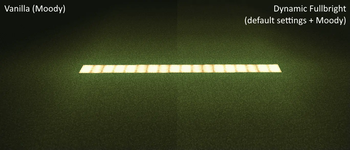
Dynamic Fullbright instead offers the ability to clamp or scale light levels, retaining the lighting ambience of the area while still making things visible.
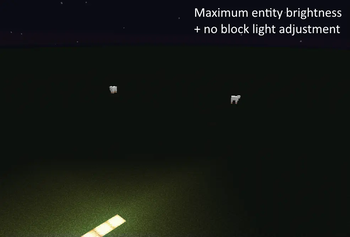
You can set everything to the maximum to achieve true full brightness, or tone it down to suit your preference.
Example
Dynamic Fullbright works by taking the lightlevels obtained by the render thread and shifting them during lighting updates.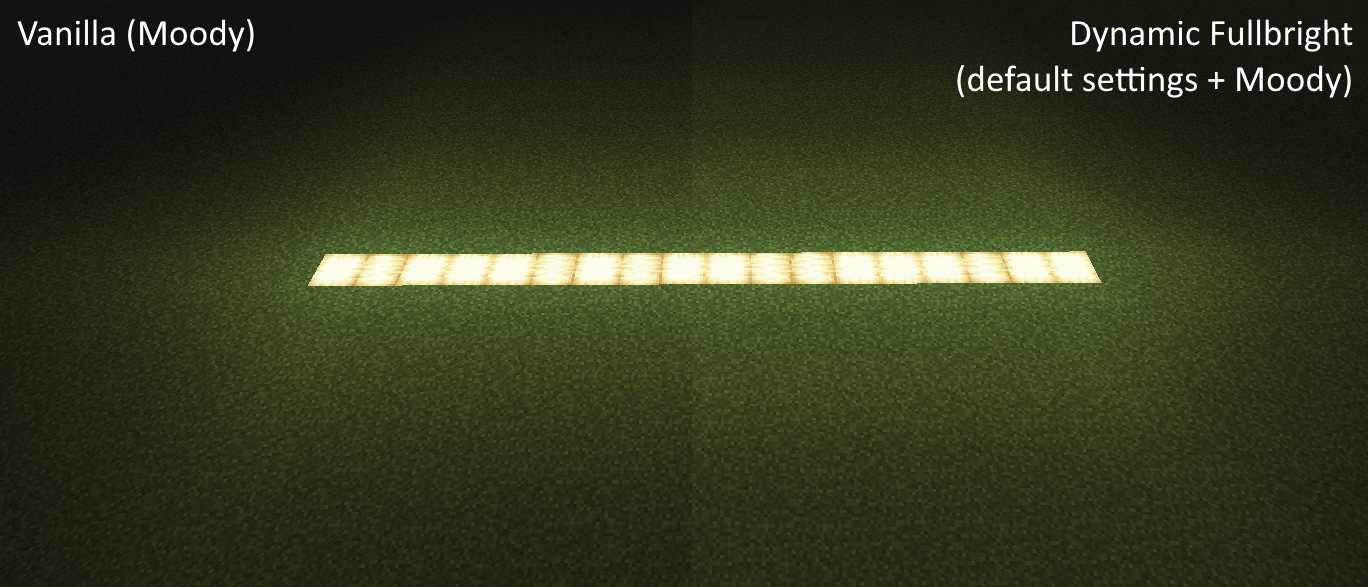
The default settings scale block and sky light levels to be in the range of 4-15.
Extras
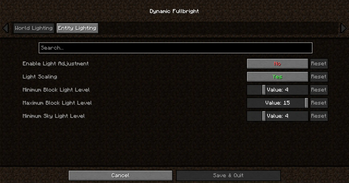
With cloth config and mod menu, you access the settings to bring the brightness to anything you desire.
Available Versions
How to Install Dynamic Fullbright on Your Client
Install the Mod Loader Locally
Install fabric for your local Minecraft version.
Download the Matching File
Choose the Dynamic Fullbright file for fabric and Minecraft 26.2.
Install Mod
Place the .jar file in your local .minecraft/mods folder and restart Minecraft. No server-side installation is required.
Compatibility
Mod Loaders
Minecraft Versions
26.2, 26.1.2, 26.1.1 (+26 more)
Server-side
✗ UnsupportedRecommended RAM
4 GB(min. 3 GB)Frequently Asked Questions
Does Dynamic Fullbright need to be installed on the Minecraft server?
No. Modrinth marks Dynamic Fullbright as unsupported on the server side. Install it only in your local Minecraft mods folder. Your server can remain unchanged unless the mod page lists an additional dependency.
Which version and loader does Dynamic Fullbright require?
Use a file for fabric, quilt and your exact Minecraft version. Supported versions include 26.2, 26.1.2, 26.1.1. Files for different loaders are not interchangeable.
Dynamic Fullbright is not working – what should I check?
First check the Minecraft version, loader version and required dependencies. Put the .jar file in your local .minecraft/mods folder and remove older duplicates. Because this mod is client-side, adding server RAM will not fix it.
Similar Mods




![[ETF] Entity Texture Features](https://cdn.modrinth.com/data/BVzZfTc1/af683d206d50b05258d865b0d6e4aa2f2cee12f2_96.webp)

Minecraft Server for Your Group
Dynamic Fullbright stays on your client. Host a compatible world for your group.