
EMF Compat: Core
Shared framework for the EMF Compat family.
Screenshots
About this Mod
EMF Compat: Core
A shared client-side library that lets all EMF Compat addons fix animation conflicts with Entity Model Features.
This mod does not add visible gameplay features on its own, but it is required by every EMF Compat addon.
What it does
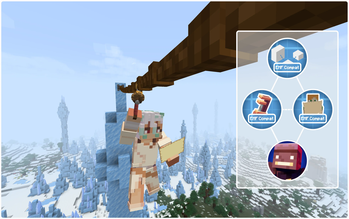
When another mod plays its own player animation — such as Create's Skyhook, Better Combat attacks or Carry On carrying — the addon captures the current body, arms or head pose before EMF overrides it, then restores that pose so the external animation stays visible instead of being replaced by the resource-pack animation.
Features
- Required shared library for all EMF Compat addons.
- Lets addon animations show correctly on animated EMF player models.
- Handles pose capture and restore behind the scenes.
- Keeps first-person and third-person poses consistent.
- Poses blend smoothly into your resource pack's animation instead of snapping to it in one frame. Armour follows the blend.
- Fixes crouching while a mod animates the player — no more sinking into the ground or jumping up with every attack from a crouch.
- Keeps your pack animating while another mod plays an animation through Player Animation Library, instead of freezing the whole model.
- One settings screen for every addon (Mods → EMF Compat Core → Config), with switches for smoothing and the crouch fix.
Projects
- EMF Compat: Not Enough Animations
- EMF Compat: Create
- EMF Compat: Better Combat
- EMF Compat: Carry On
- EMF Compat: Immersive Melodies
- EMF Compat: Quark
- EMF Compat: Supplementaries
- EMF Compat: Exposure
- EMF Compat: Gliders
- EMF Compat: Iron's Spells 'n Spellbooks
- EMF Compat: TACZ
- EMF Compat: Take a Seat
- EMF Compat: WATUT
- EMF Compat: Parcool Currently unavailable
- EMF Compat: Hackers 'n Slashers Currently unavailable
Spoiler


enjoy ^_^
Available Versions
How to Install EMF Compat: Core on Your Client
Install the Mod Loader Locally
Install fabric for your local Minecraft version.
Download the Matching File
Choose the EMF Compat: Core file for fabric and Minecraft 26.2.
Install Mod
Place the .jar file in your local .minecraft/mods folder and restart Minecraft. No server-side installation is required.
Compatibility
Mod Loaders
Minecraft Versions
26.2, 26.1.2, 1.21.11 (+3 more)
Server-side
✗ UnsupportedRecommended RAM
4 GB(min. 3 GB)Frequently Asked Questions
Does EMF Compat: Core need to be installed on the Minecraft server?
No. Modrinth marks EMF Compat: Core as unsupported on the server side. Install it only in your local Minecraft mods folder. Your server can remain unchanged unless the mod page lists an additional dependency.
Which version and loader does EMF Compat: Core require?
Use a file for fabric, forge, neoforge and your exact Minecraft version. Supported versions include 26.2, 26.1.2, 1.21.11. Files for different loaders are not interchangeable.
EMF Compat: Core is not working – what should I check?
First check the Minecraft version, loader version and required dependencies. Put the .jar file in your local .minecraft/mods folder and remove older duplicates. Because this mod is client-side, adding server RAM will not fix it.
Similar Mods




Minecraft Server for Your Group
EMF Compat: Core stays on your client. Host a compatible world for your group.