
Enchantment Insights
Pretty enchantment tooltips with colorful names and clear descriptions. No mystery, just magic!
Screenshots

About this Mod








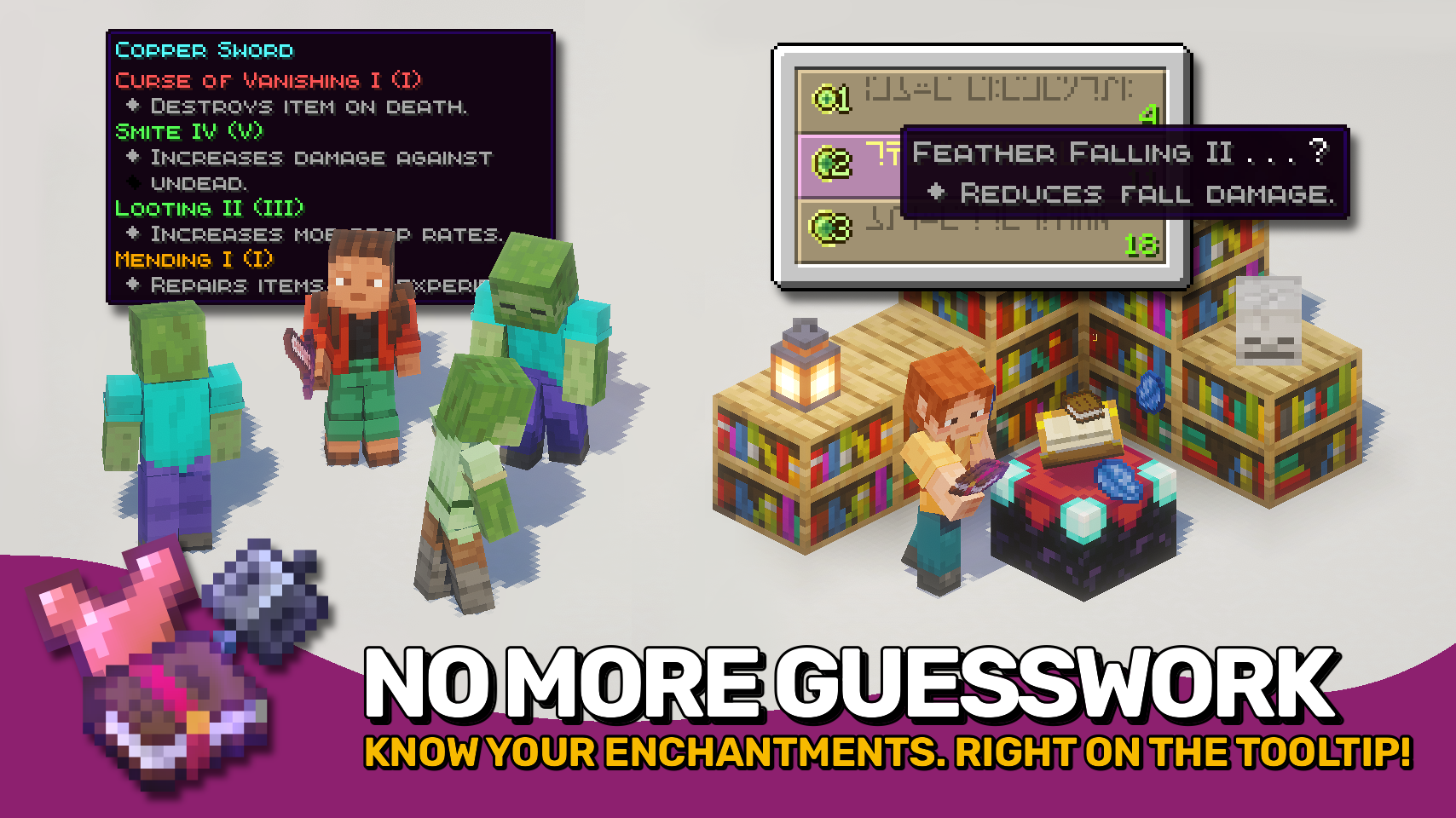
Enchantment Insights makes enchantments easier to understand by adding clear descriptions directly to your item tooltips. ✨ No more guessing what an enchantment actually does before applying it.
Tooltips also receive a stylish upgrade with dyed enchantment names, visible max levels, and clean formatting that keeps everything easy to read at a glance. 📚 The enchanting table is not left behind either, with enchantment hints showing the same helpful descriptions so you know exactly what you are getting.
Looking for neat effect descriptions too? Check out the wonderful Effect Insights mod! 🧪

- ✨ Clear Descriptions: Every enchantment comes with an easy-to-understand explanation in item tooltips.
- 🧭 Extra Info: Optionally display compatible item tags, source mod, and enchantment ID.
- 🎨 Beautiful Formatting: Dyed names, colored bullet points, and neat indentation make tooltips look clean and polished.
- 🔢 Level Display: Shows both the current and max level for each enchantment.
- 💡 Helpful in Enchanting Table: Displays the same descriptions for enchantment hints while choosing enchantments.
- ⚙️ Configurable: Control when to show descriptions and which details to include. Even formatting is fully customizable.


⏩ INSTALLATION REQUIRED ON CLIENT
⏩ REQUIRES PUZZLES LIB TO BE INSTALLED (FABRIC & NEOFORGE)
⏩ REQUIRES FABRIC API TO BE INSTALLED (FABRIC)
⏩ REQUIRES FORGE CONFIG API PORT TO BE INSTALLED (FABRIC)

If available for a mod, configuration is possible directly from in-game using the mod menu (requires Mod Menu by Prospector to be installed on Fabric).
For manual configuration using an external text editor all files are found at .minecraft/config, named as MOD_ID-client.toml, MOD_ID-common.toml, or MOD_ID-server.toml, depending on the type of config. Not all types might exist for a mod, if any at all.

🌟 Big thanks to Kyrptonaught for their Enchanted ToolTips mod, which served as a foundation for this project with all the useful information shown on its enchantment tooltips.
🌟 Huge thanks to Darkhax for the original Enchantment Descriptions mod. A great concept that's been around for years and now shines again having been fully revamped for modern Minecraft.
🌟 Thanks to Stal for their stylish Clean Tooltips mod, which inspired the dyed enchantment names.
🌟 Thanks to gliscowo for Idwtialsimmoedm, which served as a foundation for the tooltip style.
 |
 |
|
 |
 |
|
 |
 |
|
 |
 |
|
 |
 |

© 2026 @heyitsfuzs. All rights reserved. This page was last edited on 11 September 2026, at 06:44 (UTC).
Available Versions
How to Install Enchantment Insights on Your Client
Install the Mod Loader Locally
Install fabric for your local Minecraft version.
Download the Matching File
Choose the Enchantment Insights file for fabric and Minecraft 26.3.
Install Mod
Place the .jar file in your local .minecraft/mods folder and restart Minecraft. No server-side installation is required.
Compatibility
Mod Loaders
Minecraft Versions
26.3, 26.2, 26.1.2 (+6 more)
Server-side
✗ UnsupportedRecommended RAM
4 GB(min. 3 GB)Frequently Asked Questions
Does Enchantment Insights need to be installed on the Minecraft server?
No. Modrinth marks Enchantment Insights as unsupported on the server side. Install it only in your local Minecraft mods folder. Your server can remain unchanged unless the mod page lists an additional dependency.
Which version and loader does Enchantment Insights require?
Use a file for fabric, neoforge and your exact Minecraft version. Supported versions include 26.3, 26.2, 26.1.2. Files for different loaders are not interchangeable.
Enchantment Insights is not working – what should I check?
First check the Minecraft version, loader version and required dependencies. Put the .jar file in your local .minecraft/mods folder and remove older duplicates. Because this mod is client-side, adding server RAM will not fix it.
Similar Mods




![[ETF] Entity Texture Features](https://cdn.modrinth.com/data/BVzZfTc1/af683d206d50b05258d865b0d6e4aa2f2cee12f2_96.webp)

Minecraft Server for Your Group
Enchantment Insights stays on your client. Host a compatible world for your group.