
Epoch Stages
A data-driven progression framework that gates any content behind configurable "ages", with physical ore remapping and an in-game visual editor.
Screenshots
About this Mod
EpochStages - Work is still ongoing
KUBEJS INTEGRATION WIKI
Turn your modpack into a journey through the ages.
EpochStages is a data-driven, server-authoritative progression framework that lets pack creators lock anything — items, recipes, ores, mobs, dimensions, even whole mods — behind configurable stages that players unlock over time. No coding required.
✨ What you can gate
🔓 Item stages — items stay uncraftable/unusable until their stage unlocks (locked items are even ejected from the inventory).
📜 Recipe stages — gate individual recipes, or pull a single recipe out of an otherwise-locked mod.
⛏️ Ore stages with REMAP — locked ores are physically swapped for a substitute (e.g. iron ore shows up and drops as coal) and snap back to the real ore the instant the stage unlocks. WAILA/Jade reads the real block — no fake render tricks, fully reversible.
👹 Mob stages — gated mobs simply don't spawn.
🌍 Dimension stages — block dimensions until they're unlocked.
🧩 Mod stages — lock an entire mod by namespace, with per-item / per-recipe exceptions, and it stays hidden in JEI/EMI while locked.
🚫 Blocked items — permanently disable items (perfect for removing all vanilla tools & armor except netherite, leaving gear to Silent Gear / Tetra).
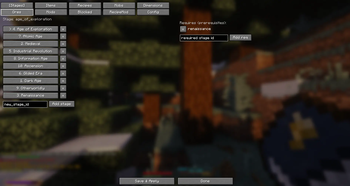
🔗 Prerequisites — build real progression trees: you can't reach the Bronze Age without the Iron Age first.
🔨 Recipe tools
Remove any recipe entirely (gone from JEI and uncraftable).
Add custom shaped / shapeless recipes.
Swap an existing recipe's output.
🖥️ In-game visual editor
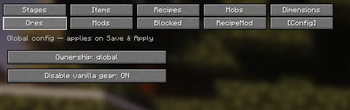
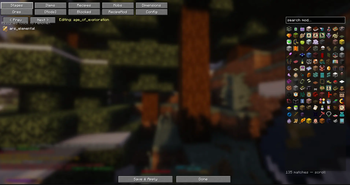
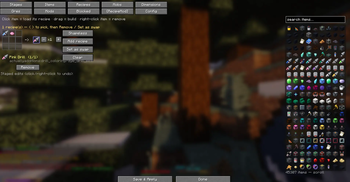
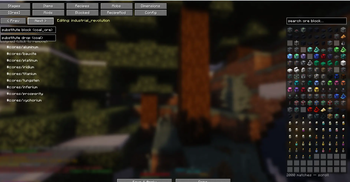
/epochstages editor opens a full GUI — searchable icon pickers, drag-and-drop recipe building, per-stage assignment, prerequisites, ore remaps, mod locks, blocked items and a config tab. Everything saves to a portable world datapack you can drop straight into your pack.
⚙️ Ownership modes
Progress per player, per FTB Team, or globally across the server — your call.
🔌 Integrations (all optional)
FTB Teams · KubeJS · JEI · EMI · Jade — works perfectly fine without any of them.
📦 For pack creators
Server-authoritative and multiplayer-safe. Configure via the in-game editor, JSON datapacks, the server config (epochstages-server.toml), or KubeJS — nothing is hardcoded.
· Authored by Yoofe
Available Versions
How to Install Epoch Stages on Your Server
Order Server
Order a Minecraft Java server with at least 3 GB RAM (4 GB recommended).
Set neoforge Loader
In the panel under "Egg", select the neoforge loader and matching Minecraft version (1.21.1).
Install Mod
Open the mod browser in the dashboard and search for "Epoch Stages". Click "Install" – done! Alternatively, upload the .jar via SFTP to the /mods folder.
Compatibility
Mod Loaders
Minecraft Versions
1.21.1
Server-side
✓ RequiredRecommended RAM
4 GB(min. 3 GB)Frequently Asked Questions
Epoch Stages server crashes on startup – what to do?
Most common cause: wrong neoforge version or insufficient RAM. Check the server log (latest.log) for "OutOfMemoryError" or "Mixin" errors. With Mado Hosting: ensure at least 3 GB RAM is allocated and the loader matches the mod version (1.21.1). You can switch loaders with one click in the panel.
Is Epoch Stages compatible with neoforge?
Epoch Stages officially supports neoforge for Minecraft 1.21.1. The Mado dashboard automatically detects incompatible loader combinations.
Server lagging with Epoch Stages – how to optimize performance?
Recommended RAM: 4 GB (per 8 players). Use /spark profiler to check if Epoch Stages consumes the most tick time. Common fixes: reduce server view-distance to 8-10, install "performant" or "starlight" as supplementary mods on Forge. With Mado Hosting, your server runs on NVMe SSDs with dedicated CPU cores for minimal latency.
Similar Mods






Rent Modded Server
Install Epoch Stages with just one click on your server.