
FPSMaster
A pvp client, which provides common pvp utilities, like sprint, motionblur, autogg and etc. Along with fancy user-interface and music player.
Screenshots
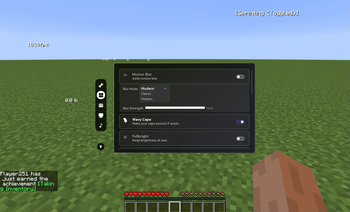
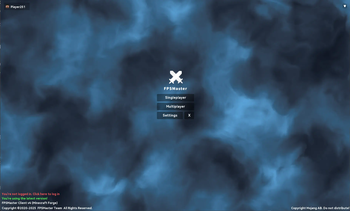
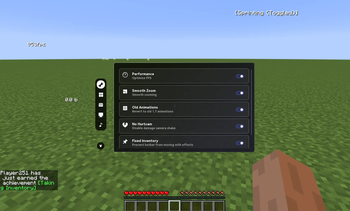
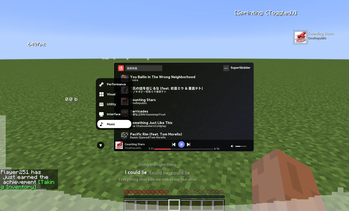
About this Mod
FPSMaster Client
FPSMaster is a powerful all-in-one PvP utility mod, designed to give you a competitive edge while keeping everything lightweight and smooth. Think of it as a modular alternative to full PvP clients like Lunar or Badlion—but available right in your own mod setup.
With 50+ features packed into a single mod, FPSMaster delivers both performance boosts and PvP-focused tools, including:
Vanilla performance optimizations for massive FPS gains—often several times higher than default
Essential PvP utilities like:
- Toggle Sprint
- Old 1.7 animations
- AutoGG
- FullBright
- Particle and sound customization
- In-game indicators (CPS, FPS, inventory status, and more)
Built-in music player
Dynamic blur effects
Realistic item physics
Free cosmetic items
Whether you’re looking for smoother gameplay, better visuals, or convenience features to keep you one step ahead, FPSMaster brings it all together—no extra client required.
Links and Support
Github:https://github.com/FPSMasterTeam/FPSMaster
Official Website:https://fpsmaster.top/
Available Versions
How to Install FPSMaster on Your Client
Install the Mod Loader Locally
Install fabric for your local Minecraft version.
Download the Matching File
Choose the FPSMaster file for fabric and Minecraft 26.2.
Install Mod
Place the .jar file in your local .minecraft/mods folder and restart Minecraft. No server-side installation is required.
Compatibility
Mod Loaders
Minecraft Versions
26.2, 1.21.11, 1.21.8 (+5 more)
Server-side
✗ UnsupportedRecommended RAM
4 GB(min. 3 GB)Frequently Asked Questions
Does FPSMaster need to be installed on the Minecraft server?
No. Modrinth marks FPSMaster as unsupported on the server side. Install it only in your local Minecraft mods folder. Your server can remain unchanged unless the mod page lists an additional dependency.
Which version and loader does FPSMaster require?
Use a file for fabric, forge and your exact Minecraft version. Supported versions include 26.2, 1.21.11, 1.21.8. Files for different loaders are not interchangeable.
FPSMaster is not working – what should I check?
First check the Minecraft version, loader version and required dependencies. Put the .jar file in your local .minecraft/mods folder and remove older duplicates. Because this mod is client-side, adding server RAM will not fix it.
Similar Mods




Minecraft Server for Your Group
FPSMaster stays on your client. Host a compatible world for your group.