
Fullscreen Tweaks
Expands Minecraft's window settings with native and borderless fullscreen modes, customizable focus-loss behavior, and independent loading-screen options — including staying minimized until the game finishes launching!
Screenshots
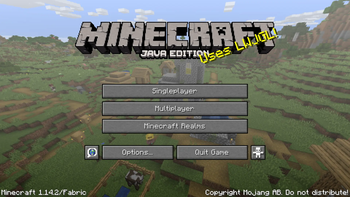
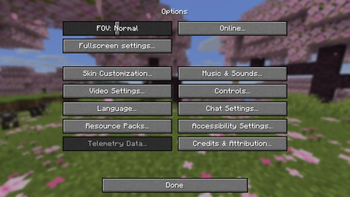
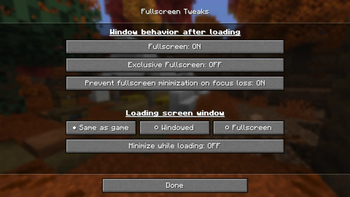
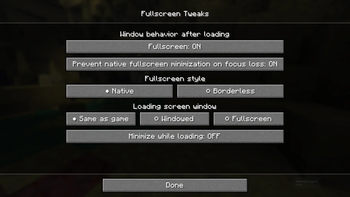
About this Mod
Fullscreen Tweaks

⚠️ Fabric versions 1.0.0 and up also require installing Fabric API ⚠️
A client-side Minecraft mod for controlling fullscreen style, focus-loss behavior, and the loading window independently from the rest of the game. Version 2.0.0 supports native, borderless, and SDL3 fullscreen behavior across a large range of Minecraft and loader versions.
Install the jar that matches both your Minecraft version and mod loader. No server installation is required.
Fullscreen Tweaks was previously known as Stop Minimizing on Focus Loss (versions 1.0.0 and older) before its feature set and scope grew beyond the original single-purpose design. Existing settings are migrated automatically after the rename.
Features
Added in 0.1.0:
- 🔒 Keeps native fullscreen visible when Minecraft loses focus, such as while alt-tabbing, clicking another monitor, or using another application.
- 🛡️ Reapplies the focus-loss policy after Minecraft creates its window and whenever it changes window mode, so the behavior remains reliable across fullscreen transitions.
- 🌐 Supports a wide range of Minecraft versions and loaders, including Fabric, Forge, NeoForge, Quilt, Liteloader, Babric, and Better Than Adventure targets.
Added in 1.0.0:
- 🧑🔧 Provides a dedicated Fullscreen Settings screen directly from Minecraft's main Options menu.
- Lets minimization prevention be enabled or disabled independently from the selected fullscreen style.
- Offers both Minecraft's native fullscreen mode and a borderless fullscreen mode on GLFW versions. SDL versions use Minecraft's built-in exclusive-fullscreen choice instead.
- Makes borderless fullscreen fill the monitor containing most of the Minecraft window, with a safe fallback to the primary monitor.
- 🪟/🐧/🍎 Uses practical platform defaults: borderless fullscreen on Windows and native fullscreen with minimization prevention elsewhere.
- Stores portable settings in
config/fullscreen-tweaks.properties, automatically migrating both the previous filename and the original enable/disable setting.
Added in 2.0.0:
- ⏳ Lets the loading screen follow the game's saved fullscreen setting or independently use windowed or fullscreen mode.
- 🥷 Can keep Minecraft minimized throughout loading, then restore and show it in the regular game window mode when loading finishes.
- Restores both the actual window mode and Minecraft's displayed fullscreen setting after temporary loading-window overrides.
- Presents multi-choice settings as radio-style controls, with concise labels and an individual tooltip for every setting and choice.
- ⚡ Supports Minecraft's newer SDL3 window backend, including optional classic minimize-on-focus-loss behavior for native fullscreen.
- Full 🇵🇱 Polish and 🇳🇴 Norwegian (Bokmål) translations.
- 🔥 Rebranded from "Stop Minimizing on Focus Loss" to "Fullscreen Tweaks":))
Configuration
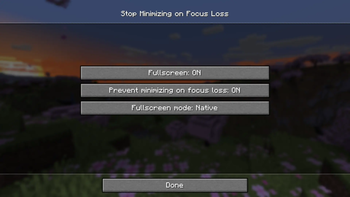
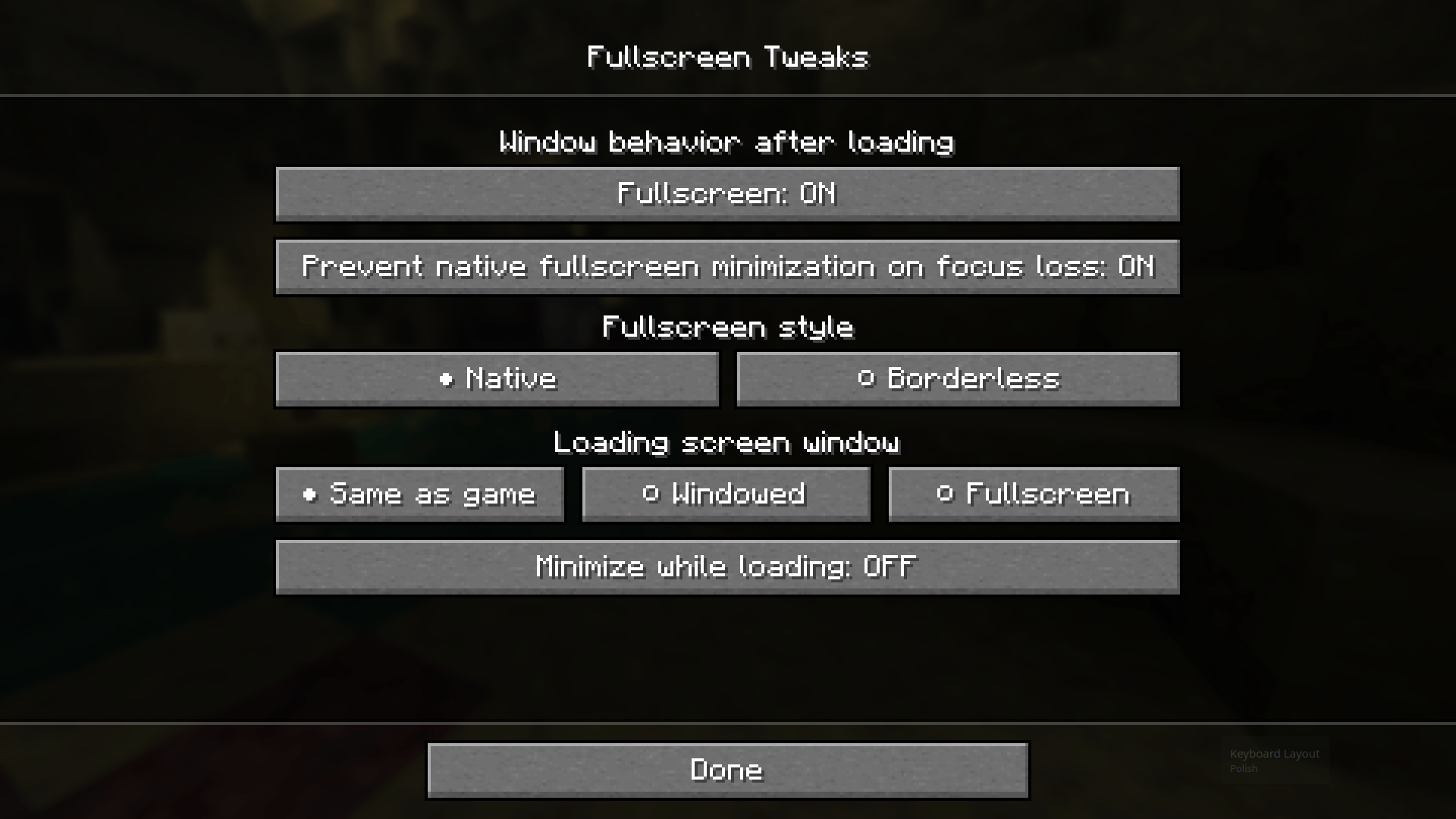
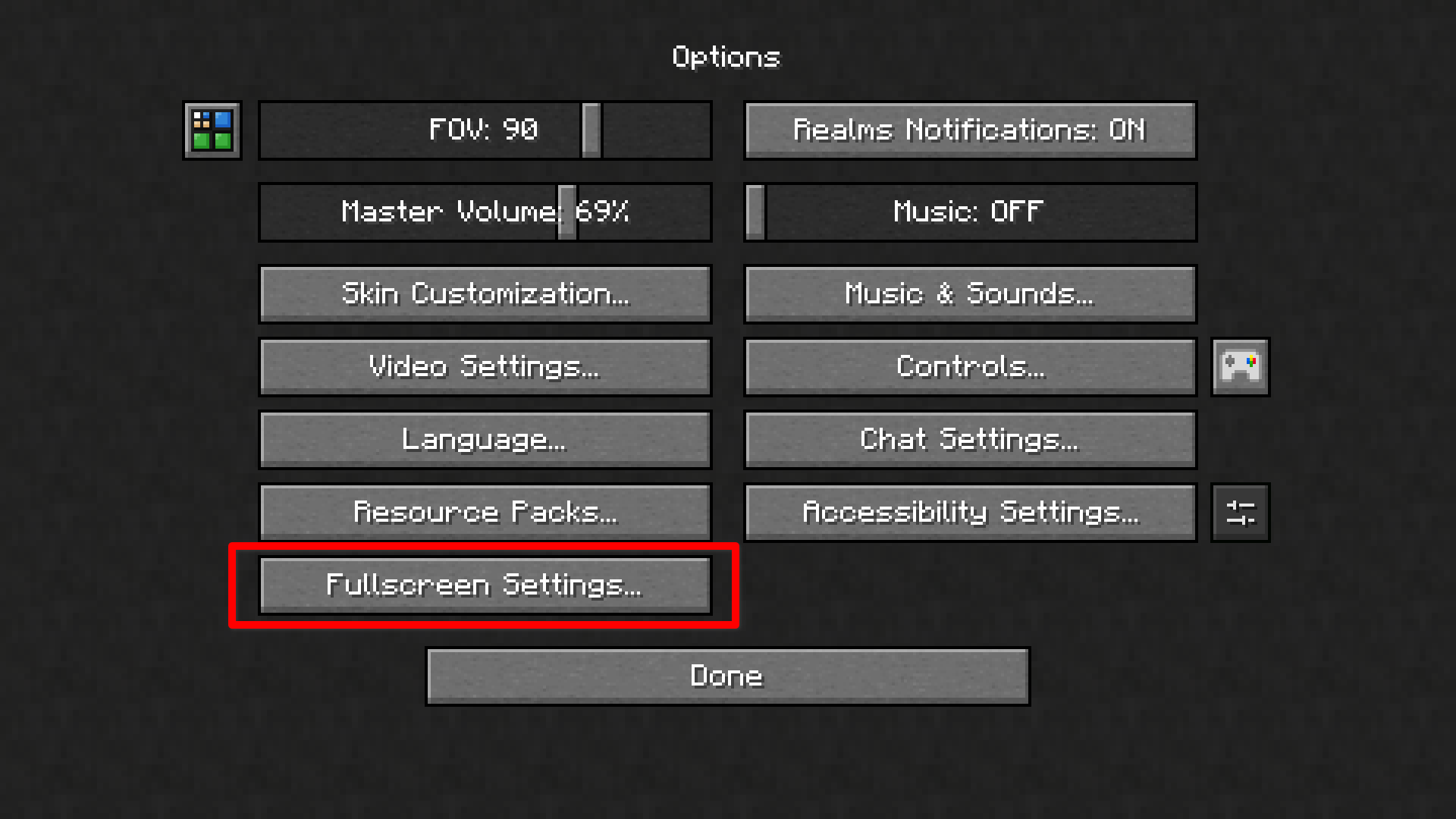
Open Options → Fullscreen Settings in Minecraft. The page controls:
- Fullscreen: Minecraft's normal fullscreen setting. F11 and other screens use the same value.
- Prevent native fullscreen minimization: controls focus-loss minimization for native fullscreen; borderless fullscreen normally remains visible regardless.
- Fullscreen mode: chooses native or borderless fullscreen on GLFW versions. Minecraft 26.3 and newer use the equivalent vanilla exclusive-fullscreen setting.
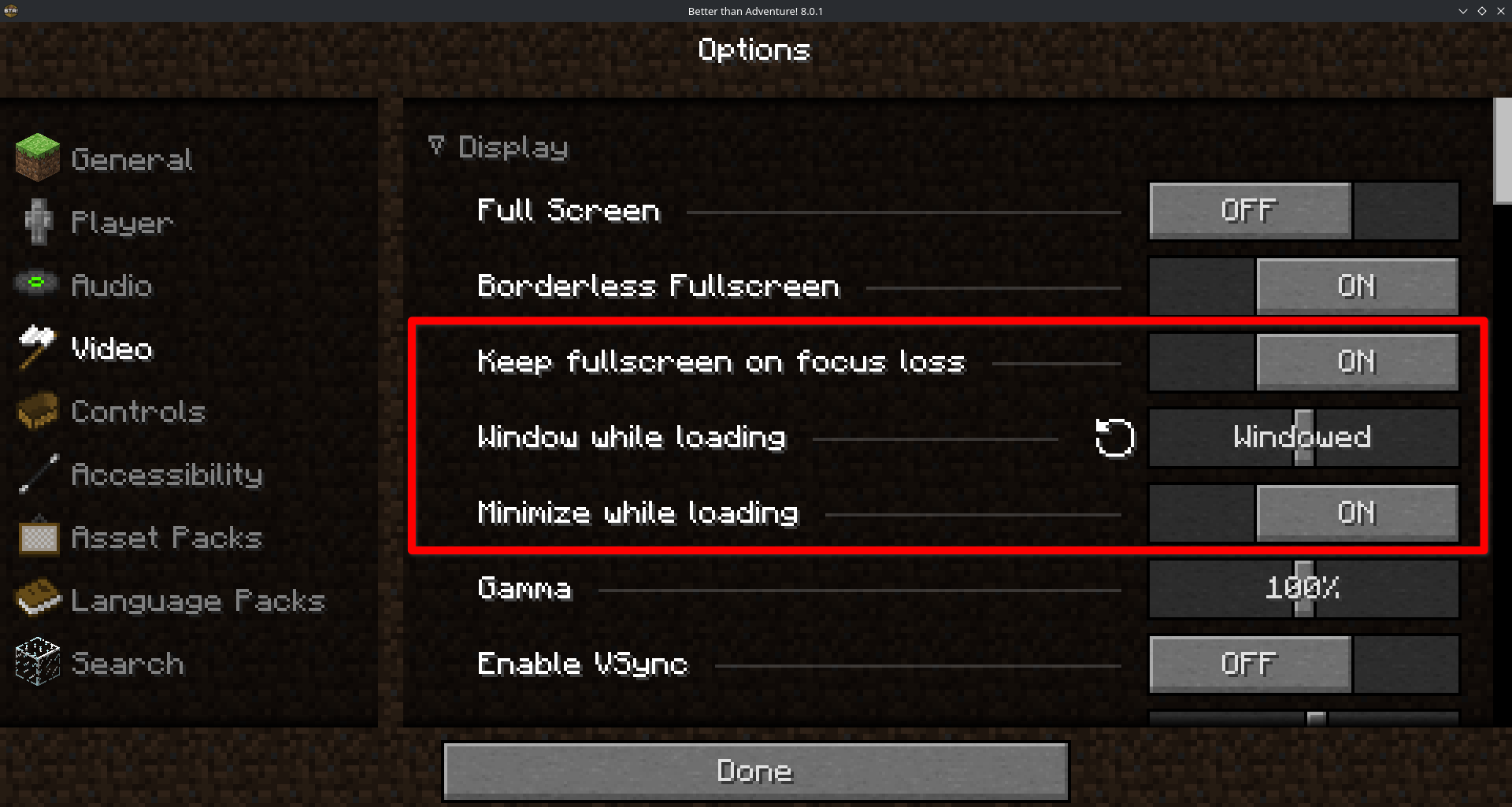
- Loading screen: follows the game's fullscreen setting or temporarily forces the loading screen to be windowed or fullscreen.
- Start loading screen minimized: keeps Minecraft minimized in the operating system's taskbar or dock throughout loading, then shows it in the regular game window mode when loading finishes.🔥
Although do note that on some Minecraft targets (e.g. SDL-based versions such as 26.3 or Better Than Adventure), the available options may differ slightly.
The Options entry searches for a free position without moving other mods' controls hence helping prevent the button from causing conflicts even on very large modpacks. On crowded screens it can shrink to ... or hide until a slot becomes available. In which case, the same settings screen can also be accessed through the Mod Menu mod on Fabric or (Neo)Forge's built-in modlist.
Meanwhile, on Better Than Adventure, the mod adds its options directly to Better Than Adventure's video settings tab.
Version Support
Fullscreen Tweaks 2.0.x is actively supported only on the exact Minecraft and loader combinations listed below. Each jar is built for one specific combination; do not use a jar with a different Minecraft version or loader.
| Minecraft version | Fabric | Forge | NeoForge | Support notes |
|---|---|---|---|---|
| 1.14.4 | 2.0.x | ❎ | ❎ | Fabric target for Minecraft 1.14.4 |
| 1.15.2 | 2.0.x | ❎ | ❎ | Fabric target for Minecraft 1.15.2 |
| 1.16.5 | 2.0.x | 2.0.x | ❎ | Fabric and standalone Forge targets |
| 1.17.1 | 2.0.x | 2.0.x | ❎ | Fabric and Forge targets |
| 1.18.2 | 2.0.x | 2.0.x | ❎ | Fabric and Forge targets |
| 1.19.2 | 2.0.x | 2.0.x | ❎ | Fabric and Forge targets |
| 1.19.4 | 2.0.x | 2.0.x | ❎ | Fabric and Forge targets |
| 1.20.1 | 2.0.x | 2.0.x | 2.0.x | Fabric, Forge, and standalone NeoForge targets |
| 1.20.6 | 2.0.x | ❎ | 2.0.x | Fabric and NeoForge targets |
| 1.21.1 | 2.0.x | ❎ | 2.0.x | Fabric and NeoForge targets |
| 1.21.11 | 2.0.x | ❎ | 2.0.x | Fabric and NeoForge targets |
| 26.1.2 | 2.0.x | ❎ | 2.0.x | Fabric and NeoForge targets |
| 26.2 | 2.0.x | ❎ | 2.0.x | Fabric and NeoForge targets |
| 26.3 | 2.0.x | ❎ | 2.0.x | Fabric and NeoForge SDL3 targets |
All other Minecraft and loader combinations are legacy-only and are not supported beyond the 0.1.x release line. This includes the Quilt builds, Liteloader builds, the vanilla Beta 1.7.3 Babric build, Forge 1.7.10, Forge 1.8.9, Forge 1.12.2, and Forge 1.20.6. Existing 0.1.x files remain available for those legacy targets
Better Than Adventure is the exception to that legacy policy. Its Babric targets remain supported independently of the Minecraft 2.0.x matrix and will receive updates whenever needed to support current Better Than Adventure releases.
| Better Than Adventure version | Loader | Support status |
|---|---|---|
| 7.3_04 | Babric | Supported legacy release |
| 8.0.1 | Babric | Supported current release |
| Future supported BTA releases | Babric | Compatibility updates will be added as needed |
Available Versions
How to Install Fullscreen Tweaks on Your Client
Install the Mod Loader Locally
Install babric for your local Minecraft version.
Download the Matching File
Choose the Fullscreen Tweaks file for babric and Minecraft 26.3.
Install Mod
Place the .jar file in your local .minecraft/mods folder and restart Minecraft. No server-side installation is required.
Compatibility
Mod Loaders
Minecraft Versions
26.3, 26.3-snapshot-3, 26.3-snapshot-2 (+55 more)
Server-side
✗ UnsupportedRecommended RAM
4 GB(min. 3 GB)Frequently Asked Questions
Does Fullscreen Tweaks need to be installed on the Minecraft server?
No. Modrinth marks Fullscreen Tweaks as unsupported on the server side. Install it only in your local Minecraft mods folder. Your server can remain unchanged unless the mod page lists an additional dependency.
Which version and loader does Fullscreen Tweaks require?
Use a file for babric, bta-babric, fabric, forge, liteloader, neoforge, quilt and your exact Minecraft version. Supported versions include 26.3, 26.3-snapshot-3, 26.3-snapshot-2. Files for different loaders are not interchangeable.
Fullscreen Tweaks is not working – what should I check?
First check the Minecraft version, loader version and required dependencies. Put the .jar file in your local .minecraft/mods folder and remove older duplicates. Because this mod is client-side, adding server RAM will not fix it.
Similar Mods




![[ETF] Entity Texture Features](https://cdn.modrinth.com/data/BVzZfTc1/af683d206d50b05258d865b0d6e4aa2f2cee12f2_96.webp)

Minecraft Server for Your Group
Fullscreen Tweaks stays on your client. Host a compatible world for your group.