
Held Item Tooltips
See item enchantments, potion effects, shulker box contents and much more directly above your hotbar.
Screenshots

About this Mod









Held Item Tooltips enhances the tooltip shown above your hotbar when switching items, giving you far more information at a glance. ✨
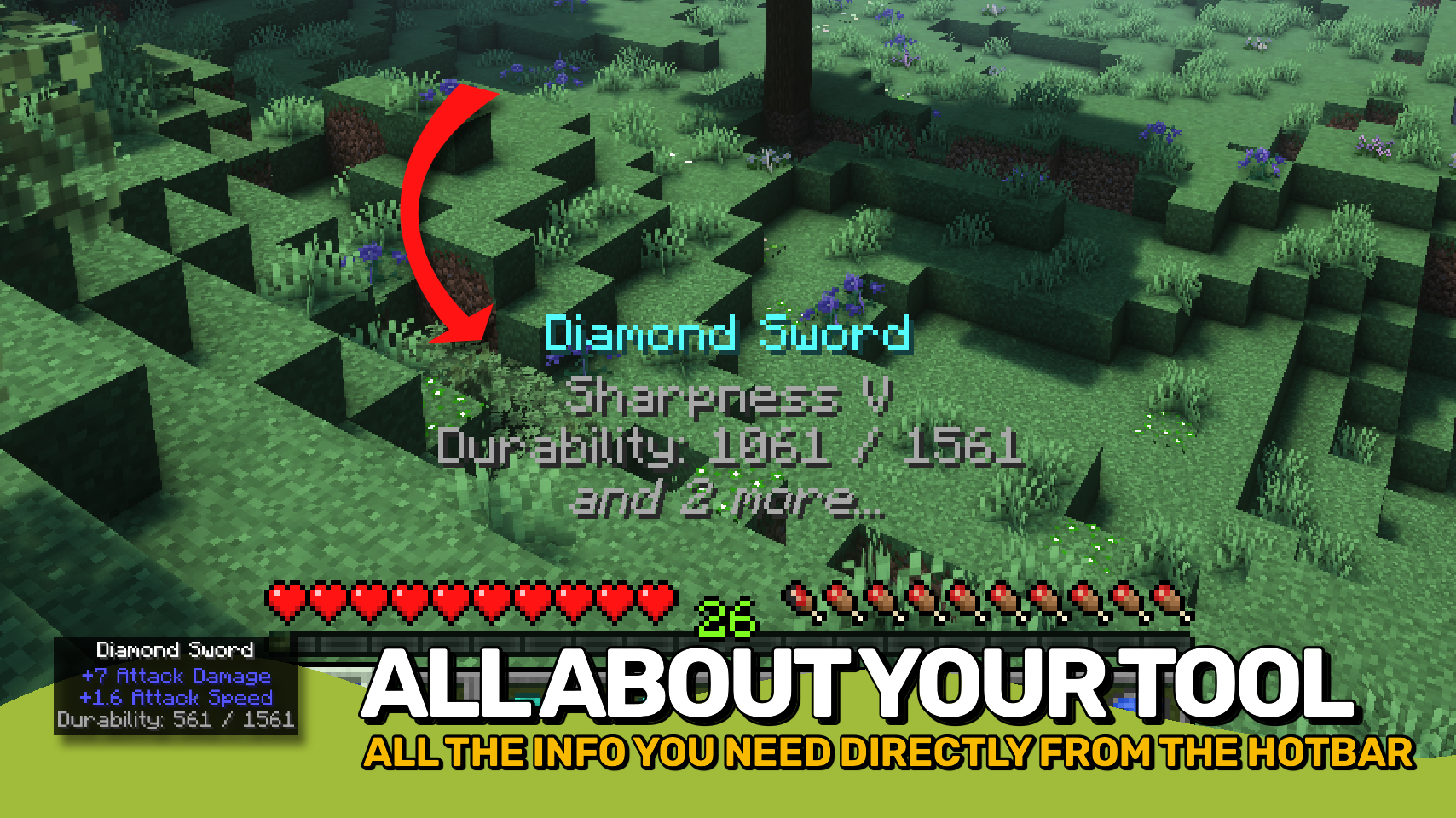
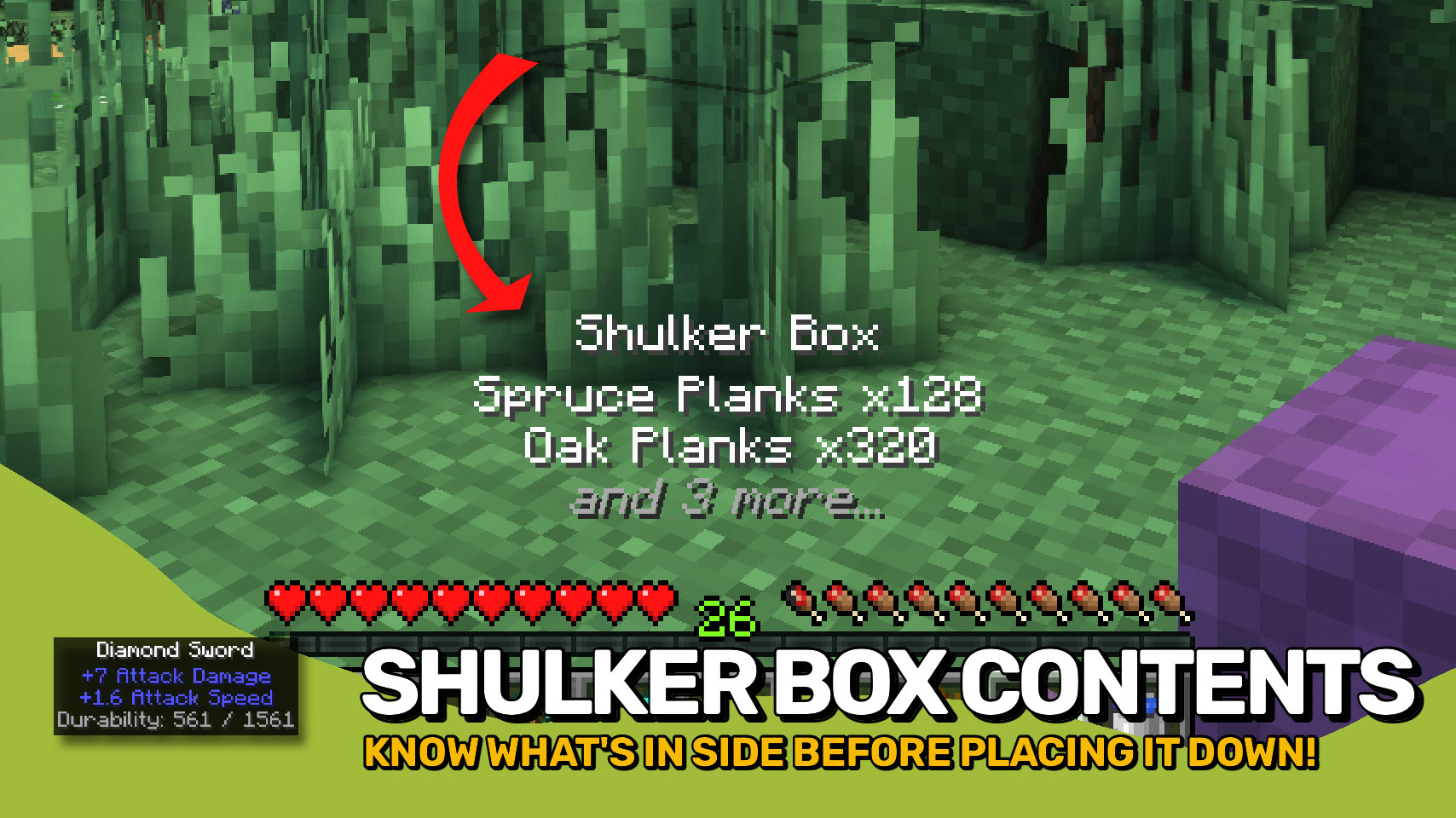
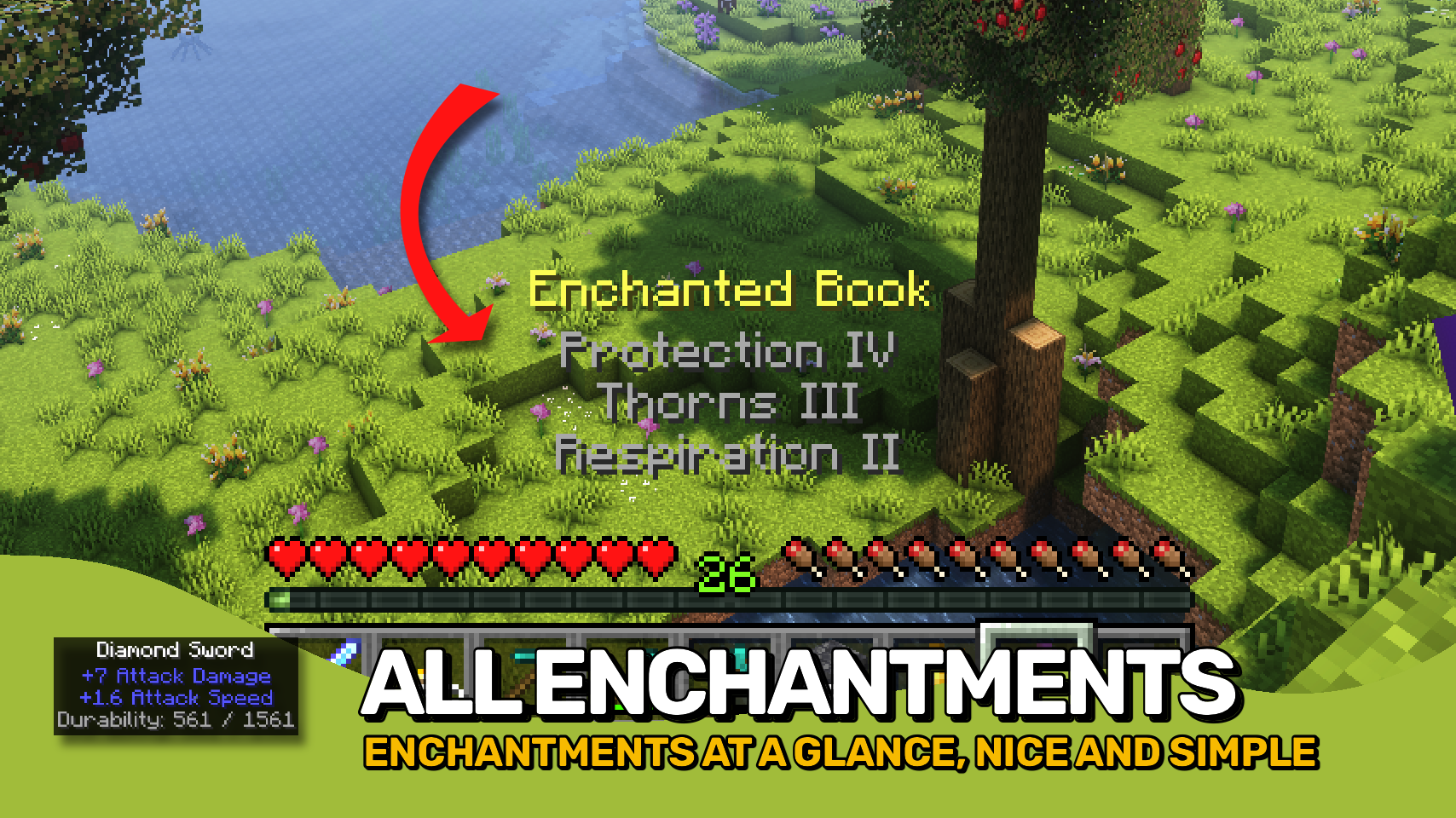
See enchantments, durability, potion effects, shulker box contents, firework details, map IDs, item attributes, and much more without opening additional screens. Whether you're organizing storage, checking equipment, or browsing your inventory, the information you need is always right in front of you. 🔍
Everything is fully customizable. Adjust the appearance, choose which information should be displayed, control the order of tooltip sections, and tailor the experience to fit your needs. ⚙️

- 🏷️ Enhanced Held Item Tooltips: Displays detailed information directly above your hotbar when switching items.
- ✨ Rich Item Details: View enchantments, durability, potion effects, attributes, container contents, and more at a glance.
- 📦 Container Previews: Quickly inspect the contents of shulker boxes and other supported storage items.
- 🧪 Useful Item Information: Shows details for potions, fireworks, maps, banners, books, paintings, and many other special items.
- 📏 Smart Line Priorities: Important information is shown first when space is limited.
- 🎨 Custom Appearance: Configure colors, text formatting, background style, size, position, and display duration.
- 🔧 Per-Component Control: Enable, disable, reorder, and customize individual tooltip sections independently.
- 🧩 Mod Friendly: Supports additional tooltip information provided by other mods.


⏩ INSTALLATION REQUIRED ON CLIENT
⏩ REQUIRES PUZZLES LIB TO BE INSTALLED (FABRIC & NEOFORGE)
⏩ REQUIRES FABRIC API TO BE INSTALLED (FABRIC)
⏩ REQUIRES FORGE CONFIG API PORT TO BE INSTALLED (FABRIC)

If available for a mod, configuration is possible directly from in-game using the mod menu (requires Mod Menu by Prospector to be installed on Fabric).
For manual configuration using an external text editor all files are found at .minecraft/config, named as MOD_ID-client.toml, MOD_ID-common.toml, or MOD_ID-server.toml, depending on the type of config. Not all types might exist for a mod, if any at all.
 |
 |
|
 |
 |
|
 |
 |
|
 |
 |
|
 |
 |

© 2026 @heyitsfuzs. All rights reserved. This page was last edited on 11 September 2026, at 06:44 (UTC).
Available Versions
How to Install Held Item Tooltips on Your Client
Install the Mod Loader Locally
Install fabric for your local Minecraft version.
Download the Matching File
Choose the Held Item Tooltips file for fabric and Minecraft 26.3.
Install Mod
Place the .jar file in your local .minecraft/mods folder and restart Minecraft. No server-side installation is required.
Compatibility
Mod Loaders
Minecraft Versions
26.3, 26.2, 26.1.2 (+17 more)
Server-side
✗ UnsupportedRecommended RAM
4 GB(min. 3 GB)Frequently Asked Questions
Does Held Item Tooltips need to be installed on the Minecraft server?
No. Modrinth marks Held Item Tooltips as unsupported on the server side. Install it only in your local Minecraft mods folder. Your server can remain unchanged unless the mod page lists an additional dependency.
Which version and loader does Held Item Tooltips require?
Use a file for fabric, forge, neoforge and your exact Minecraft version. Supported versions include 26.3, 26.2, 26.1.2. Files for different loaders are not interchangeable.
Held Item Tooltips is not working – what should I check?
First check the Minecraft version, loader version and required dependencies. Put the .jar file in your local .minecraft/mods folder and remove older duplicates. Because this mod is client-side, adding server RAM will not fix it.
Similar Mods




![[ETF] Entity Texture Features](https://cdn.modrinth.com/data/BVzZfTc1/af683d206d50b05258d865b0d6e4aa2f2cee12f2_96.webp)

Minecraft Server for Your Group
Held Item Tooltips stays on your client. Host a compatible world for your group.