
HideChat
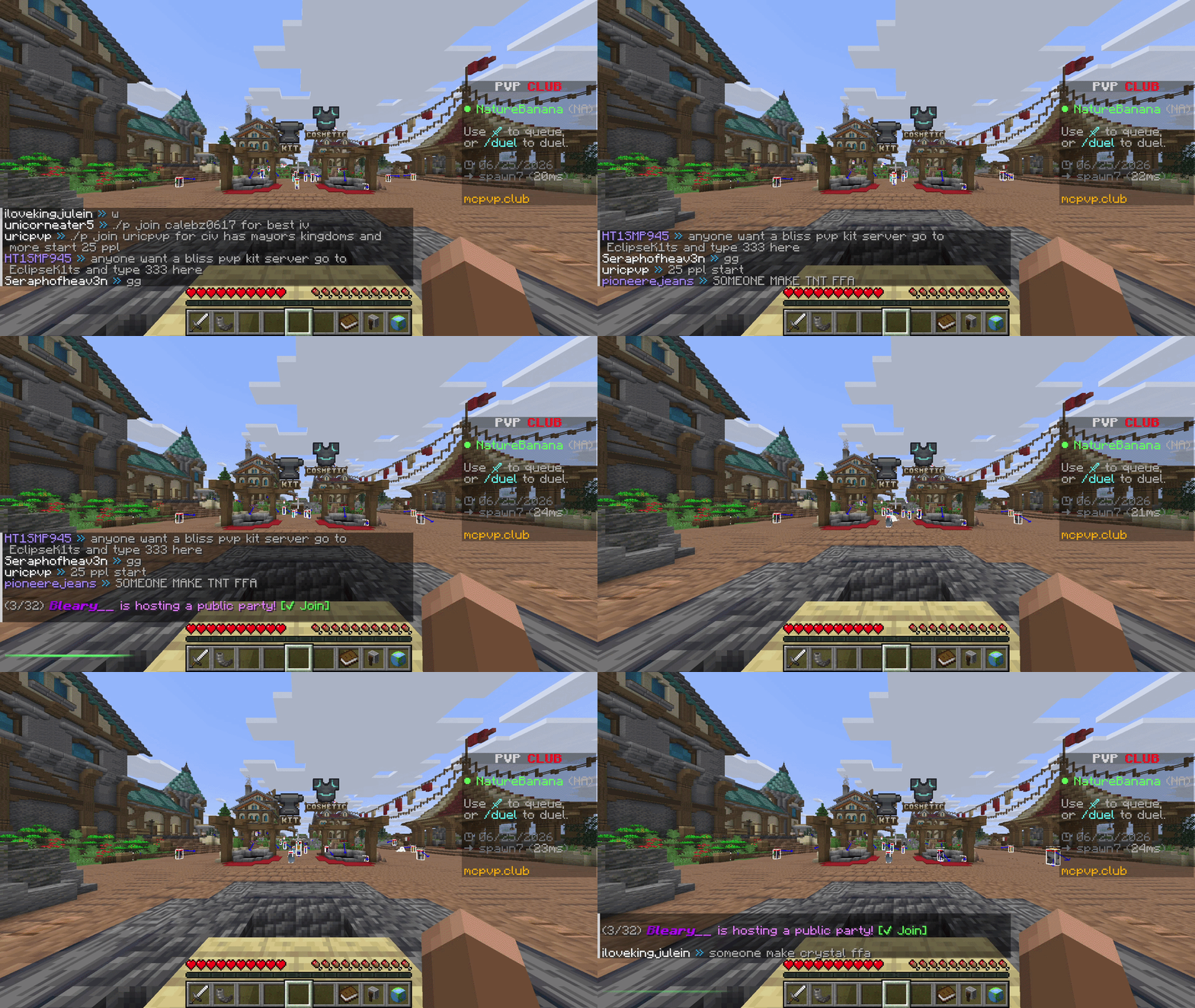
Hide and show your chat instantly with a keybind — a clean, client-side Fabric mod with a quick green/red flash to confirm each toggle. Messages keep arriving in the background, so nothing is lost.
Screenshots
About this Mod
Chat Toggle
A lightweight, client-side Fabric mod that hides and shows your chat with a single keypress — with a clean visual confirmation each time.
What it does
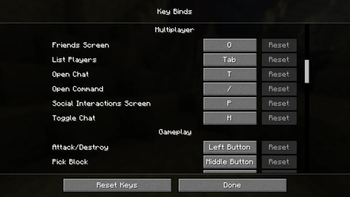
- Press a key (default H, under Controls → Multiplayer) to toggle the chat overlay on or off.
- Hiding is purely visual: messages still arrive and stack up in the background — nothing is dropped, and your vanilla chat settings are untouched.
- You can still open chat to type or run commands while it's hidden; you just won't see the history.
- Each toggle plays a quick 350 ms bar at the chat line: green when chat is shown, red when hidden. It always plays — even with no messages on screen.
Why
Sometimes chat gets in the way — screenshots, cinematic shots, PvP, or just a cleaner HUD. chat toggle gives you an instant, reversible way to clear it without digging through options or losing messages.
Details
- Client-side only — works on any server, nothing needed server-side.
- No config files, no extra menus. Install and bind a key.
- Tiny footprint.
Requirements
- Minecraft 26.2
- Fabric Loader 0.19.3+
- Fabric API
Install
- Install Fabric for 26.2.
- Put Fabric API and chat toggle in your
modsfolder. - Launch, then bind Toggle Chat under Options → Controls → Multiplayer (defaults to H).
Available Versions
How to Install HideChat on Your Server
Order Server
Order a Minecraft Java server with at least 3 GB RAM (4 GB recommended).
Set fabric Loader
In the panel under "Egg", select the fabric loader and matching Minecraft version (26.2).
Install Mod
Open the mod browser in the dashboard and search for "HideChat". Click "Install" – done! Alternatively, upload the .jar via SFTP to the /mods folder.
Compatibility
Mod Loaders
Minecraft Versions
26.2
Server-side
✗ UnsupportedRecommended RAM
4 GB(min. 3 GB)Frequently Asked Questions
HideChat server crashes on startup – what to do?
Most common cause: wrong fabric version or insufficient RAM. Check the server log (latest.log) for "OutOfMemoryError" or "Mixin" errors. With Mado Hosting: ensure at least 3 GB RAM is allocated and the loader matches the mod version (26.2). You can switch loaders with one click in the panel.
Is HideChat compatible with fabric?
HideChat officially supports fabric for Minecraft 26.2. The Mado dashboard automatically detects incompatible loader combinations.
Server lagging with HideChat – how to optimize performance?
Recommended RAM: 4 GB (per 8 players). Use /spark profiler to check if HideChat consumes the most tick time. Common fixes: reduce server view-distance to 8-10, install "performant" or "starlight" as supplementary mods on Forge. With Mado Hosting, your server runs on NVMe SSDs with dedicated CPU cores for minimal latency.
Similar Mods






Rent Modded Server
Install HideChat with just one click on your server.
Details
- License
- Creative Commons Attribution Non Commercial Share Alike 4.0 International
- Server-side
- Unsupported