
Hopper Gadgetry
Ready to build smarter, and cheaper contraptions? New hoppers are here to complement your lineup.
Screenshots

About this Mod








Hopper Gadgetry expands Minecraft’s item transport with practical hopper-style blocks for cleaner, smarter automation. It adds chutes, ducts, and grated hoppers that help move items exactly where you need them without overcomplicating your builds ⚙️.
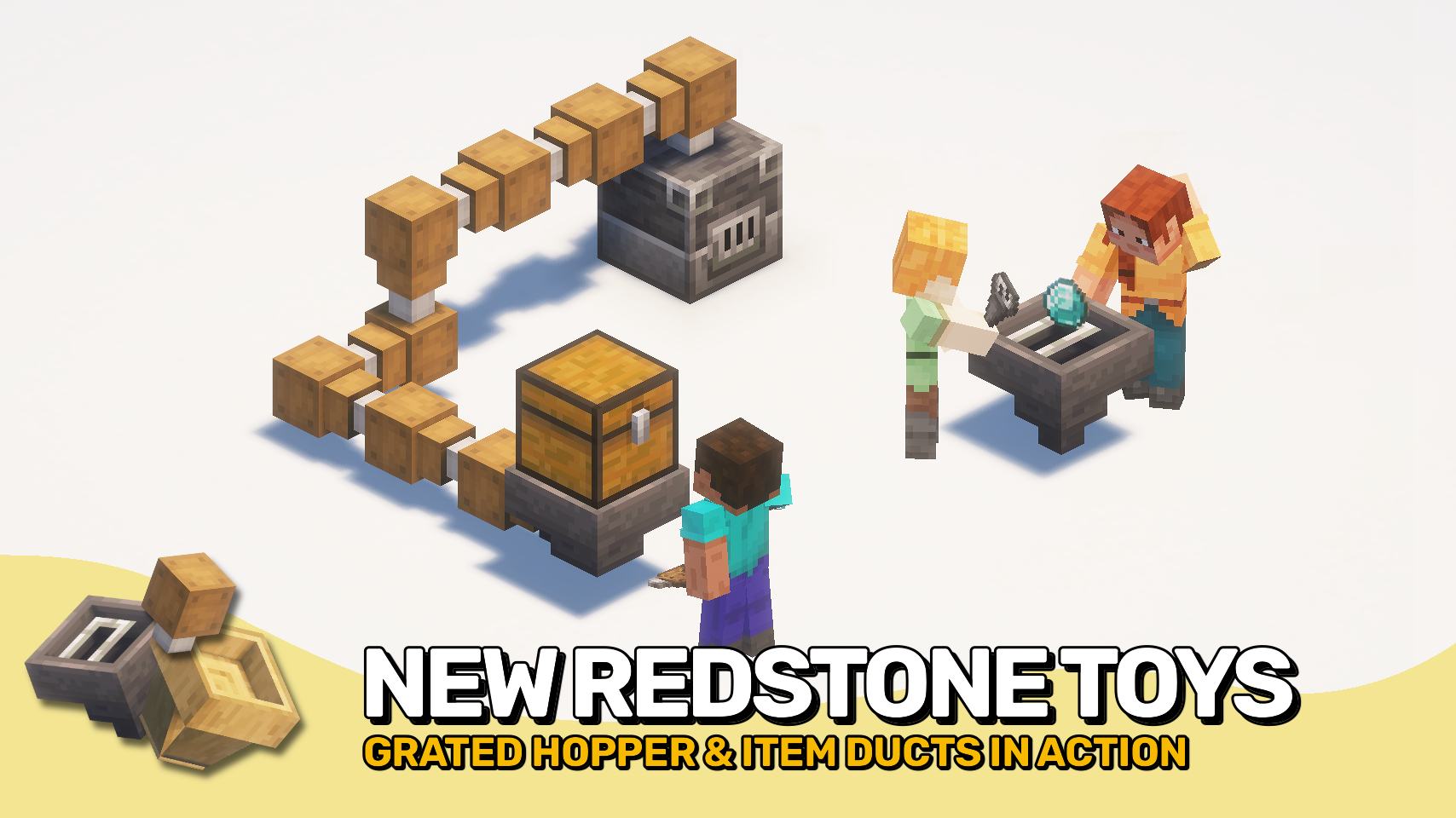
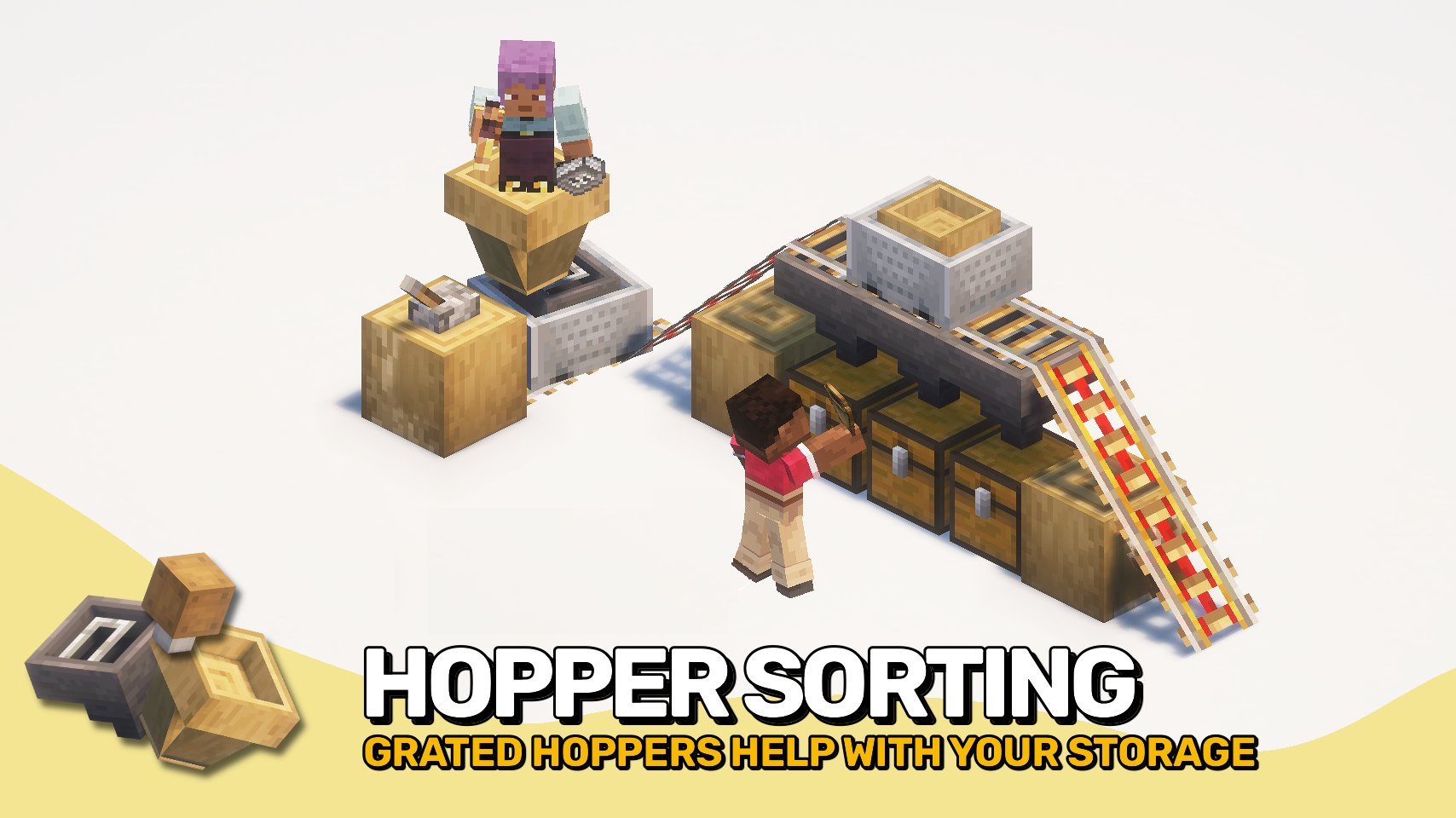
The mod is especially useful for sorting systems, compact farms, and rail-based collection setups. Chutes quickly pass dropped items into containers, ducts move items through directed connections, and grated hoppers add simple item filtering for more controlled collection 🔎.

- ⛓️ Grated Hopper: Filter items so only matching types are collected when slots are set.
- 📦 Duct: Move items into connected containers. Do not pull items or interact with drops. Works in any direction and can be chained.
- ⬇️ Chute: Drop items straight into the container below. No storage, no input, only downward transfer.
- 🚂 Grated Hopper Minecart: Mobile version of the grated hopper with full filtering while moving.
- 🚋 Chute Minecart: Picks up items and deposits them into containers below while moving. Useful for automated cleanup paths.


⏩ INSTALLATION REQUIRED ON CLIENT & REQUIRED ON SERVER
⏩ REQUIRES PUZZLES LIB TO BE INSTALLED (FABRIC & NEOFORGE)
⏩ REQUIRES FABRIC API TO BE INSTALLED (FABRIC)
⏩ REQUIRES FORGE CONFIG API PORT TO BE INSTALLED (FABRIC)

If available for a mod, configuration is possible directly from in-game using the mod menu (requires Mod Menu by Prospector to be installed on Fabric).
For manual configuration using an external text editor all files are found at .minecraft/config, named as MOD_ID-client.toml, MOD_ID-common.toml, or MOD_ID-server.toml, depending on the type of config. Not all types might exist for a mod, if any at all.

🌟 Thanks to the incredibly talended Mim1q for creating all those amazing textures.
🌟 Thanks to FyberOptic for inspiring this project with their Hopper Ducts mod.
🌟 Thanks to Sargunv for inspiring this project with their Composable Automation mod.
 |
 |
|
 |
 |
|
 |
 |
|
 |
 |
|
 |
 |

© 2026 @heyitsfuzs. All rights reserved. This page was last edited on 11 September 2026, at 06:44 (UTC).
Available Versions
How to Install Hopper Gadgetry on Your Server
Order Server
Order a Minecraft Java server with at least 3 GB RAM (4 GB recommended).
Set fabric Loader
In the panel under "Egg", select the fabric loader and matching Minecraft version (26.3).
Install Mod
Open the mod browser in the dashboard and search for "Hopper Gadgetry". Click "Install" – done! Alternatively, upload the .jar via SFTP to the /mods folder.
Compatibility
Mod Loaders
Minecraft Versions
26.3, 26.2, 26.1.2 (+14 more)
Server-side
✓ RequiredRecommended RAM
4 GB(min. 3 GB)Frequently Asked Questions
Hopper Gadgetry server crashes on startup – what to do?
Most common cause: wrong fabric version or insufficient RAM. Check the server log (latest.log) for "OutOfMemoryError" or "Mixin" errors. With Mado Hosting: ensure at least 3 GB RAM is allocated and the loader matches the mod version (26.3). You can switch loaders with one click in the panel.
Is Hopper Gadgetry compatible with fabric and forge and neoforge?
Hopper Gadgetry officially supports fabric, forge, neoforge for Minecraft 26.3, 26.2, 26.1.2. Note: Forge and Fabric mods are NOT cross-compatible – pick one loader and stick with it. The Mado dashboard automatically detects incompatible loader combinations.
Server lagging with Hopper Gadgetry – how to optimize performance?
Recommended RAM: 4 GB (per 8 players). Use /spark profiler to check if Hopper Gadgetry consumes the most tick time. Common fixes: reduce server view-distance to 8-10, install "performant" or "starlight" as supplementary mods on Forge. With Mado Hosting, your server runs on NVMe SSDs with dedicated CPU cores for minimal latency.
Similar Mods


Rent Modded Server
Install Hopper Gadgetry with just one click on your server.