
Immersive Water
Improves Minecraft's water with subtle particle effects.
Screenshots
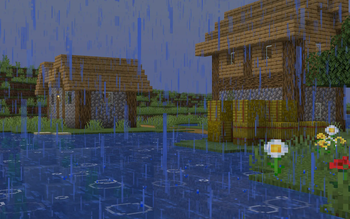
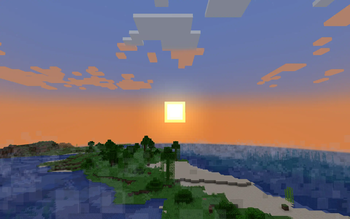

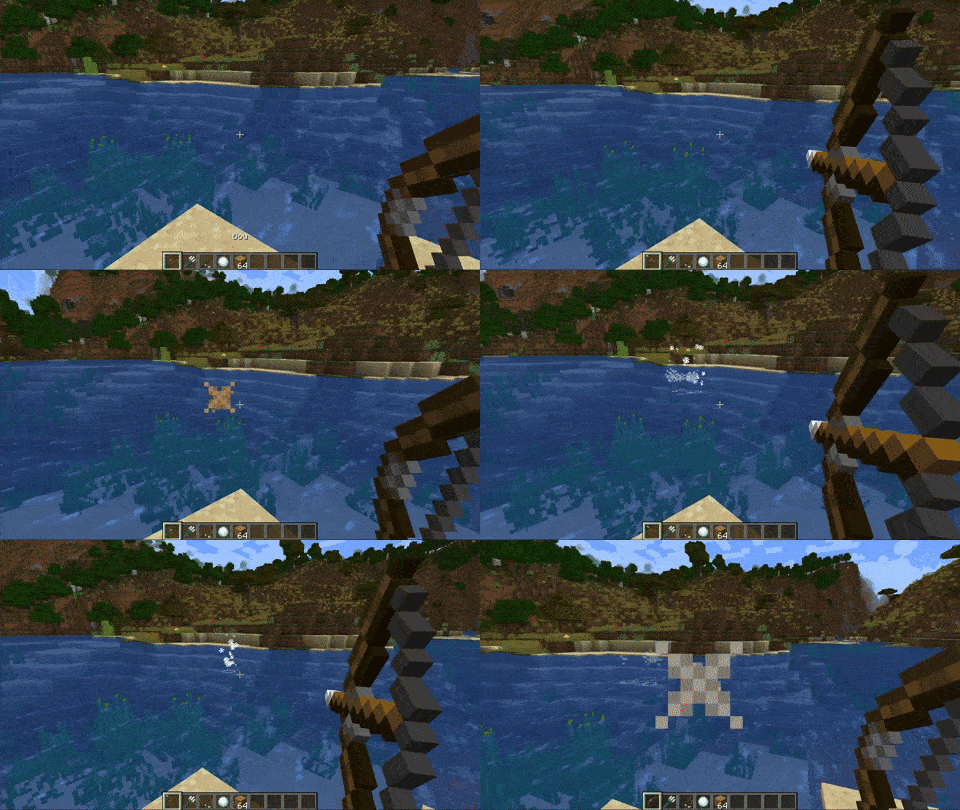
About this Mod
DESCRIPTION
This mod adds new particle systems and effects that enhance the visuals of Minecraft's water, making you feel like you're truly dripping wet after crossing that river. Maybe it will entice you to build a bridge next time! It works completely on the client side, meaning you can play on unmodded servers with this installed!
FEATURES
- When an entity jumps into water, splash particles will appear at their location depending on how fast it fell. Faster falls will also launch the splash particles higher. When these particles fall back into the water, a ripple particle is created on the surface of the water.
- When it is raining, ripple particles will appear on any nearby surface water block in a configurable radius.
- When an entity exits a body of water or is exposed to rain, dripping particles will appear from it, slowly getting less frequent until 10 seconds have passed.
- (TEMPORARILY REMOVED) A watery overlay will appear when you are submerged and will fade away upon exiting.
- When an entity moves across the surface of a body of water very quickly, a trail of splash particles will be created behind it.
- In the early morning (or during rain), fog will be created above open bodies of water.
Available Versions
How to Install Immersive Water on Your Client
Install the Mod Loader Locally
Install fabric for your local Minecraft version.
Download the Matching File
Choose the Immersive Water file for fabric and Minecraft 1.21.6.
Install Mod
Place the .jar file in your local .minecraft/mods folder and restart Minecraft. No server-side installation is required.
Compatibility
Mod Loaders
Minecraft Versions
1.21.6, 1.21.5
Server-side
✗ UnsupportedRecommended RAM
4 GB(min. 3 GB)Frequently Asked Questions
Does Immersive Water need to be installed on the Minecraft server?
No. Modrinth marks Immersive Water as unsupported on the server side. Install it only in your local Minecraft mods folder. Your server can remain unchanged unless the mod page lists an additional dependency.
Which version and loader does Immersive Water require?
Use a file for fabric and your exact Minecraft version. Supported versions include 1.21.6, 1.21.5. Files for different loaders are not interchangeable.
Immersive Water is not working – what should I check?
First check the Minecraft version, loader version and required dependencies. Put the .jar file in your local .minecraft/mods folder and remove older duplicates. Because this mod is client-side, adding server RAM will not fix it.
Similar Mods




Minecraft Server for Your Group
Immersive Water stays on your client. Host a compatible world for your group.