
Keep Some Inventory
Don't lose equipment but drop resources when dying
Screenshots





About this Mod
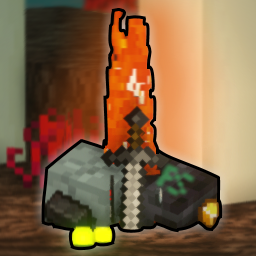 Keep Some Inventory
Isn't it annoying when you die and your items are far away and surrounded by danger?
With this data pack no longer, since you keep your fighting equipment like weapons, tools and armor on you when dying!
Overview
Personally I don't like playing with the keepInventory gamerule set to true because it feels cheap to go somewhere dangerous without the risk of losing anything.
This data pack aims to give dangerous areas their risk back while still allowing you to use your best equipment that you spent hours on farming, crafting and enchanting.
Features
- When dying, you keep all your equipment on you while still dropping your resources.
- Your items will not splatter, they all stay at the exact location you died at, no items flying into lava or off of cliffs.
- At the location of your death you can collect all your experience and it is not limited to about 7 levels, like in vanilla minecraft.
- After dying, your items and experience will despawn after 10 minutes instead of despawning after the normal 5 minutes.
Compatability
- This pack will most likely not work together with grave packs or packs doing anything to items on death.
- This pack makes use of vanilla item tags and the convention of common
ctags used by mod loaders, and may therefore be compatible with mods - no guarantee. - You can modify the items that should be dropped on death by opening the zip/jar and modifying the tag located at
data/pskeep2/tags/item/drop.json.
CraftBukkit Servers (Spigot, Paper, Purpur, etc.)
This datapack works with CraftBukkit, provided you set /gamerule keepInventory true in each world, because CraftBukkit has separate gamerules for each world (the Nether and the End are considered separate worlds).
Not setting the keepInventory rule to true for a world or dimension will cause the default Minecraft death and drop item behaviour.




Available Versions
How to Install Keep Some Inventory on Your Server
Order Server
Order a Minecraft Java server with at least 3 GB RAM (4 GB recommended).
Set datapack Loader
In the panel under "Egg", select the datapack loader and matching Minecraft version (1.21.1).
Install Mod
Open the mod browser in the dashboard and search for "Keep Some Inventory". Click "Install" – done! Alternatively, upload the .jar via SFTP to the /mods folder.
Compatibility
Mod Loaders
Minecraft Versions
1.21.1, 1.21, 1.20.6 (+25 more)
Server-side
✓ RequiredRecommended RAM
4 GB(min. 3 GB)Frequently Asked Questions
Keep Some Inventory server crashes on startup – what to do?
Most common cause: wrong datapack version or insufficient RAM. Check the server log (latest.log) for "OutOfMemoryError" or "Mixin" errors. With Mado Hosting: ensure at least 3 GB RAM is allocated and the loader matches the mod version (1.21.1). You can switch loaders with one click in the panel.
Is Keep Some Inventory compatible with datapack and fabric and forge and neoforge and quilt?
Keep Some Inventory officially supports datapack, fabric, forge, neoforge, quilt for Minecraft 1.21.1, 1.21, 1.20.6. Note: Forge and Fabric mods are NOT cross-compatible – pick one loader and stick with it. The Mado dashboard automatically detects incompatible loader combinations.
Server lagging with Keep Some Inventory – how to optimize performance?
Recommended RAM: 4 GB (per 8 players). Use /spark profiler to check if Keep Some Inventory consumes the most tick time. Common fixes: reduce server view-distance to 8-10, install "performant" or "starlight" as supplementary mods on Forge. With Mado Hosting, your server runs on NVMe SSDs with dedicated CPU cores for minimal latency.
Similar Mods




Rent Modded Server
Install Keep Some Inventory with just one click on your server.