
KMD Fast Travel
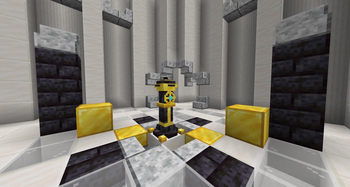
Simulates Kingdom Come deliverance fast travel in minecraft. By simulating fast travel with events.
Screenshots
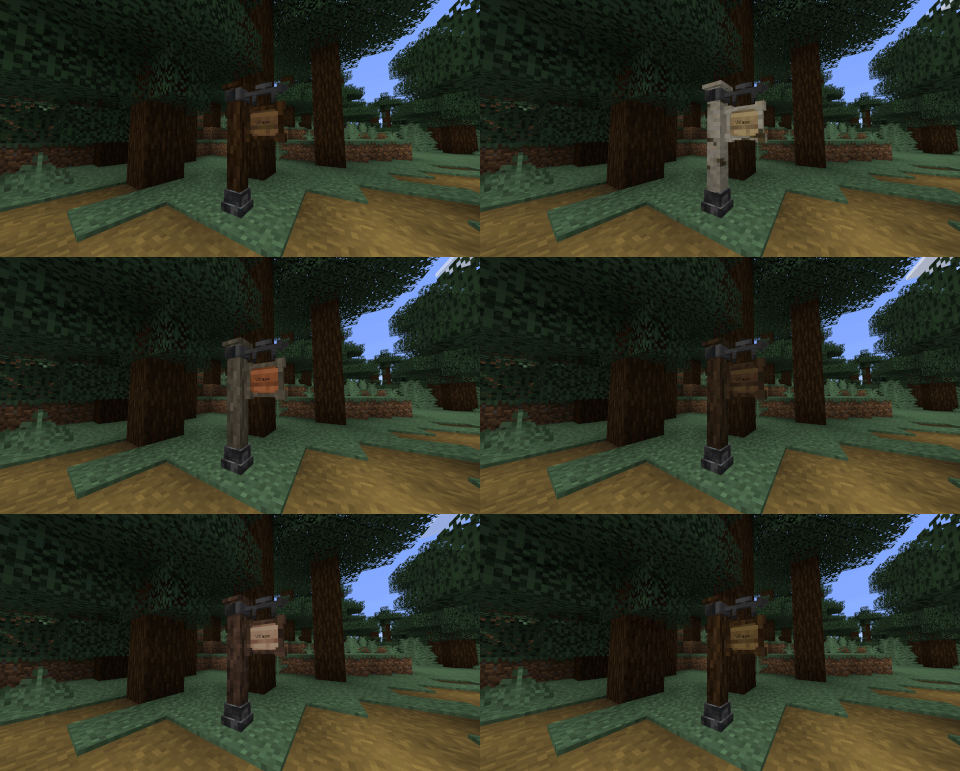
About this Mod
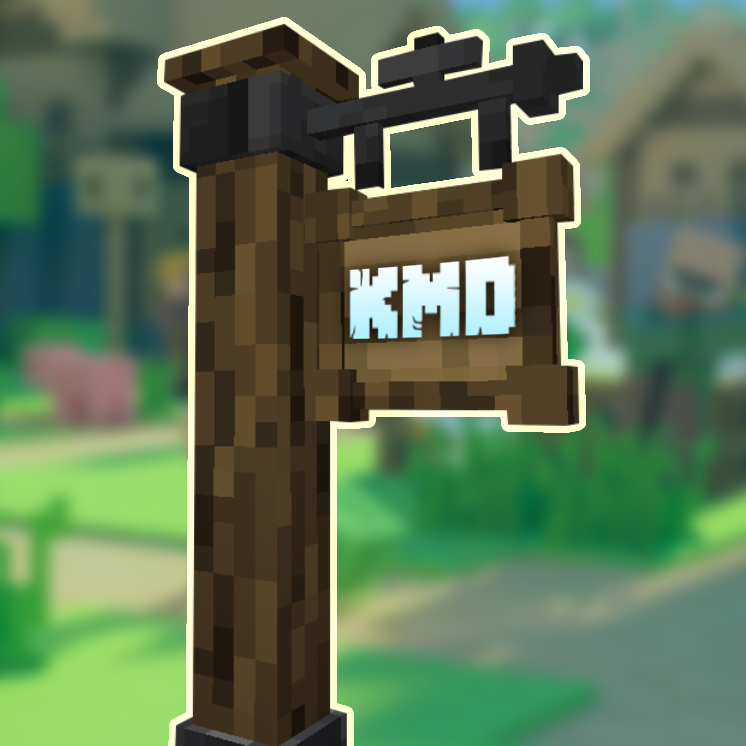
About
KMD tries to simulate the fast travel risk/reward and atmosphere of Kingdom Come: Deliverance inside Minecraft.
This mod is still in its early stages, with more content planned to be added over time.
Features
- Full custom Events.
- Ability to fast travel between discovered travel posts.
- Simulated travel instead of instant teleporting.
- Random events that can interrupt fast travel.
- Hostile and passive encounters on land and at sea.
- Multiple travel post wood variants.
- Shared travel posts that can be visible to everyone.
- Renameable travel posts.
- Dyeable travel post sign text.
- Banner-based map pins.
How To Use
KMD is designed as a standalone mod for stylized builds, medieval worlds, fantasy servers, and adventure-focused gameplay.
Place down a travel post and right-click it to discover/bind it. Place a second travel post, discover it, and you can fast travel between the two.
Shared travel posts are a special version of the travel post that can be visible to everyone without each player needing to discover it first.
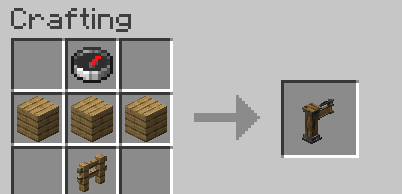
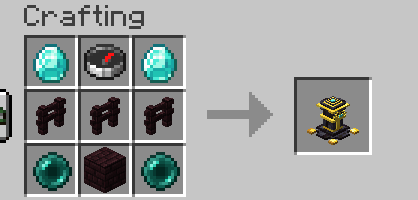
Recipes
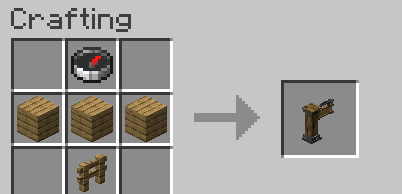
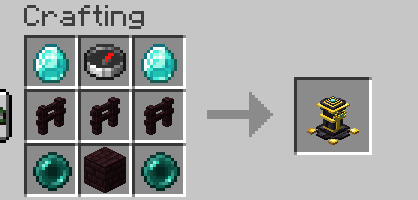
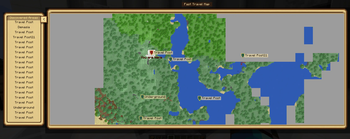
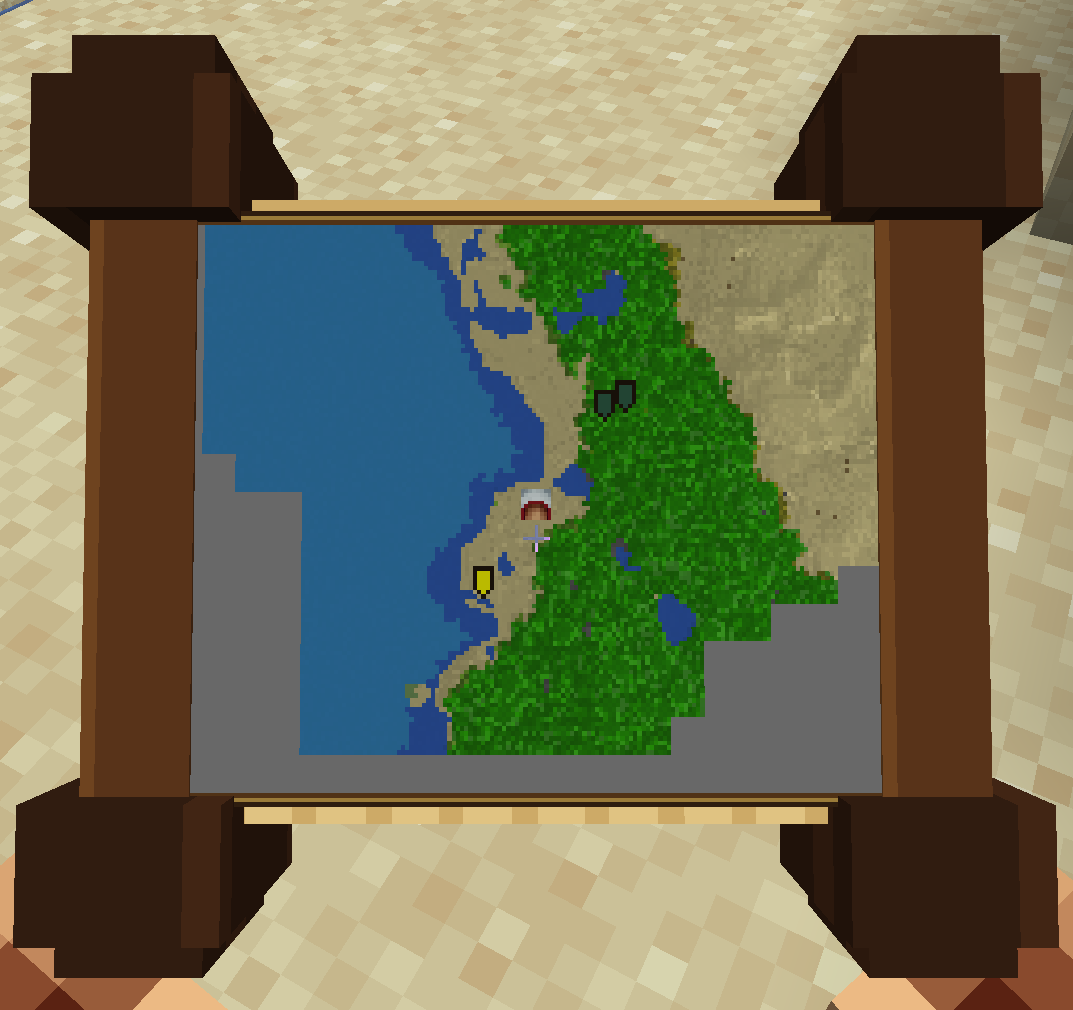
Version 0.3.0 added the Travel Map item
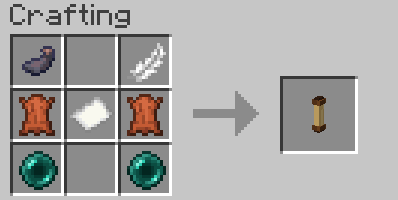
Regular travel posts work with different kinds of wood.
Shared travel posts require more expensive materials and are intended for public/server-wide travel points.
Added Blocks
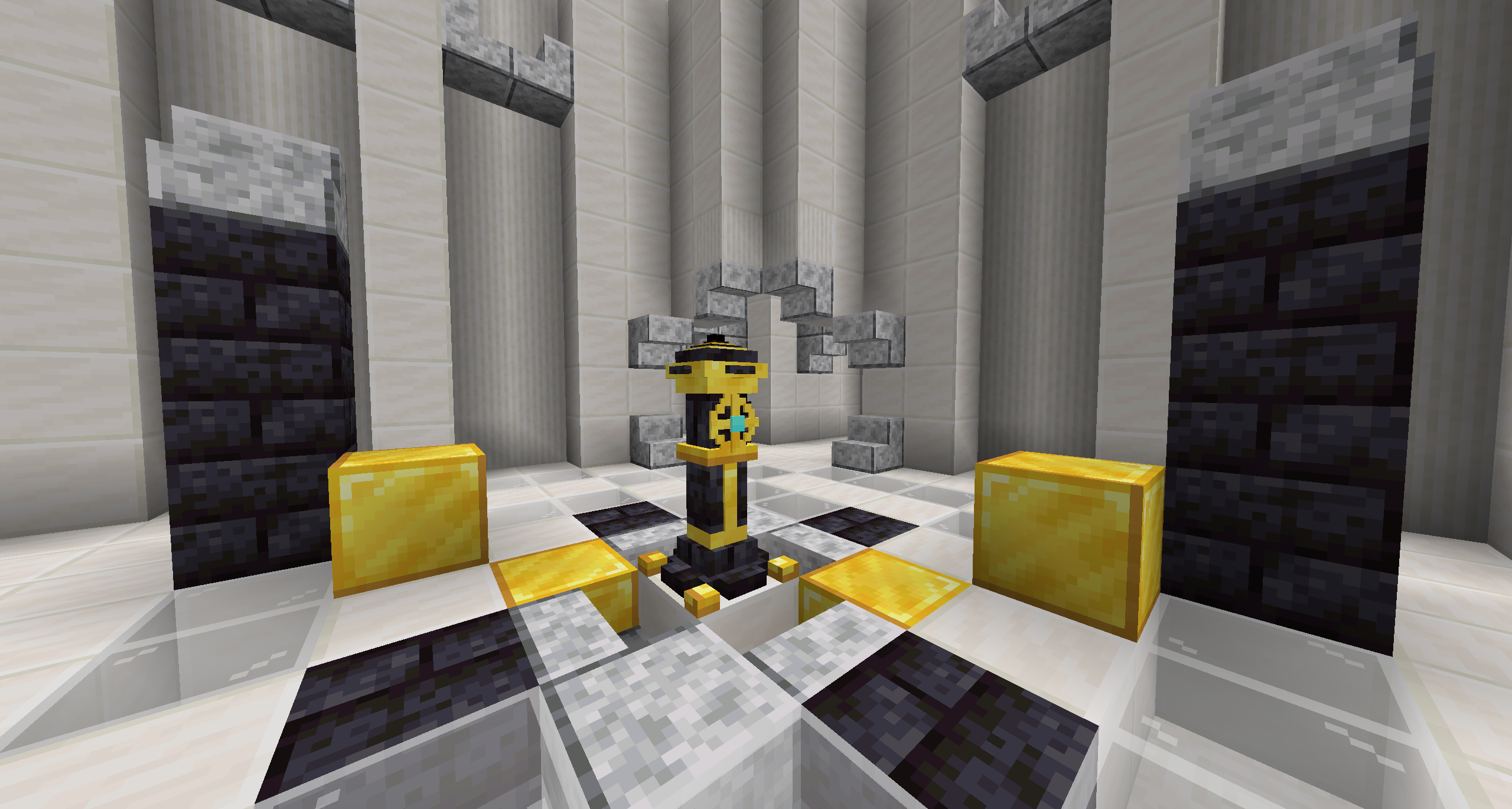
- Fast Travel Post
- Shared Fast Travel Post
- Oak Fast Travel Post
- Spruce Fast Travel Post
- Birch Fast Travel Post
- Jungle Fast Travel Post
- Acacia Fast Travel Post
- Dark Oak Fast Travel Post
- Mangrove Fast Travel Post
- Cherry Fast Travel Post
Travel Map
Available Events
Spoiler
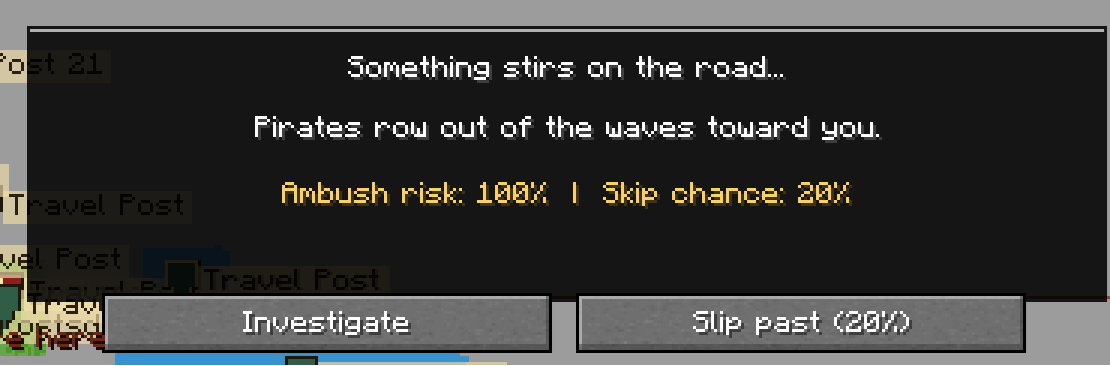
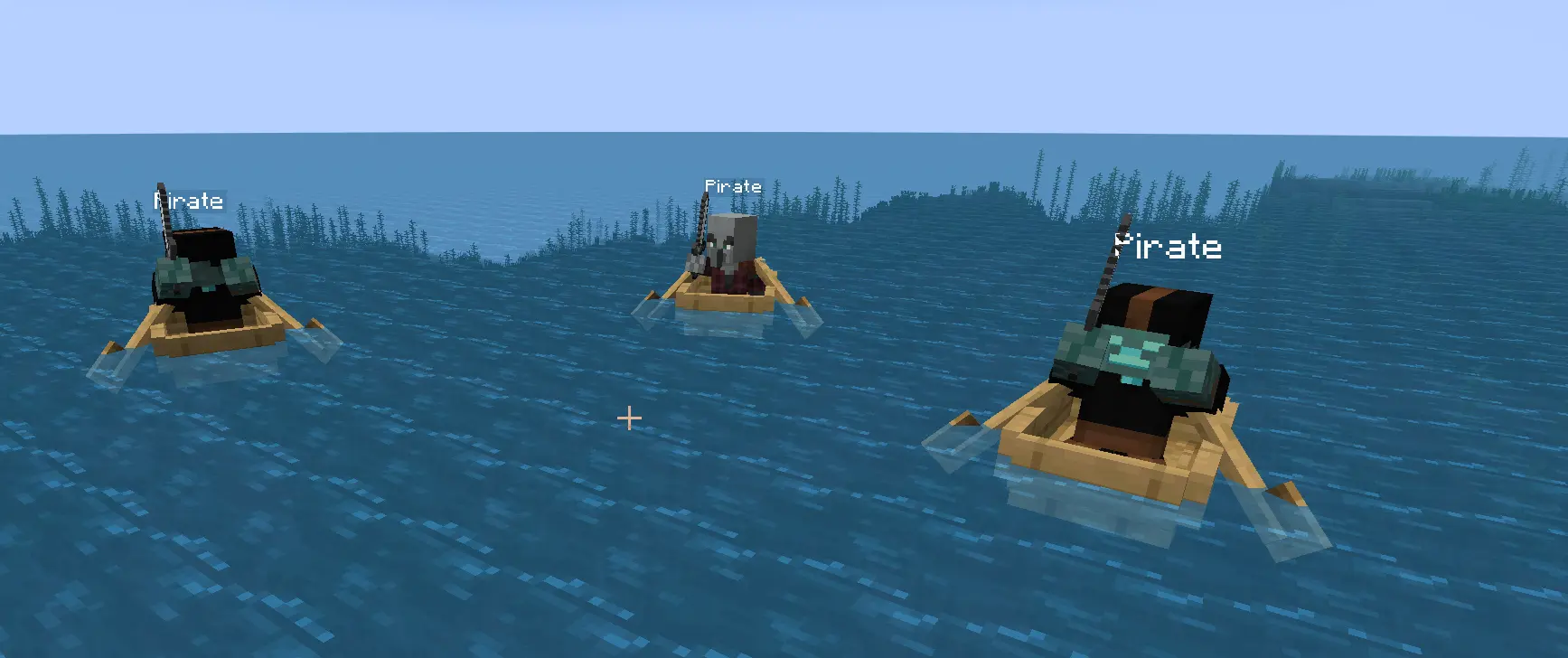
Events have been reworked in patch 0.2.4 and more will be balanced and edited in the future.
Encounters %
-By default all encounters are based on time of day (Night time travel higher chance for encounter)
-Distance (More distance higher chance for encounters)
-Armor level (Lowers both encounter chance but also increases chance to avoid or sneak away from encounters)
-Food Level (More hungry , more encounter chance)
All of the above can be configured via the ingame commands or the config
Commands
All commands require permission level 2 or higher.
/kmdtravel events [true|false]— Shows or toggles travel events./kmdtravel eventwait [5-600]— Shows or changes passive-event wait time in seconds./kmdtravel basechance <0-1>— Sets the base chance for any travel event./kmdtravel nightmultiplier <0-10>— Sets the event chance multiplier at night./kmdtravel armor perpoint <0-0.1>— Sets event chance reduction per armor/toughness point./kmdtravel armor maxreduction <0-0.95>— Sets the max armor protection cap./kmdtravel hunger low <0-1>— Sets added event chance when hunger is very low./kmdtravel hunger medium <0-1>— Sets added event chance when hunger is medium./kmdtravel distancechance <0-1>— Sets added event chance per 1000 blocks./kmdtravel maxchance <0-1>— Sets the final maximum event chance cap./kmdtravel sharedpostcrafting [true|false]— Shows or toggles shared travel post crafting./kmdtravel finishencounter @p— Force ends an encounter a player is having.
Misc
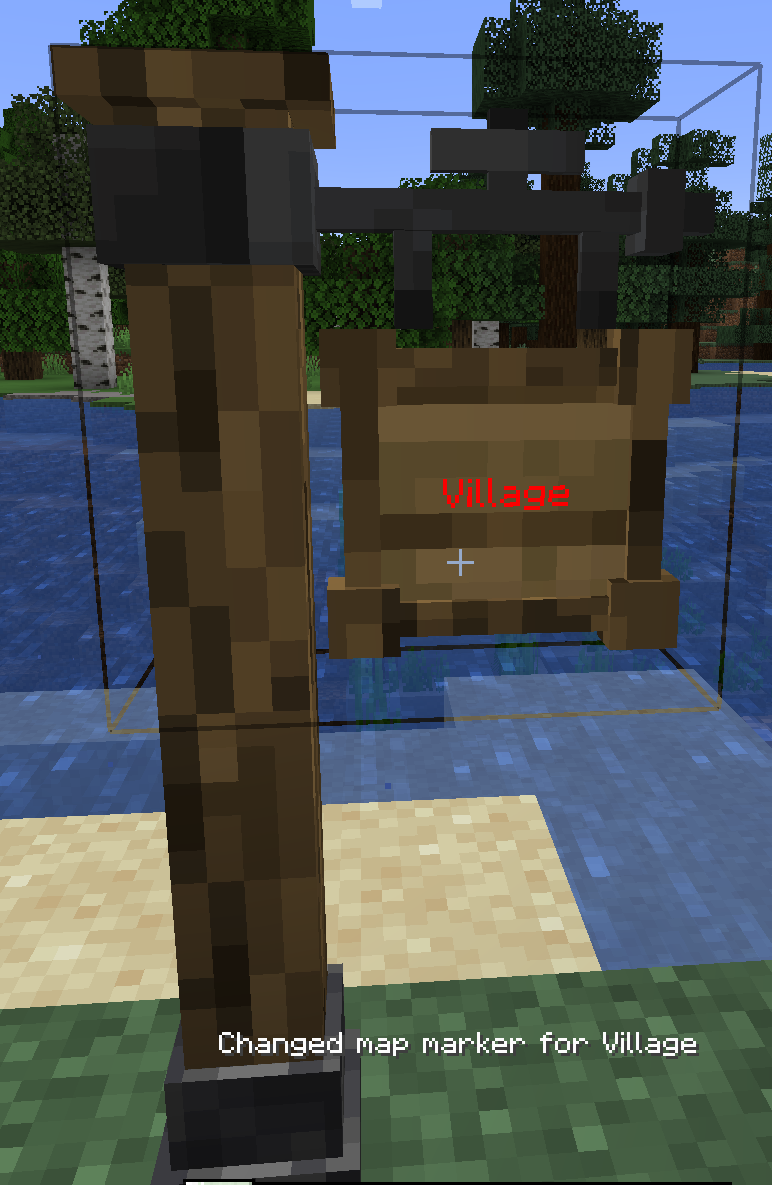
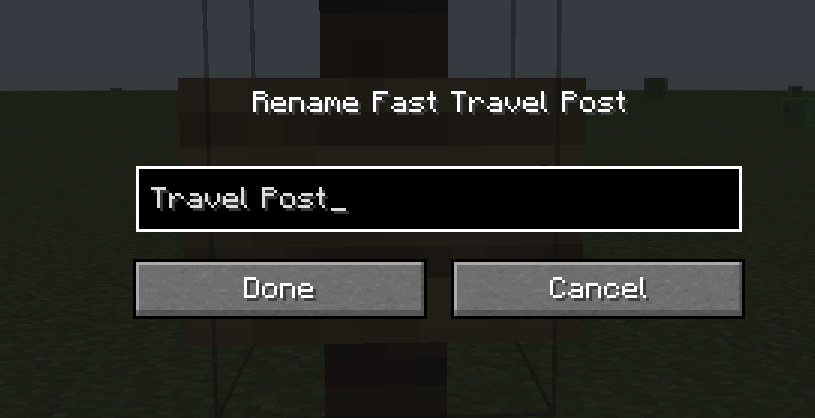
- Shift right-click a travel post to rename it.
- Right-click a travel post with dye to change the sign text color.
- Right-click a travel post with a banner to change the map pin color/design.
- Passive events use a wait timer before travel continues.
- Hostile events require you to survive/clear the danger before travel continues.
Available Versions
How to Install KMD Fast Travel on Your Server
Order Server
Order a Minecraft Java server with at least 3 GB RAM (4 GB recommended).
Set fabric Loader
In the panel under "Egg", select the fabric loader and matching Minecraft version (26.2).
Install Mod
Open the mod browser in the dashboard and search for "KMD Fast Travel". Click "Install" – done! Alternatively, upload the .jar via SFTP to the /mods folder.
Compatibility
Mod Loaders
Minecraft Versions
26.2, 1.21.10, 1.21.1 (+1 more)
Server-side
✓ RequiredRecommended RAM
4 GB(min. 3 GB)Frequently Asked Questions
KMD Fast Travel server crashes on startup – what to do?
Most common cause: wrong fabric version or insufficient RAM. Check the server log (latest.log) for "OutOfMemoryError" or "Mixin" errors. With Mado Hosting: ensure at least 3 GB RAM is allocated and the loader matches the mod version (26.2). You can switch loaders with one click in the panel.
Is KMD Fast Travel compatible with fabric and forge and neoforge?
KMD Fast Travel officially supports fabric, forge, neoforge for Minecraft 26.2, 1.21.10, 1.21.1. Note: Forge and Fabric mods are NOT cross-compatible – pick one loader and stick with it. The Mado dashboard automatically detects incompatible loader combinations.
Server lagging with KMD Fast Travel – how to optimize performance?
Recommended RAM: 4 GB (per 8 players). Use /spark profiler to check if KMD Fast Travel consumes the most tick time. Common fixes: reduce server view-distance to 8-10, install "performant" or "starlight" as supplementary mods on Forge. With Mado Hosting, your server runs on NVMe SSDs with dedicated CPU cores for minimal latency.
Similar Mods




Rent Modded Server
Install KMD Fast Travel with just one click on your server.