Litematica-Printer-Easyplace-Extension
This is Litematica Printer, but it tweaks easyPlaceMode instead of offering separate printing mode options. The main purpose of this printer is building most of the redstone contraption safely, without activating it.
About this Mod
This is litematica printer (easyPlace extension), which tweaks EasyPlace behavior!
Printer requires Litematica, Malilib, Fabric API to operate.
Printer tries to follow the most recent version of each releases.
Basically, printer will only work when you see the placement, and uses EasyPlace.
You can use easyPlaceToggle and easyPlaceUseKey to use litematica's EasyPlace feature.
If you want hand-free activation, you can set easyPlaceUseKey to None, and enable Allow Empty Keybinds by advanced setting.
This printer offers several complicated macro actions, such as Bedrock Breaking, Inventory Matching, Clearing Fluids / Snow, etc, but its not guaranteed to work!
The main feature is 'Accurate Redstone Contraption Placement'. This means, printer will avoid placing block that will activate redstone contraptions.
Sample gif
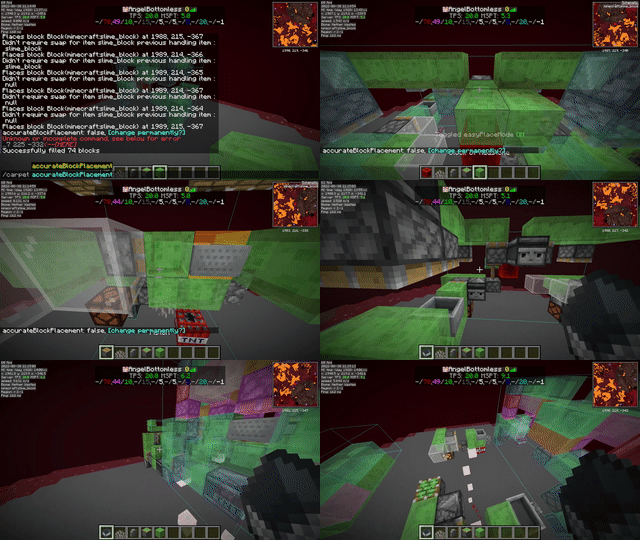
Most of the features are documented in ReadMe.
printerOff - Disables Extension and use normal EasyPlace feature instead.
easyPlaceMode++ - Disables Area Printing option and use Fake Rotation instead.
printerModeFakeRotation - Uses Fake Rotation to place block correctly.
printerAccurateBlockPlacement - If Carpet Extra's AccurateBlockPlacement is enabled, you can try this.
Available Versions
How to Install Litematica-Printer-Easyplace-Extension on Your Client
Install the Mod Loader Locally
Install fabric for your local Minecraft version.
Download the Matching File
Choose the Litematica-Printer-Easyplace-Extension file for fabric and Minecraft 1.21.1.
Install Mod
Place the .jar file in your local .minecraft/mods folder and restart Minecraft. No server-side installation is required.
Compatibility
Mod Loaders
Minecraft Versions
1.21.1, 1.21, 1.20.6 (+21 more)
Server-side
✗ UnsupportedRecommended RAM
4 GB(min. 3 GB)Frequently Asked Questions
Does Litematica-Printer-Easyplace-Extension need to be installed on the Minecraft server?
No. Modrinth marks Litematica-Printer-Easyplace-Extension as unsupported on the server side. Install it only in your local Minecraft mods folder. Your server can remain unchanged unless the mod page lists an additional dependency.
Which version and loader does Litematica-Printer-Easyplace-Extension require?
Use a file for fabric and your exact Minecraft version. Supported versions include 1.21.1, 1.21, 1.20.6. Files for different loaders are not interchangeable.
Litematica-Printer-Easyplace-Extension is not working – what should I check?
First check the Minecraft version, loader version and required dependencies. Put the .jar file in your local .minecraft/mods folder and remove older duplicates. Because this mod is client-side, adding server RAM will not fix it.
Similar Mods




![[ETF] Entity Texture Features](https://cdn.modrinth.com/data/BVzZfTc1/af683d206d50b05258d865b0d6e4aa2f2cee12f2_96.webp)

Minecraft Server for Your Group
Litematica-Printer-Easyplace-Extension stays on your client. Host a compatible world for your group.