
Longview

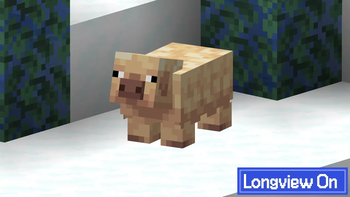
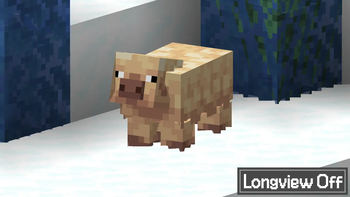
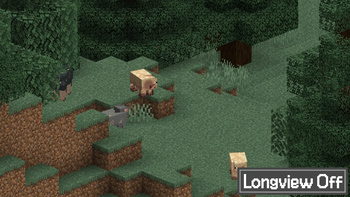
Fixes flickering, jaggies and Z-fighting on long distances using the Reverse Z technique.
Screenshots


About this Mod


Longview is a mod for Minecraft 26.1 that fixes glitches such as Z-fighting and jaggies on far distances.
This is accomplished through two techniques:
- By changing the Z coordinate limits from [-1,1] to [0,1] using the
GL_ARB_CLIP_CONTROLextension (officially part of OpenGL 4.5) - By applying the reversed Z technique, where the far plane and the near plane are swapped in the renderer.
This ensures that the depth buffer will be evenly distributed no matter the distance, fixing all sorts of glitches that happens from a distance!
Compatibility
This mod is no longer needed in Minecraft 26.2+ since the game has implemented the same fixes that Longview implements! This mod will continue to work in Minecraft 26.1.
This mod requires a device supporting either the GL_ARB_CLIP_CONTROL extension or OpenGL 4.5 in order to apply Technique 1.
On devices that don't support either, like ones running macOS, Technique 2 will still be applied, although since the Z coordinate limits will remain as [-1,1], flipping them will do nothing at all considering said limit is effectively symmetric.
As of Longview 1.3.0, this mod is compatible with Iris Shaders when using shader packs that support it. If the shader pack doesn't support Longview, then this mod will disable itself temporarily, as shown in the F3 debug information.
This mod is fully compatible with custom graphics backends and will implement Technique 2 by default, although said custom backends are required to implement Technique 1 themselves.
Acknowledgements
- This Godot Engine blog post for introducing me to the reverse Z technique.
- Depth Precision Visualized: an excellent article covering the topic of depth precision as well as the reverse Z technique.
- The many people who have independently discovered and popularized this technique, including goddamn Quake developers.
- qendolin for putting together the farz-poc proof-of-concept and for starting discussions involving Mojang developers.
- IMS for he's a jolly good fellow, which nobody can deny.
Available Versions
How to Install Longview on Your Client
Install the Mod Loader Locally
Install fabric for your local Minecraft version.
Download the Matching File
Choose the Longview file for fabric and Minecraft 26.1.2.
Install Mod
Place the .jar file in your local .minecraft/mods folder and restart Minecraft. No server-side installation is required.
Compatibility
Mod Loaders
Minecraft Versions
26.1.2, 26.1.1, 26.1 (+11 more)
Server-side
✗ UnsupportedRecommended RAM
4 GB(min. 3 GB)Frequently Asked Questions
Does Longview need to be installed on the Minecraft server?
No. Modrinth marks Longview as unsupported on the server side. Install it only in your local Minecraft mods folder. Your server can remain unchanged unless the mod page lists an additional dependency.
Which version and loader does Longview require?
Use a file for fabric, neoforge and your exact Minecraft version. Supported versions include 26.1.2, 26.1.1, 26.1. Files for different loaders are not interchangeable.
Longview is not working – what should I check?
First check the Minecraft version, loader version and required dependencies. Put the .jar file in your local .minecraft/mods folder and remove older duplicates. Because this mod is client-side, adding server RAM will not fix it.
Similar Mods




![[ETF] Entity Texture Features](https://cdn.modrinth.com/data/BVzZfTc1/af683d206d50b05258d865b0d6e4aa2f2cee12f2_96.webp)

Minecraft Server for Your Group
Longview stays on your client. Host a compatible world for your group.