
Tor-MC
Seamless Tor integration into Minecraft, resulting in a free vpn with over 3000 possible IP addresses.
Screenshots
About this Mod
Easily torify minecraft, the Tor client can be controlled from inside the game with a simple gui, acting as a free in-game vpn. With McOverTor, you can change your IP address with a click of a button, as many times as you want.
The mod is currently compatible with Windows and Linux.
Credits: The logo is made by Roland882.
Main Features:
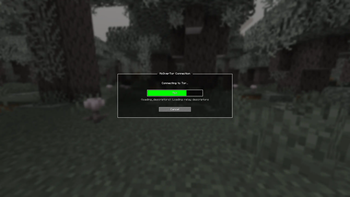
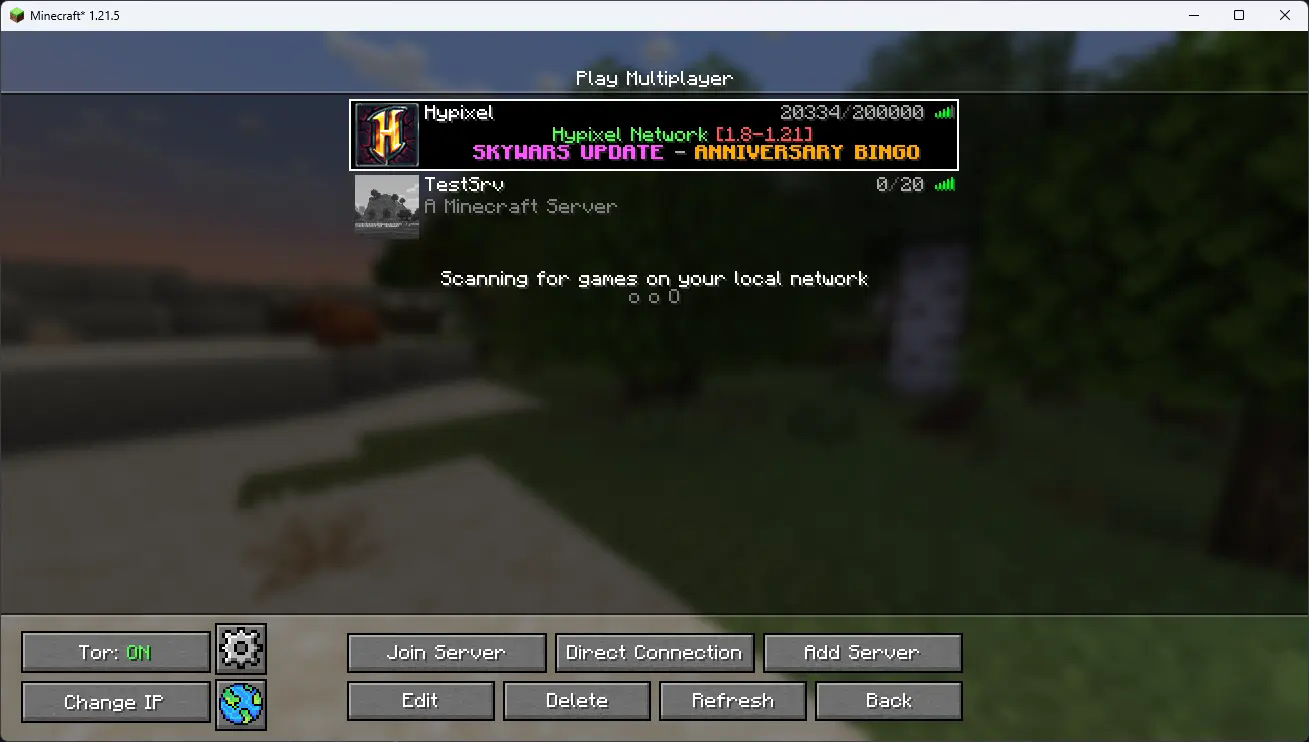
Tor Activation from inside the game: Start Tor and reroute your in-game connections with just one click. McOverTor handles the entire process seamlessly for you, so you can focus on your game without needing to worry about installing Tor on your PC manually or any other technical things.
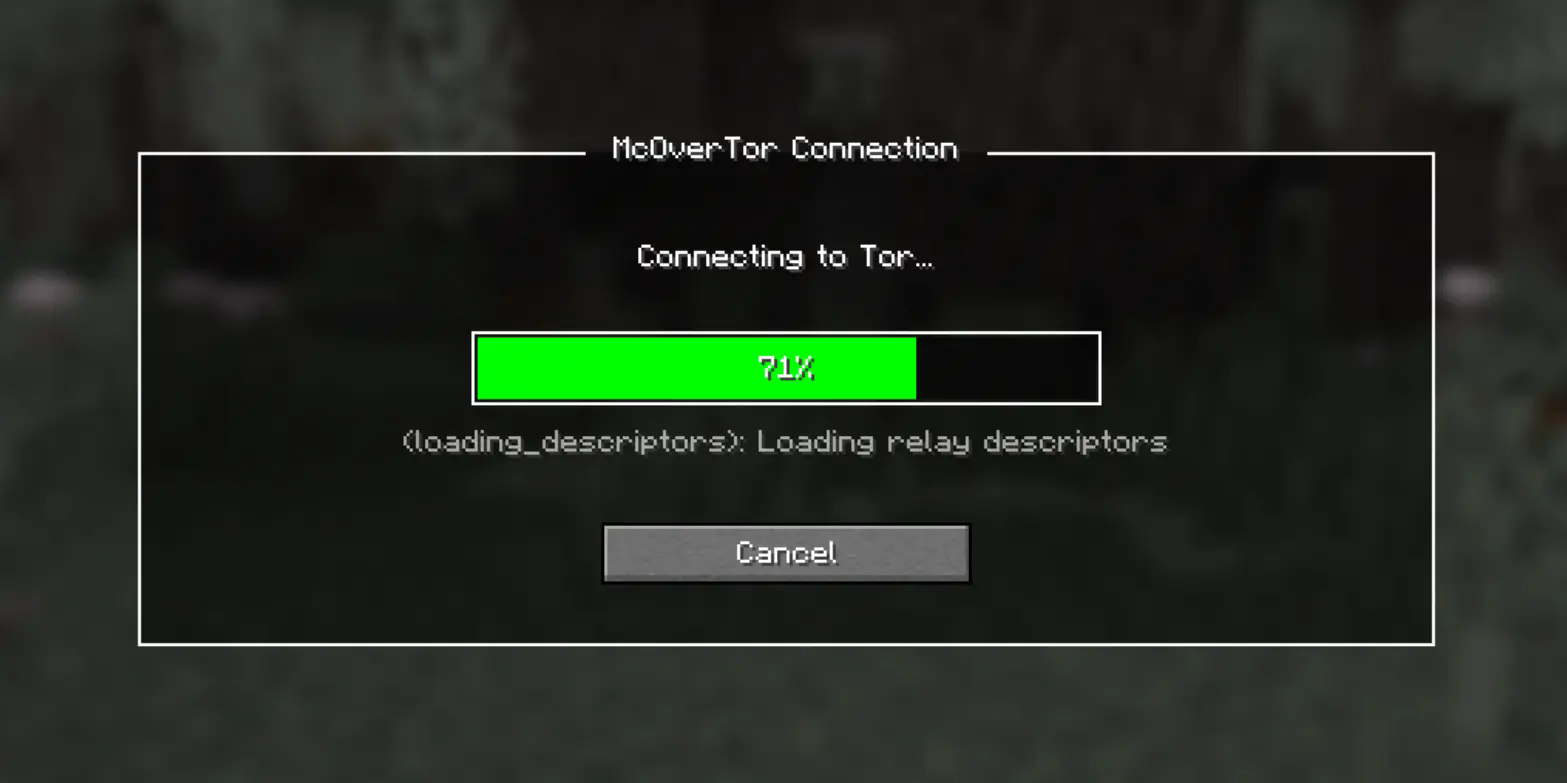
Clean and Intuitive GUI: Featuring a simple, easy-to-use interface with a dynamic loading screen, McOverTor makes it easy to monitor your connection status and manage your IP changes.
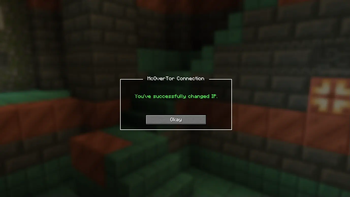
Effortless IP Change: Tired of changing your IP is being a hassle? No problem. With the "Change IP" button, McOverTor lets you instantly switch to a new IP address. The mod tells Tor to create new circuits and gives you a fresh IP in less than a second, making it super easy to keep changing your IP any time you want to.
Additional features:
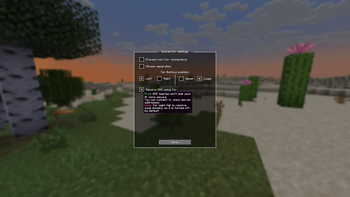
- Prevent non-Tor connections: To prevent any in-game connection from going through if you haven't started Tor to prevent accidents.
- Stream separation: To get a new IP every time you join a server automatically.
- Resolve DNS using Tor: To resolve DNS using Tor for extra security, plus it gives you the ability to connect to .onion mc servers.
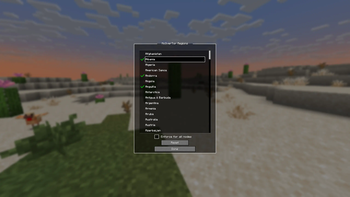
- Country selection: The mod scans Tor's db file to get the list of regions available, so you can select which country/countries you want your IP to be from. Note: the connection will often get stuck if Tor can't find a node from your location in the given country, or your IP might not change multiple times after pressing "Change IP".
Why McOverTor?
If you’re looking for an easy way to change your IP during your Minecraft sessions, without even having to tab out of the game, then this is the mod for you!
This mod isn't done yet, Upcoming features:
- 1.8 support.
- MacOS support.
- Bridges support
You can report issues, suggest new features, or ask questions over on github.
Note: The plugin requires fabric loader 0.18.0 or higher and java 21.
This product is produced independently from the Tor® anonymity software and carries no guarantee from The Tor Project about quality, suitability or anything else.
Available Versions
How to Install Tor-MC on Your Client
Install the Mod Loader Locally
Install fabric for your local Minecraft version.
Download the Matching File
Choose the Tor-MC file for fabric and Minecraft 26.3.
Install Mod
Place the .jar file in your local .minecraft/mods folder and restart Minecraft. No server-side installation is required.
Compatibility
Mod Loaders
Minecraft Versions
26.3, 26.2, 26.1.2 (+19 more)
Server-side
✗ UnsupportedRecommended RAM
4 GB(min. 3 GB)Frequently Asked Questions
Does Tor-MC need to be installed on the Minecraft server?
No. Modrinth marks Tor-MC as unsupported on the server side. Install it only in your local Minecraft mods folder. Your server can remain unchanged unless the mod page lists an additional dependency.
Which version and loader does Tor-MC require?
Use a file for fabric and your exact Minecraft version. Supported versions include 26.3, 26.2, 26.1.2. Files for different loaders are not interchangeable.
Tor-MC is not working – what should I check?
First check the Minecraft version, loader version and required dependencies. Put the .jar file in your local .minecraft/mods folder and remove older duplicates. Because this mod is client-side, adding server RAM will not fix it.
Similar Mods




Minecraft Server for Your Group
Tor-MC stays on your client. Host a compatible world for your group.