
Create: Missions
Economy for servers, by daily weekly missions and physical currency!
Screenshots

About this Mod



Create: Missions is a Create addon focused for Create mod servers. It will also work in singleplayers worlds, but it's designed to bring an economy throughout a server's lifetime. We hope to give server owners a better way of giving players a currency, while also encouraging players to build their own shop contraptions/exchange banks/banks.
What's this addon?
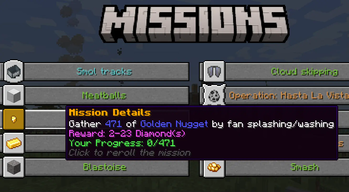
It works by giving 10 random missions per player per week. These missions can be vanilla missions like "Break X Veridium" or Create mod related like "Drive a train for 4 km with at least 2 passengers". You can also reroll the missions, and claim prices by completing them.
Open the mission GUI pressing H key (by default) or using /missions command
Mission types:
As time goes on, more missions will be added. Some missions can have lots of variation like breaking a block, while others are simpler like walking.
There are in total 16 Mission Types that use Create-related mechanics.
cut, compact, sail, craft, ride, harvester, train-driver-passenger, crush, eat, train-passenger, place, dive, press, mix, train-driver, break, saw, kill, drill, drink, mill, minecart, fly, relocate, fish, walk, swim, feed, belt-walk
Special thanks to:
- TheLegendofSaram, Mexican translation
- __Tesseract, French translation
- MrRedRhino, German translation
- глебикс, Russian translation
- Starlotte, mission complete sound
- Seboso, Jar of Tips texture
Needed for server owners
Spoilers
Select the currencies and their exchange in config\missions\currency.json
As an example with Create: Numismatics it would look like this:
[
  {"numismatics:spur": "8"},
  {"numismatics:bevel": "2"},
  {"numismatics:sprocket": "4"},
  {"numismatics:cog": "8"},
  {"numismatics:crown": "8"},
  {"numismatics:sun": "1"}
]
missions.json -> How to configure the missions?
This file can be found in `config\missions\missions.json`. An example mission configuration:{
"config-version": 2,
"eat": {
"weight": 1,
"missions": [
{
"items": {
"apple": "120-300"
},
"titles": [
"Forced meal"
],
"rewards": [
{
"item": "minecraft:diamond",
"amount": "30-80"
}
]
},
{
"items": {
"honey_bottle": "1-3"
},
"titles": [
"Drink up"
],
"rewards": [
{
"item": "minecraft:diamond",
"amount": "20-50"
}
]
}
]
}
}
Don't use tags, they are not supported in the missions.json
Ranges like 1-3 means a number at random from 1 to 3, both included.
Mission example: Eat 2 Honey Bottle(s)
Reward example: 27 Diamond(s)
The "weight" is the chance of this mission to be selected. From 0 to 1.
You can add as many item id's to the "items" bracket, and add as many titles to "titles" bracket, for a mission to be granted one item and one title, both randomly from those inside the bracket.
Mechanical Exchanger
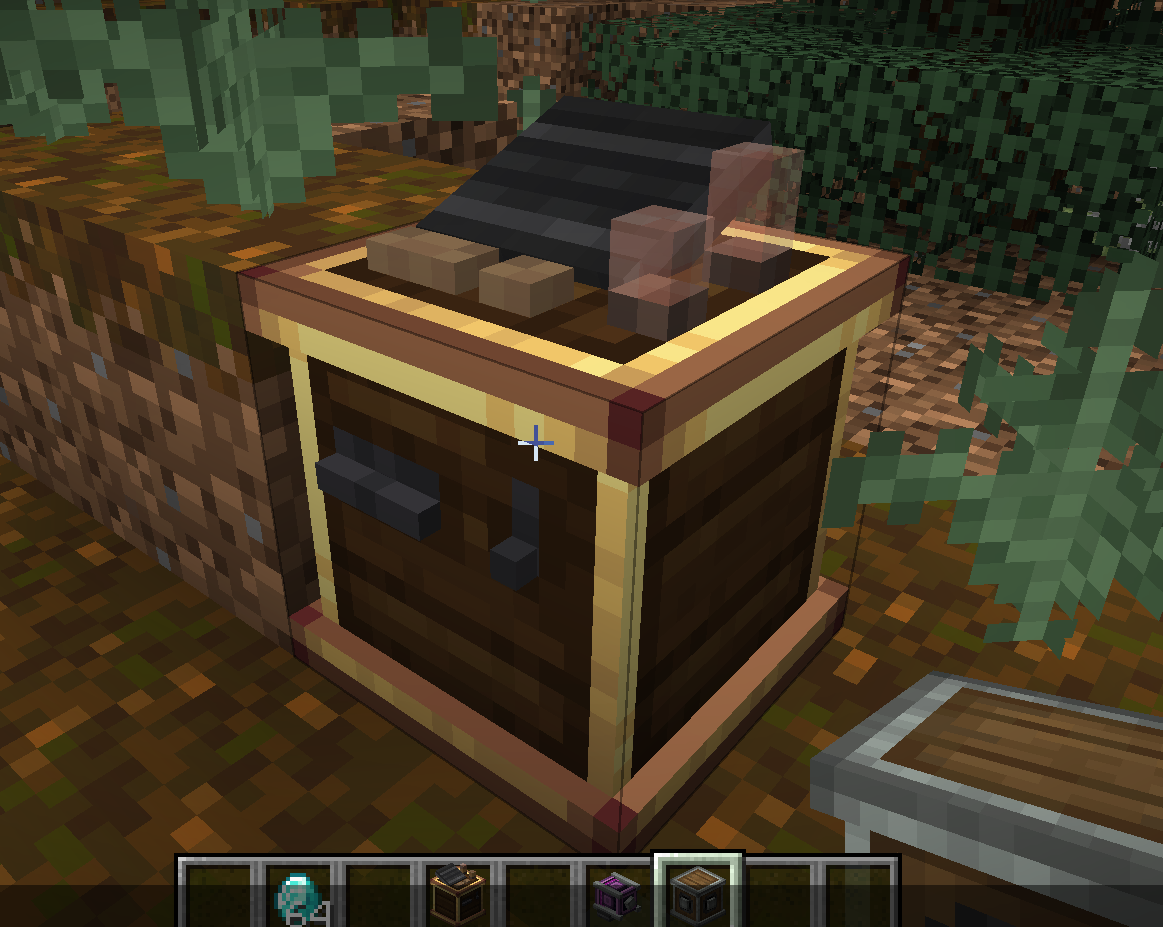
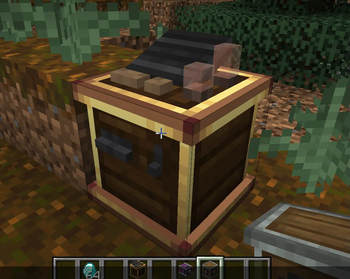
The Mechanical Exchanger doesn't have a crafting recipe, and can only be obtained with a 5% chance (default) after completing a hard mission.
It lets you to exchange currencies from smaller to bigger currency. Depends on which rotation direction the shaft has. It also requires 100 rpm, and consumes much more SU.
For developers
It's really possible to add new missions for Create: Missions. You have examples here
Available Versions
How to Install Create: Missions on Your Server
Order Server
Order a Minecraft Java server with at least 4 GB RAM (6 GB recommended).
Set fabric Loader
In the panel under "Egg", select the fabric loader and matching Minecraft version (1.21.1).
Install Mod
Open the mod browser in the dashboard and search for "Create: Missions". Click "Install" – done! Alternatively, upload the .jar via SFTP to the /mods folder.
Compatibility
Mod Loaders
Minecraft Versions
1.21.1, 1.20.1, 1.19.2 (+1 more)
Server-side
~ OptionalRecommended RAM
6 GB(min. 4 GB)Frequently Asked Questions
Create: Missions server crashes on startup – what to do?
Most common cause: wrong fabric version or insufficient RAM. Check the server log (latest.log) for "OutOfMemoryError" or "Mixin" errors. With Mado Hosting: ensure at least 4 GB RAM is allocated and the loader matches the mod version (1.21.1). You can switch loaders with one click in the panel.
Is Create: Missions compatible with fabric and forge and neoforge and quilt?
Create: Missions officially supports fabric, forge, neoforge, quilt for Minecraft 1.21.1, 1.20.1, 1.19.2. Note: Forge and Fabric mods are NOT cross-compatible – pick one loader and stick with it. The Mado dashboard automatically detects incompatible loader combinations.
Server lagging with Create: Missions – how to optimize performance?
Recommended RAM: 6 GB (per 5 players). Use /spark profiler to check if Create: Missions consumes the most tick time. Common fixes: reduce server view-distance to 8-10, install "performant" or "starlight" as supplementary mods on Forge. With Mado Hosting, your server runs on NVMe SSDs with dedicated CPU cores for minimal latency.
Similar Mods




Rent Modded Server
Install Create: Missions with just one click on your server.