
Mob Battle Music
Mod that adds background music when fighting hostile mobs and players
Screenshots
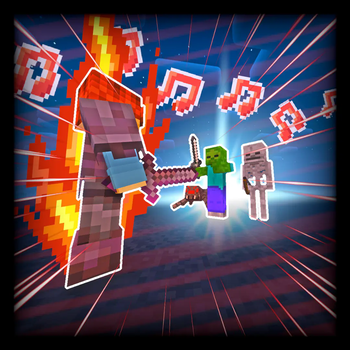
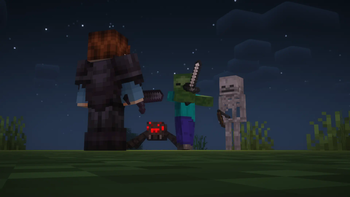
About this Mod





Mob Battle Music adds three new music tracks that play as you sneak about mobs, fight them, and battle players. The mod is completely client side and is not required on the server.

- Three new music tracks:
- Non-Aggressive, which plays when no nearby hostile mobs are aggressive/attacking. A "tense" track that acts as the "calm before the storm."
- Aggressive, which plays when a mob becomes aggressive/starts attacking.
- Player, which begins when you start attacking another player or they start attacking you. Adds some tension for PvP duels.
- Highly customizable with a built-in config menu.
- Modify, replace, or add music tracks using resource packs.
- Completely client side.

This mod was commissioned by TSEG
Currently only for Forge. Considering the simplicity of this mod, a Fabric port may happen. Support for both NeoForge and Forge past 1.20.1 is also very likely. Please do not ask for backports.
If you encounter any issues, bugs, or have any suggestions, feel free to let me know using the mod's issue tracker.
All music added by this mod is Royalty Free. Please note that the non-aggressive track used in the mod may be Content ID claimed if detected on YouTube, but you are allowed to use it. Please check out this link for more info on how to clear it.
Feel free to include this mod in any modpack you'd like, however make sure to have a link back to this page.
Available Versions
How to Install Mob Battle Music on Your Client
Install the Mod Loader Locally
Install forge for your local Minecraft version.
Download the Matching File
Choose the Mob Battle Music file for forge and Minecraft 1.20.1.
Install Mod
Place the .jar file in your local .minecraft/mods folder and restart Minecraft. No server-side installation is required.
Compatibility
Mod Loaders
Minecraft Versions
1.20.1, 1.19.4, 1.19.2
Server-side
✗ UnsupportedRecommended RAM
4 GB(min. 3 GB)Frequently Asked Questions
Does Mob Battle Music need to be installed on the Minecraft server?
No. Modrinth marks Mob Battle Music as unsupported on the server side. Install it only in your local Minecraft mods folder. Your server can remain unchanged unless the mod page lists an additional dependency.
Which version and loader does Mob Battle Music require?
Use a file for forge and your exact Minecraft version. Supported versions include 1.20.1, 1.19.4, 1.19.2. Files for different loaders are not interchangeable.
Mob Battle Music is not working – what should I check?
First check the Minecraft version, loader version and required dependencies. Put the .jar file in your local .minecraft/mods folder and remove older duplicates. Because this mod is client-side, adding server RAM will not fix it.
Similar Mods




Minecraft Server for Your Group
Mob Battle Music stays on your client. Host a compatible world for your group.