
ModContours
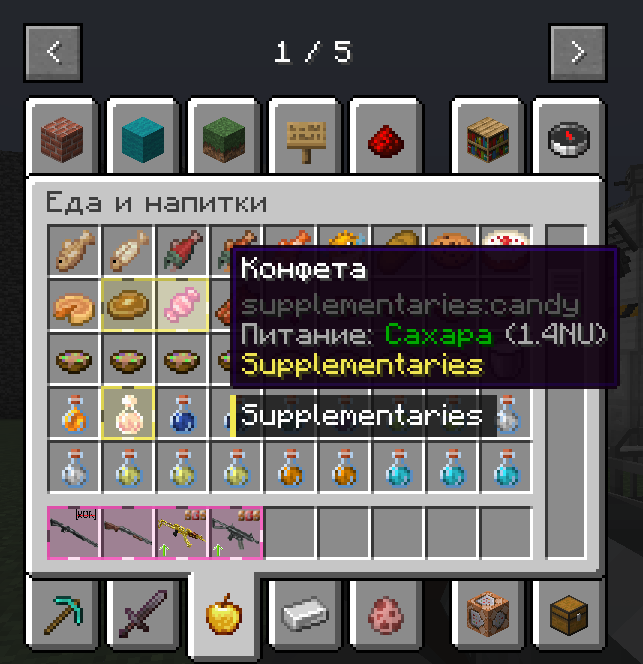
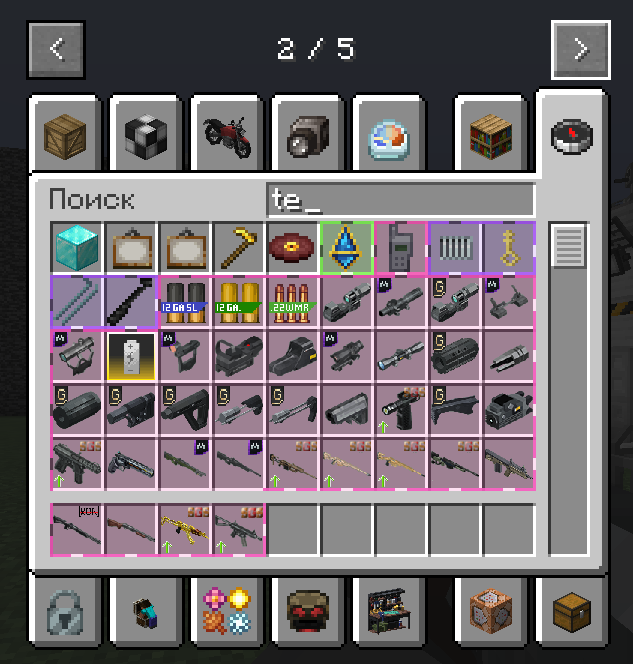
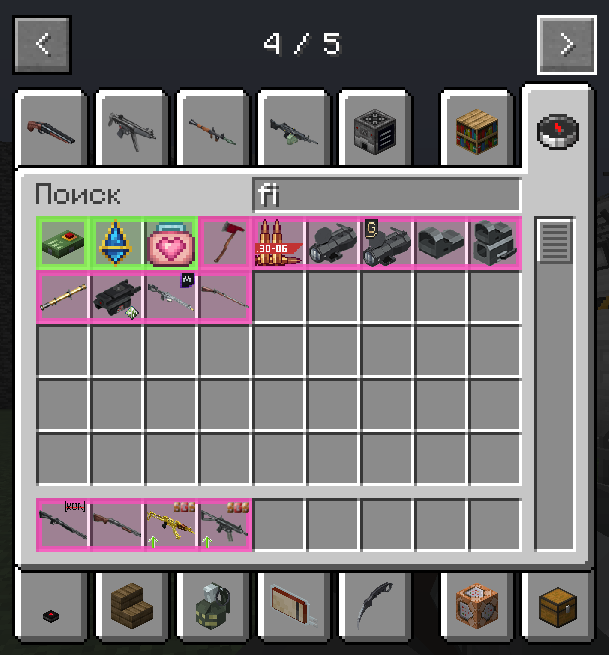
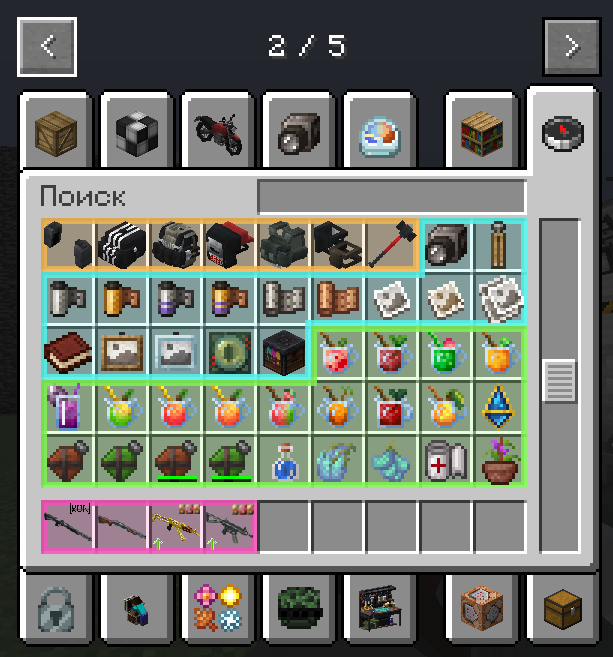
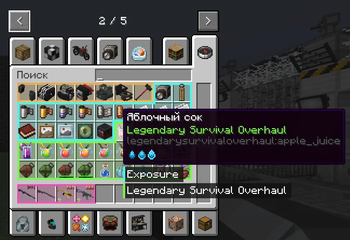
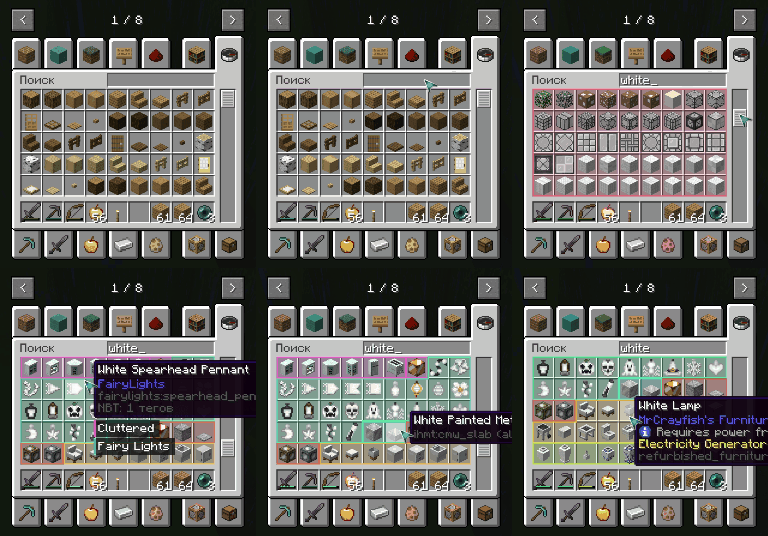
Mod Contours is a client-side mod for Minecraft Forge that helps organize your inventory by visually grouping items from the same mod using dynamic colored outlines.
Screenshots
About this Mod
🎨 Mod Contours

Mod Contours is a client-side mod for Minecraft Forge that helps organize your inventory by visually grouping items from the same mod using dynamic colored outlines. If you're tired of getting lost in an inventory filled with hundreds of items from different mods, Mod Contours is made for you!
✨ Showcase

🚀 Features
- Dynamic Outlines: Items from the same mod are automatically grouped together with a shared colored outline.
- Smart Detection: The mod automatically identifies which mod each item belongs to.
- High Performance: Designed with minimal impact on game performance.
- Fully Configurable: Customize outline thickness, fill transparency, and outline style through the configuration file.
- Multilingual: The interface and documentation are available in multiple languages.
📦 Installation
Make sure you have Minecraft Forge installed: https://files.minecraftforge.net/net/minecraftforge/forge/
Download the latest version of the mod:
- GitHub Releases: https://github.com/mrdiovkrad/ModContours/releases
- Modrinth: https://modrinth.com/mod/modcontours
- CurseForge: https://www.curseforge.com/minecraft/mc-mods/modcontours (Coming Soon)
Place the downloaded
.jarfile into themodsfolder in your Minecraft directory.Launch the game and enjoy!
⚙️ Configuration
All mod settings can be changed through the in-game mod configuration menu. You can customize:
- Outline thickness
- Fill transparency
- Outline style
- And many other settings for the perfect appearance!
🌍 Supported Languages
- English
- Russian
- German
- Spanish
- French
- Chinese (Simplified)
- Japanese
- Portuguese (Brazil)
- Polish
- Korean
Developed by APPLYOK | Author: MrDioVkrad
Available Versions
How to Install ModContours on Your Server
Order Server
Order a Minecraft Java server with at least 3 GB RAM (4 GB recommended).
Set forge Loader
In the panel under "Egg", select the forge loader and matching Minecraft version (1.20.1).
Install Mod
Open the mod browser in the dashboard and search for "ModContours". Click "Install" – done! Alternatively, upload the .jar via SFTP to the /mods folder.
Compatibility
Mod Loaders
Minecraft Versions
1.20.1
Server-side
✗ UnsupportedRecommended RAM
4 GB(min. 3 GB)Frequently Asked Questions
ModContours server crashes on startup – what to do?
Most common cause: wrong forge version or insufficient RAM. Check the server log (latest.log) for "OutOfMemoryError" or "Mixin" errors. With Mado Hosting: ensure at least 3 GB RAM is allocated and the loader matches the mod version (1.20.1). You can switch loaders with one click in the panel.
Is ModContours compatible with forge?
ModContours officially supports forge for Minecraft 1.20.1. The Mado dashboard automatically detects incompatible loader combinations.
Server lagging with ModContours – how to optimize performance?
Recommended RAM: 4 GB (per 8 players). Use /spark profiler to check if ModContours consumes the most tick time. Common fixes: reduce server view-distance to 8-10, install "performant" or "starlight" as supplementary mods on Forge. With Mado Hosting, your server runs on NVMe SSDs with dedicated CPU cores for minimal latency.
Similar Mods

![[ETF] Entity Texture Features](https://cdn.modrinth.com/data/BVzZfTc1/af683d206d50b05258d865b0d6e4aa2f2cee12f2_96.webp)
![[EMF] Entity Model Features](https://cdn.modrinth.com/data/4I1XuqiY/6e5bbd0d06b1741bfdab6c0cfab6de8fdaf0064c_96.webp)



Rent Modded Server
Install ModContours with just one click on your server.