
Moderately Enough Effect Descriptions (MEED)
JEED/Emiffect addon with support for over 100 mods and 600 status effects!
Screenshots
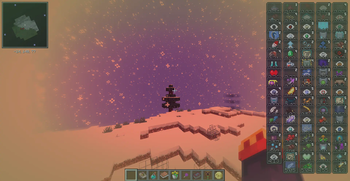
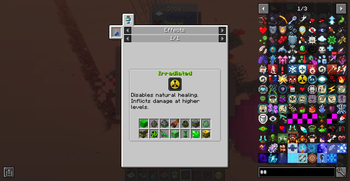
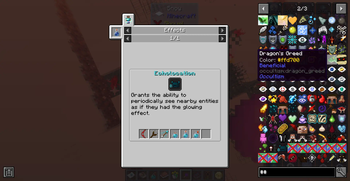
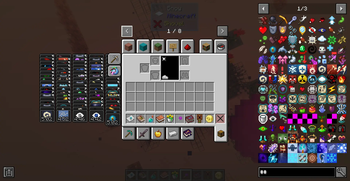

About this Mod
📖 About 📖
INSPIRED BY JUST ENOUGH EFFECT DESCRIPTIONS (JEED)
Moderately Enough Effect Descriptions (MEED) is a JEED/EMIffect addon that provides support for many different mods! You'll be able to discover and learn about 600+ status effects for 100+ mods and counting!
Just like JEED, you'll be able to view information about status effects, including their descriptions, which mod they're from, their effect color, and which items apply/cause the effect, in either JEI, REI, or EMI! While the mod is only needed on the client, I really recommend having it on the server because it will allow the effect-providing items, blocks, mobs, other effects, and fluids to show up under the description!
This mod is constantly adding support for new mods and will try and update to the most popular Minecraft versions as soon as possible!
Currently Supported Mods:
(These mods may not all be on Modrinth yet, but will still be listed and included in updates)
Spoiler
Choose one:
Choose one:
For Fabric mods:
Optional Supported Mods:
Ars Elemental
Corail Tombstone
Sculky Bits
Potions Master
CAS' Extra Potions
Divine Weaponry - Better Combat
Blood and Madness
Deep Blood
Mobs of Sins
Feywild
Trials Chambers [1.20.1 Backport]
🧪 Customization🧪
This mod obviously does not have support for all mods! If you'd like, you can easily change or add effect descriptions by adding/changing the string "effect.[mod_id].[effect_name].description" in the lang file. I'd really appreciate it if you commented descriptions you add so that I could add them to the mod! For a more in-depth tutorial on basic customization, see the JEED CurseForge page.
MEED adds a command to quickly check for all effects missing descriptions. Running /meed missingdescriptions lists every mod (and the specific effect IDs) missing a description. This is useful for quickly bugtesting descriptions you make, and for seeing what effects need descriptions when creating modpacks!
MEED also adds a custom recipe condition, mod_version_range, that lets a recipe only load when a mod falls within the given version range. This is necessary and useful for handling breaking changes between mod versions. For example, when a mod's structure and/or content changes enough that an old compatibility recipe would throw a parsing error on the new version, but you still need that recipe to work for players on older versions (In MEED's case, the mod Relics is an example).
Using mod_version_range
Spoiler
Add it to any recipe's conditions like so:
{
  "neoforge:conditions": [
    {
      "type": "meed:mod_version_range",
      "modid": "somemod",
      "versionRange": "[1.2.0,1.5.0]"
    }
  ],
  "type": "your:recipe_type",
  ...
}
(On the 1.20.1/Forge version of MEED, use the top-level "conditions" key instead of "neoforge:conditions".)
Since a version range check also fails if the mod isn't loaded at all, mod_version_range, for simplicity, should be used on its own in place of a separate mod_loaded condition when you also need to gate by version.
Version Range Syntax Examples:
| Range | Result |
|---|---|
[1.0.0,2.0.0] | 1.0.0 to 2.0.0, inclusive on both ends |
[1.0.0,2.0.0) | 1.0.0 to 2.0.0, excluding 2.0.0 |
(1.0.0,2.0.0) | Strictly between 1.0.0 and 2.0.0 |
[1.0.0,) | 1.0.0 and anything newer, open-ended |
(,2.0.0) | Anything older than 2.0.0 |
If the target mod isn't installed at all, or its version falls outside the range, the recipe is skipped with no parsing errors or crashes. This is the same mechanism vanilla/Forge/NeoForge conditions use and can be used in place of them, just extended to check version ranges rather than only presence.
Feel free to use this in your modpack, and also feel free to leave any questions, comments, bugs/issues, and mod requests in my Discord server or the GitHub!
Join the Community!

Available Versions
How to Install Moderately Enough Effect Descriptions (MEED) on Your Server
Order Server
Order a Minecraft Java server with at least 3 GB RAM (4 GB recommended).
Set forge Loader
In the panel under "Egg", select the forge loader and matching Minecraft version (1.21.11).
Install Mod
Open the mod browser in the dashboard and search for "Moderately Enough Effect Descriptions (MEED)". Click "Install" – done! Alternatively, upload the .jar via SFTP to the /mods folder.
Compatibility
Mod Loaders
Minecraft Versions
1.21.11, 1.21.10, 1.21.9 (+18 more)
Server-side
✓ RequiredRecommended RAM
4 GB(min. 3 GB)Frequently Asked Questions
Moderately Enough Effect Descriptions (MEED) server crashes on startup – what to do?
Most common cause: wrong forge version or insufficient RAM. Check the server log (latest.log) for "OutOfMemoryError" or "Mixin" errors. With Mado Hosting: ensure at least 3 GB RAM is allocated and the loader matches the mod version (1.21.11). You can switch loaders with one click in the panel.
Is Moderately Enough Effect Descriptions (MEED) compatible with forge and neoforge?
Moderately Enough Effect Descriptions (MEED) officially supports forge, neoforge for Minecraft 1.21.11, 1.21.10, 1.21.9. The Mado dashboard automatically detects incompatible loader combinations.
Server lagging with Moderately Enough Effect Descriptions (MEED) – how to optimize performance?
Recommended RAM: 4 GB (per 8 players). Use /spark profiler to check if Moderately Enough Effect Descriptions (MEED) consumes the most tick time. Common fixes: reduce server view-distance to 8-10, install "performant" or "starlight" as supplementary mods on Forge. With Mado Hosting, your server runs on NVMe SSDs with dedicated CPU cores for minimal latency.
Similar Mods




Rent Modded Server
Install Moderately Enough Effect Descriptions (MEED) with just one click on your server.
Details
- License
- Creative Commons Attribution Non Commercial Share Alike 4.0 International
- Server-side
- Required