
Natural Temperature
Natural Temperature is a mod that overhauls the way biomes are placed in the world, creating a layout that more closely resembles Earth’s climate zones with cold biomes in the north and warm biomes in the south.
Screenshots
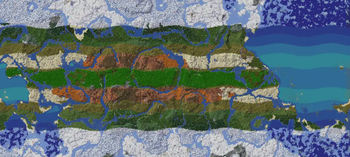
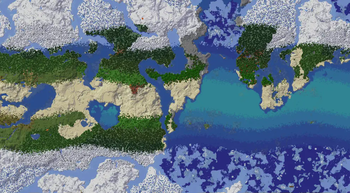
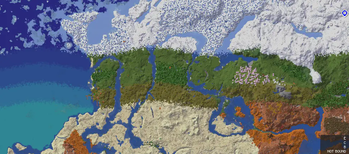


About this Mod
Natural Temperature

Natural Temperature is a mod that overhauls the way biomes are placed in the world, creating a layout that more closely resembles Earth’s climate zones.
Instead of Minecraft’s typical random patchwork of biomes, this mod introduces a structured and configurable latitude based biome distribution system:
- Polar regions feature icy biomes such as Snowy Tundra and Ice Spikes.
- Cold zones include taigas that aren’t covered in snow.
- Temperate zones contain forests, plains, and seasonal biomes.
- Warm regions are covered by dry biomes such as savannas.
- Tropical regions are dominated by hot biomes like deserts and badlands.
- Equatorial regions are populated by jungles
This creates a more immersive and realistic world that is more similar to Earth's natural climate bands, making exploration feel more organic, interesting and meaningful.
Whether you're trying to find the perfect spot for a building, creating realistic cities, take on some survival challenges, or just want a more coherent world to explore, this mod brings climate logic to your overworld.
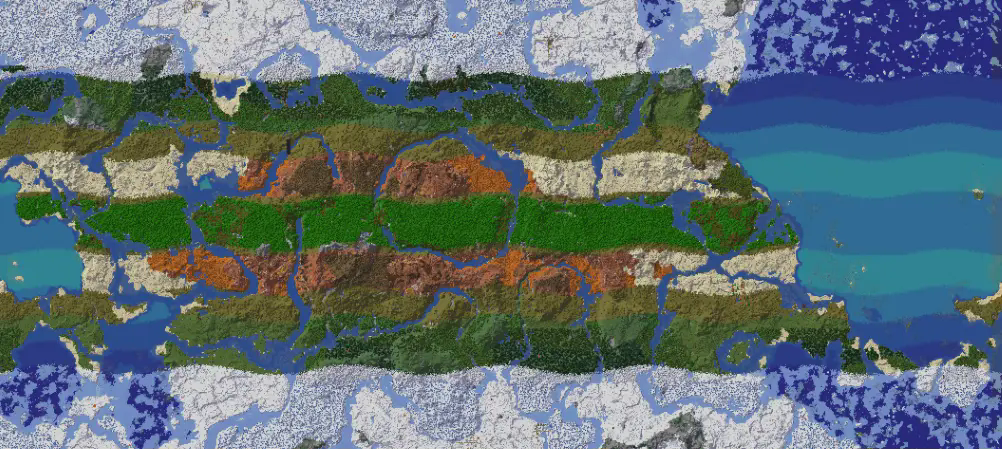
This is an image from 1.0.5 mod version
Features
- Latitude based biome generation
- Configurable world width in config file
- Full compatibility with vanilla and many modded biomes
- Lightweight and performance friendly
Configuration
You can open the setting menu pressing the nt button in the main menu or you can go in the config folder where you will find the configuration file for Natural Temperature. Here you can change some parameters to customize your world. Remember that the settings are universal between worlds! So if you change the parameters and you open an old world with different ones, new generated chunks will follow the new parameters! Already generated chunks will be fine

Equatorial Distance
The "equatorial_distance" is the distance of the equator from the spawn point (it's also the distance from the north pole). By default it is 50000.0 blocks.
Looping
You can also enable looping of the biomes' distribution after you pass the poles. By default it is set to false, to enable it set "looping_world" to true. This setting is possible in mod versions 1.0.4+.
Modes
Starting from version 1.0.6, you can change the "modes" and choose between default, simplified, and linear. These are generation patterns that determine where biomes will spawn. You can see them in the gallery. Use the parameter "generation_mode" to change mode.
Equator Offset
You can change "equator_offset" to move the equator north and south. Positive values will move the equator north, while negative values will move it south. If you want the equator to be at 0 set this value the same as your equatorial_distance
Randomize Underground
Use "randomize_underground" to randomize the biomes distribution below a y that you can define with "randomize_underground_below_y". You can choose between two type of randomization: random (total randomness) and half_random (some degree of similarity with biomes on the surface)
Multi-dimensions
Use "multidimensional_bands" to enable/disable the banded generation in all the dimensions. It's false by default
Global Temperature Parameters
Use "global_temperature_modifier_percentage" to heat or cool the planet.
Use "global_temperature_mitigation_percentage" to mitigate temperature extremes, making extreme climatic regions smaller and temperate regions larger.
Extra Bands
You can set "extra_bands" to true to enable a wider transition between the desert region and the jungle, this will help if some modded biomes are missing. This will free some space in the map for different biomes to spawn. This setting is available in mod version 1.0.14+ .
This works well with "Oh The Biomes We've Gone" mod and a lot of other mods.
Wave Magnification
Since 1.0.15 you can use "wave_magnification" option to amplify the wave of the transition between the climatic bands
Temperature of the zones
Since 1.0.15 you can use "temperature_zone_x" options to customize some of the modes like the Custom Circular mode (mode 3) or Custom Banded mode (mode 5) to shape the world as you like.
Humidity of the zones
"humidity_zone_x" can be used the same as the temperature of the zones
Humidity bands
Since 1.0.18 you can enable humidity bands to add a pattern of humidity (also called vegetation) perpendicular to the temperature pattern; you can use this pattern in simplified and linear modes.
You can enable this setting with "enable_humidity_bands" and change the width of the humidity variation with "humidity_bands_width" (this value is one quarter of the distance between two zones of maximum humidity).
Width of the zones
With 1.1.0 the width of the bands of Banded and Custom Banded mode can be adjusted using the "percentage_coverage_zone_x" parameters in the settings
If you are editing the config file directly remember to save and restart minecraft. If you are using the in game gui the setting are are applied immediately
Compatibility
- Compatible with world generation mods (e.g. Tectonic, Lithosphere) – results may vary
- Compatible with the vast majority of mods that add biomes
- Likely not compatible with total conversion mod, but this depends on the mod
Known Issues
- There are some limitations with the algorithm that place the biomes in mode 5 and 6 and others modes. Modes 0,1,2 are not affected by this since they use a different algorithm.
This causes a loss of precision in the width of the bands, to be more specific the temperature/humidity of a specific zone and the coverage are mathematically bonded. This causes the presence of some hard mathematical limits. It is not true that for each temperature/humidity value there is a %coverage value in the existence interval. For some values of t/h and %c the system of equations in the algorithm it's simply impossible to solve. This will cause some problems especially at the pole and will result in a very large band, for the rest of the world the problem is less relevant.
I chose a mathematics that was very flexible, I was aware that there were limits, but the flexibility and the ease of use of the system justified the compromise.
The algorithm will be rewritten in the near future to fix these issues, I will keep some consistency with the current system but I will improve it.
Special thanks to ImpulsiveLass for her work on recalculating the exact values to use in modes 5 and 6 to get a better result.
If you want to use mode 6 consider using mode 5 instead and using the values that she tuned:
- Temperature zones 1-6: 0.25 / 0.7 / 0.5 / 0 / -0.25 / -0.5
- Humidity zones 1-6: 1.0 / random / -0.7 / random / random / random
- % Coverage 1-6: 25.5/20.66667/13.05555/7.96297/23.51851/9.2963
Available Versions
How to Install Natural Temperature on Your Server
Order Server
Order a Minecraft Java server with at least 4 GB RAM (6 GB recommended).
Set fabric Loader
In the panel under "Egg", select the fabric loader and matching Minecraft version (26.3).
Install Mod
Open the mod browser in the dashboard and search for "Natural Temperature". Click "Install" – done! Alternatively, upload the .jar via SFTP to the /mods folder.
Compatibility
Mod Loaders
Minecraft Versions
26.3, 26.2, 26.1.2 (+19 more)
Server-side
✓ RequiredRecommended RAM
6 GB(min. 4 GB)Frequently Asked Questions
Natural Temperature server crashes on startup – what to do?
Most common cause: wrong fabric version or insufficient RAM. Check the server log (latest.log) for "OutOfMemoryError" or "Mixin" errors. With Mado Hosting: ensure at least 4 GB RAM is allocated and the loader matches the mod version (26.3). You can switch loaders with one click in the panel.
Is Natural Temperature compatible with fabric and forge and neoforge?
Natural Temperature officially supports fabric, forge, neoforge for Minecraft 26.3, 26.2, 26.1.2. Note: Forge and Fabric mods are NOT cross-compatible – pick one loader and stick with it. The Mado dashboard automatically detects incompatible loader combinations.
Server lagging with Natural Temperature – how to optimize performance?
Recommended RAM: 6 GB (per 5 players). Use /spark profiler to check if Natural Temperature consumes the most tick time. Common fixes: reduce server view-distance to 8-10, install "performant" or "starlight" as supplementary mods on Forge. With Mado Hosting, your server runs on NVMe SSDs with dedicated CPU cores for minimal latency.
Similar Mods




Rent Modded Server
Install Natural Temperature with just one click on your server.