
Neo Enchant+
Neo Enchant+ Introduces a new suite of enchantments Explore innovative ways to enhance your Minecraft experience. This new version now uses Minecraft's Data Driven Enchant. Play like Modding !
Screenshots
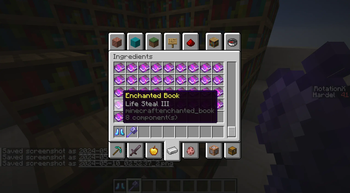
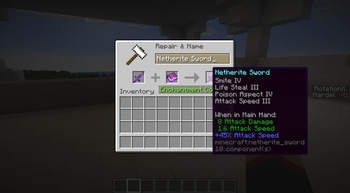
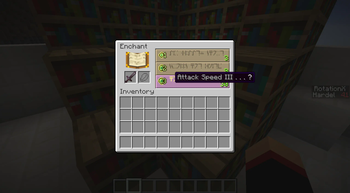
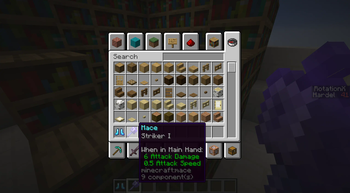
About this Mod
NeoEnchant+ V5 - Official Technical Enchant successor
Features :
- Support Enchanting table and anvil
- No performance consumption
- Modify enchantments as you wish.
- Available in Datapack format - And Mods format (Forge/NeoForge/Fabric/Quilt)
- JEI Support with "Enchantments Descriptions" Mods.
- Enchantement in creative menu
- 5 years of Patch Balancing and Huge fan base - Technical Enchant+ Official 307,000 views and TTE+ Rewened Fork by Frektip - 300.000 views

Enchantment Configurator
Customize your adventure with our online enchantment configurator. Adjust enchantments according to your preferences, creating a unique experience that perfectly matches your playstyle, available at this address Enchantment Configurator. Enchantments Configurator

Documentation
For detailed information about Yggdrasil, NeoEnchant, Whisper of Ethers, or the web tools offered by Voxel, please refer to the documentation.
It contains all the information about the new content in Voxel, Enchantment, Structure, and everything else.
Click on the image below to access the complete wiki. Wiki Links

The Neo-Ecosystem
With all these enchantments, the game might become too easy, right? That's why NeoEnchant+ isn't just a pack — it's an ecosystem.
- NeoEnchant+ Addons Structure — All enchantments will be available in the enchantment table. Please note that this may result in significant imbalance.
- Yggdrasil — This pack adds 20 structures included 5 mega structure that take hours to explore.
- BeyondEnchant — Breaks the chains of vanilla limits. Enchantment levels are increased, making them more powerful.
- Whisper of Ether — Adds forgemagic to equipment, explore powerful weapons and armor perfect for combat!

Support the Project
Join us on Patreon and help make Minecraft an even more amazing experience for everyone!
With more support, I can make tools for creators, players, and modders. I plan to create the Hytale asset editor in Minecraft!
Available Versions
How to Install Neo Enchant+ on Your Server
Order Server
Order a Minecraft Java server with at least 3 GB RAM (4 GB recommended).
Set datapack Loader
In the panel under "Egg", select the datapack loader and matching Minecraft version (26.2).
Install Mod
Open the mod browser in the dashboard and search for "Neo Enchant+". Click "Install" – done! Alternatively, upload the .jar via SFTP to the /mods folder.
Compatibility
Mod Loaders
Minecraft Versions
26.2, 26.1.2, 1.21.11 (+17 more)
Server-side
✓ RequiredRecommended RAM
4 GB(min. 3 GB)Frequently Asked Questions
Neo Enchant+ server crashes on startup – what to do?
Most common cause: wrong datapack version or insufficient RAM. Check the server log (latest.log) for "OutOfMemoryError" or "Mixin" errors. With Mado Hosting: ensure at least 3 GB RAM is allocated and the loader matches the mod version (26.2). You can switch loaders with one click in the panel.
Is Neo Enchant+ compatible with datapack and fabric and forge and neoforge and quilt?
Neo Enchant+ officially supports datapack, fabric, forge, neoforge, quilt for Minecraft 26.2, 26.1.2, 1.21.11. Note: Forge and Fabric mods are NOT cross-compatible – pick one loader and stick with it. The Mado dashboard automatically detects incompatible loader combinations.
Server lagging with Neo Enchant+ – how to optimize performance?
Recommended RAM: 4 GB (per 8 players). Use /spark profiler to check if Neo Enchant+ consumes the most tick time. Common fixes: reduce server view-distance to 8-10, install "performant" or "starlight" as supplementary mods on Forge. With Mado Hosting, your server runs on NVMe SSDs with dedicated CPU cores for minimal latency.
Similar Mods




Rent Modded Server
Install Neo Enchant+ with just one click on your server.