
NutritionZ
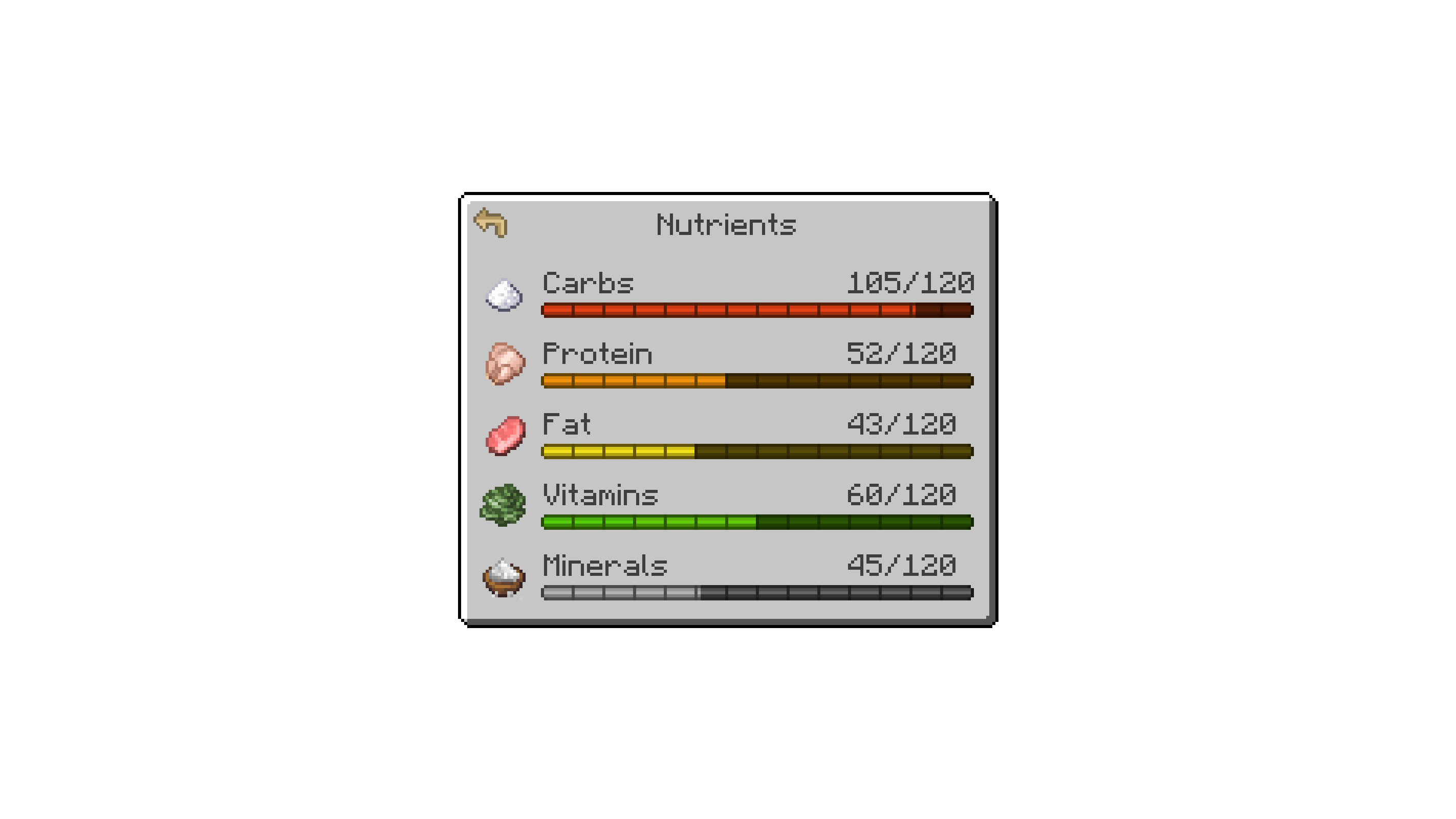
Nutrition system which has 5 nutrients to challenge your diet
Screenshots
About this Mod

NutritionZ adds a nutrition system to enhance the gameplay.
Installation
NutritionZ is a mod built for the Fabric Loader. It requires Fabric API and Cloth Config API to be installed separately; all other dependencies are installed with the mod.
Incompatible
Adjustments
Default Datapacks & Mod Compat
NutritionZ provides some default datapacks for other mods. You can disable/enable them via config.
You can add other mod compats via datapack. Just follow the structure data/somemod/nutrition/somename.json.
Here's an example from the default vanilla datapack:
{
    "minecraft:cooked_cod": { // The default datapacks provide 5 points for half saturation
        "carbohydrates": 0,
        "protein": 16,
        "fat": 3,
        "vitamins": 0,
        "minerals": 6
    }
}
Nutrition Manager
You can tweak the default manager via datapack as well. data/somemod/nutrition_manager/somename.json
With this you can replace the positive effects & attributes from all 5 nutrients, as well as the negatives.
Example:
{
    "minerals": {
        "replace": true,
        "positive": {
            "generic.armor_toughness": { // attribute
                "operation": "ADD_VALUE", // ADD_VALUE, ADD_MULTIPLIED_BASE , ADD_MULTIPLIED_TOTAL
                "value": 1.0 // gives +1 Armor Toughness per level -> e.g. +20 max level
            },
            "minecraft:haste": { // effect
                "duration": 319, // wouldn`t recommend to lower this on effects
                "amplifier": 0 // equals Haste I
            }
        },
        "negative": {
            "generic.armor_toughness": {
                "operation": "ADD_VALUE",
                "value": 1.0 // needs to be positive value -> will be negative automatically
            },
            "minecraft:mining_fatigue": {
                "duration": 319,
                "amplifier": 0
            }
        }
    }
}
Max Nutrition & thresholds can be set in the nutritionz.json5 config.
{
	"maxNutrition": 100, // Max nutrition for one nutrient
	"negativeNutrition": 10, // 0 - 10 = negative effects / attributes (negative threshold)
	"positiveNutrition": 90, // 90 - 100 = positive effects / attributes (positive threshold)
}
Credits





Available Versions
How to Install NutritionZ on Your Server
Order Server
Order a Minecraft Java server with at least 3 GB RAM (4 GB recommended).
Set fabric Loader
In the panel under "Egg", select the fabric loader and matching Minecraft version (1.21.1).
Install Mod
Open the mod browser in the dashboard and search for "NutritionZ". Click "Install" – done! Alternatively, upload the .jar via SFTP to the /mods folder.
Compatibility
Mod Loaders
Minecraft Versions
1.21.1, 1.20.1
Server-side
✓ RequiredRecommended RAM
4 GB(min. 3 GB)Frequently Asked Questions
NutritionZ server crashes on startup – what to do?
Most common cause: wrong fabric version or insufficient RAM. Check the server log (latest.log) for "OutOfMemoryError" or "Mixin" errors. With Mado Hosting: ensure at least 3 GB RAM is allocated and the loader matches the mod version (1.21.1). You can switch loaders with one click in the panel.
Is NutritionZ compatible with fabric?
NutritionZ officially supports fabric for Minecraft 1.21.1, 1.20.1. The Mado dashboard automatically detects incompatible loader combinations.
Server lagging with NutritionZ – how to optimize performance?
Recommended RAM: 4 GB (per 8 players). Use /spark profiler to check if NutritionZ consumes the most tick time. Common fixes: reduce server view-distance to 8-10, install "performant" or "starlight" as supplementary mods on Forge. With Mado Hosting, your server runs on NVMe SSDs with dedicated CPU cores for minimal latency.
Similar Mods



Rent Modded Server
Install NutritionZ with just one click on your server.