
NightVisuals ItemPhysics
Gives dropped items realistic 3D physics, making them lay flat on the ground.
Screenshots
About this Mod
REQUIREMENTS
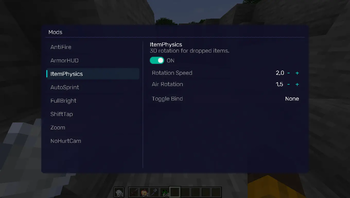
NightVisuals GUI
EN:
NightVisuals ItemPhysics is a visual modification that overhauls the vanilla item drop rendering. Instead of floating and spinning in the air as flat 2D sprites, items gain realistic 3D-like rotation and lay flat directly on the ground blocks.
Core Features
- Realistic Drop Physics: Dropped items rotate realistically based on momentum and rest flat on the ground surface.
- Toggle On/Off: Easily switch between vanilla rendering and custom physics through the NightVisuals in-game GUI menu.
- Purely Client-Side: Modifies only how entities are rendered on your screen — 100% safe for multiplayer servers and anti-cheat friendly.
- Zero Performance Impact: Optimized matrix transformations within the entity rendering pipeline ensure zero impact on your framerate.
Realistic Item Drop Physics: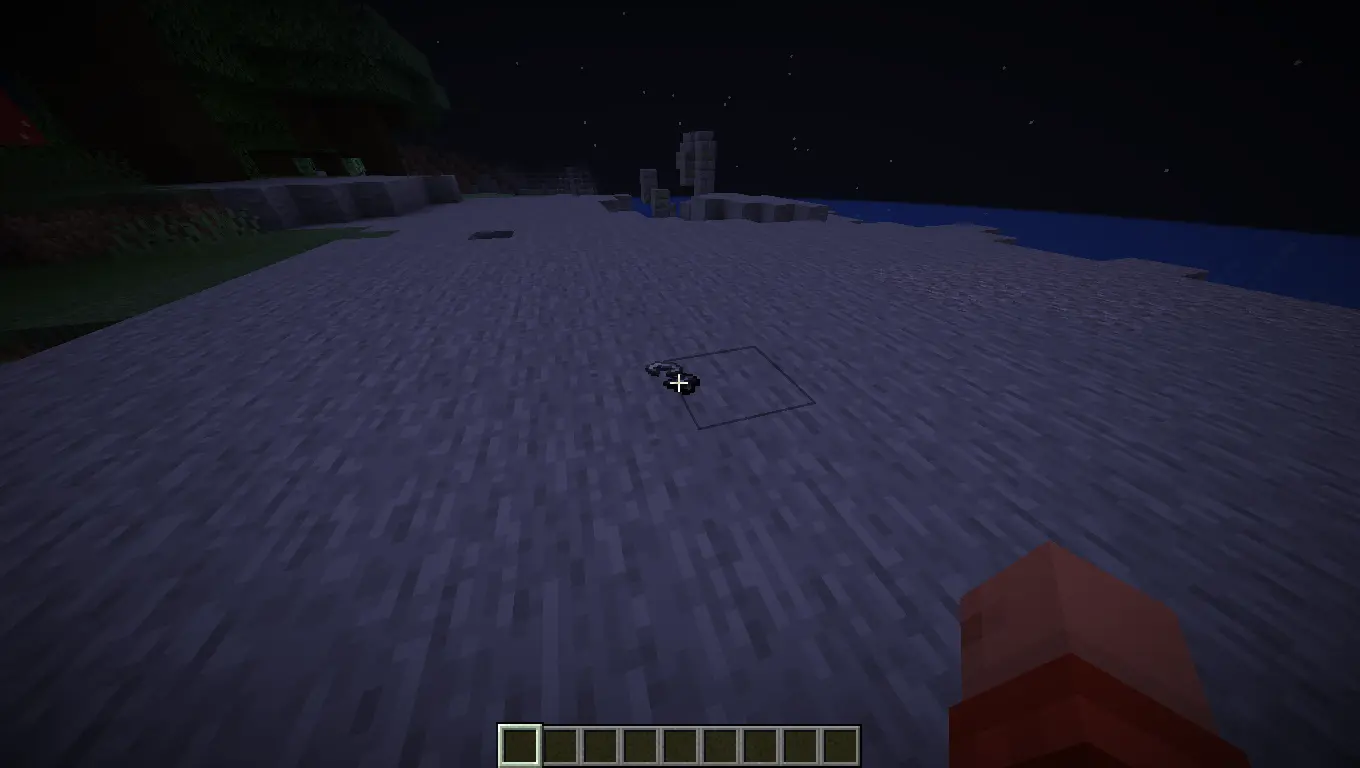
Configuration
ItemPhysics toggles via the NightVisuals GUI (default key: RShift). No separate config files required.
Installation
- Install Fabric Loader and Fabric API.
- Install NightVisuals GUI (required dependency).
- Place the downloaded ItemPhysics mod
.jarfile into yourmodsfolder. - Launch the game.
RU:
NightVisuals ItemPhysics — это визуальная модификация, которая полностью перерабатывает ванильное отображение выброшенных предметов. Вместо того чтобы левитировать и крутиться в воздухе как плоские 2D-спрайты, предметы приобретают реалистичное вращение и ложатся плашмя прямо на поверхность блоков.
Основной функционал
- Реалистичная физика дропа: Выброшенные предметы вращаются с учётом инерции и аккуратно падают на землю, принимая горизонтальное положение.
- Включение/Выключение: Удобное переключение между ванильным рендером и кастомной физикой через внутриигровое меню NightVisuals GUI.
- Исключительно клиентская часть: Изменяет только отрисовку сущностей на твоём экране — абсолютно безопасно для мультиплеера и любых античитов.
- Нулевое влияние на FPS: Оптимизированные матричные трансформации внутри пайплайна рендеринга сущностей гарантируют полное отсутствие просадок производительности.
Реалистичная физика дропа предметов:
Настройка
ItemPhysics переключается через NightVisuals GUI (клавиша по умолчанию: RShift). Дополнительных конфигов нет.
Установка
- Установите Fabric Loader и Fabric API.
- Установите NightVisuals GUI (обязательная зависимость).
- Поместите скачанный файл мода ItemPhysics в папку
mods. - Запустите игру.
Available Versions
How to Install NightVisuals ItemPhysics on Your Server
Order Server
Order a Minecraft Java server with at least 3 GB RAM (4 GB recommended).
Set fabric Loader
In the panel under "Egg", select the fabric loader and matching Minecraft version (1.21.4).
Install Mod
Open the mod browser in the dashboard and search for "NightVisuals ItemPhysics". Click "Install" – done! Alternatively, upload the .jar via SFTP to the /mods folder.
Compatibility
Mod Loaders
Minecraft Versions
1.21.4
Server-side
✗ UnsupportedRecommended RAM
4 GB(min. 3 GB)Frequently Asked Questions
NightVisuals ItemPhysics server crashes on startup – what to do?
Most common cause: wrong fabric version or insufficient RAM. Check the server log (latest.log) for "OutOfMemoryError" or "Mixin" errors. With Mado Hosting: ensure at least 3 GB RAM is allocated and the loader matches the mod version (1.21.4). You can switch loaders with one click in the panel.
Is NightVisuals ItemPhysics compatible with fabric?
NightVisuals ItemPhysics officially supports fabric for Minecraft 1.21.4. The Mado dashboard automatically detects incompatible loader combinations.
Server lagging with NightVisuals ItemPhysics – how to optimize performance?
Recommended RAM: 4 GB (per 8 players). Use /spark profiler to check if NightVisuals ItemPhysics consumes the most tick time. Common fixes: reduce server view-distance to 8-10, install "performant" or "starlight" as supplementary mods on Forge. With Mado Hosting, your server runs on NVMe SSDs with dedicated CPU cores for minimal latency.
Similar Mods






Rent Modded Server
Install NightVisuals ItemPhysics with just one click on your server.