
NighVisuals ItemScroller
Allows you to quickly transfer items between inventories by holding Shift and dragging Left Click over them.
Screenshots
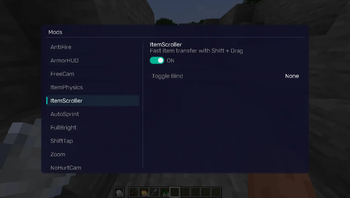
About this Mod
REQUIREMENTS
NightVisuals GUI
EN:
NightVisuals ItemScroller is an inventory convenience utility that streamlines inventory management, allowing you to quickly transfer items between containers and your inventory by holding Shift and dragging your left mouse button over slots.
Core Features
- Shift + LMB Drag Transfer: Move your cursor over items while holding Shift and Left Click to sequentially transfer them between screens without needing individual clicks.
- Toggle On/Off: Easily enable or disable the inventory shortcuts through the NightVisuals in-game GUI menu.
- Client-Side Functionality: Operates entirely on the client side by utilizing standard inventory interaction mechanics. Note: Since this utility transmits interaction packets sequentially, compatibility and performance on multiplayer servers may vary depending on their specific anti-cheat configurations.
- Optimized Performance: Lightweight logic tied directly to mouse input events inside container screens, designed to run efficiently without impacting game performance.
Configuration
ItemScroller toggles via the NightVisuals GUI (default key: RShift). No separate config files required.
Installation
- Install Fabric Loader and Fabric API.
- Install NightVisuals GUI (required dependency).
- Place the downloaded ItemScroller mod
.jarfile into yourmodsfolder. - Launch the game.
RU:
NightVisuals ItemScroller — это утилита для удобного управления интерфейсом, которая упрощает менеджмент инвентаря, позволяя перекладывать предметы между сундуками и вашим инвентарём с помощью зажатия Shift и проведения ЛКМ по ячейкам.
Основной функционал
- Перенос зажатием Shift + ЛКМ: Проведите курсором с зажатыми Shift и левой кнопкой мыши по предметам, чтобы последовательно переместить их, избавляя от необходимости кликать по каждой ячейке отдельно.
- Включение/Выключение: Удобное управление функцией через внутриигровое меню NightVisuals GUI.
- Клиентская часть: Работает на стороне клиента, используя стандартные механики взаимодействия с инвентарём. Примечание: Так как модификация отправляет пакеты действий последовательно, её корректная работа на мультиплеерных серверах зависит от настроек и строгости конкретного установленного там античита.
- Оптимизированная производительность: Лёгкий код, привязанный напрямую к событиям мыши внутри окон контейнеров, разработанный для эффективной работы без влияния на общую производительность игры.
Настройка
ItemScroller переключается через NightVisuals GUI (клавиша по умолчанию: RShift). Дополнительных конфигов нет.
Установка
- Установите Fabric Loader and Fabric API.
- Установите NightVisuals GUI (обязательная зависимость).
- Поместите скачанный файл мода ItemScroller в папку
mods. - Запустите игру.
Available Versions
How to Install NighVisuals ItemScroller on Your Server
Order Server
Order a Minecraft Java server with at least 3 GB RAM (4 GB recommended).
Set fabric Loader
In the panel under "Egg", select the fabric loader and matching Minecraft version (1.21.4).
Install Mod
Open the mod browser in the dashboard and search for "NighVisuals ItemScroller". Click "Install" – done! Alternatively, upload the .jar via SFTP to the /mods folder.
Compatibility
Mod Loaders
Minecraft Versions
1.21.4
Server-side
✗ UnsupportedRecommended RAM
4 GB(min. 3 GB)Frequently Asked Questions
NighVisuals ItemScroller server crashes on startup – what to do?
Most common cause: wrong fabric version or insufficient RAM. Check the server log (latest.log) for "OutOfMemoryError" or "Mixin" errors. With Mado Hosting: ensure at least 3 GB RAM is allocated and the loader matches the mod version (1.21.4). You can switch loaders with one click in the panel.
Is NighVisuals ItemScroller compatible with fabric?
NighVisuals ItemScroller officially supports fabric for Minecraft 1.21.4. The Mado dashboard automatically detects incompatible loader combinations.
Server lagging with NighVisuals ItemScroller – how to optimize performance?
Recommended RAM: 4 GB (per 8 players). Use /spark profiler to check if NighVisuals ItemScroller consumes the most tick time. Common fixes: reduce server view-distance to 8-10, install "performant" or "starlight" as supplementary mods on Forge. With Mado Hosting, your server runs on NVMe SSDs with dedicated CPU cores for minimal latency.
Similar Mods




![[ETF] Entity Texture Features](https://cdn.modrinth.com/data/BVzZfTc1/af683d206d50b05258d865b0d6e4aa2f2cee12f2_96.webp)

Rent Modded Server
Install NighVisuals ItemScroller with just one click on your server.