
Overgrown's Apoli
Apoli is the engine that runs the Origins mod and this is a complete re-implementation of Apace's Apoli mod.
Screenshots
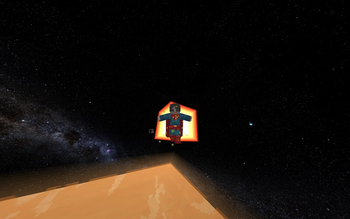

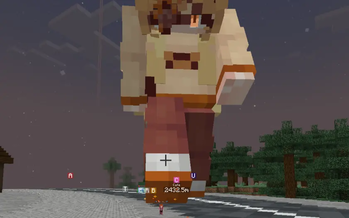
About this Mod
Apoli is a mod about creating powers, custom abilities, and building unique game mechanics entirely through data packs. Themed around modular design and creativity, the mod is what gave life to the Origins mod.
To start using the mod, create a power file under data/<namespace>/powers/ in your data pack. The wiki should tell you everything you need!
The mod features:
- A power system with over 70 unique ability types to grant to any entity. (Think of it like a toolkit for superpowers with no Java required!)
- A typed action system with entity, block, item, and bi-entity actions.
- A comprehensive condition system with 7 context types.
- Data-driven skill trees to create progression paths and unlockable abilities.
- A physics-based rope and grapple system with swinging, leaping, and reeling.
- An entity disguise system for transforming mobs and players.
- Custom entities: projectiles, minions, and player clones.
- Data-driven keybindings defined through data packs.
- Custom recipes and loot functions that grant powers.
- A built-in expression engine for mathematical conditions.
Includes compatibility features with:
- Icarus: Wings power support.
- Figura: Player model customization with avatar support.
- Hardcore Revival: Custom powers, actions, and conditions.
- Accessories/Tinkets/Curios: Modify, detect, change, and apply Accessories based on slots
and more to come...
If you find any bugs or have any suggestions, check out the discord or if you like to donate and support my work, check out my Ko-Fi! ^-^
Available Versions
How to Install Overgrown's Apoli on Your Server
Order Server
Order a Minecraft Java server with at least 3 GB RAM (4 GB recommended).
Set fabric Loader
In the panel under "Egg", select the fabric loader and matching Minecraft version (1.21.1).
Install Mod
Open the mod browser in the dashboard and search for "Overgrown's Apoli". Click "Install" – done! Alternatively, upload the .jar via SFTP to the /mods folder.
Compatibility
Mod Loaders
Minecraft Versions
1.21.1, 1.20.1
Server-side
✓ RequiredRecommended RAM
4 GB(min. 3 GB)Frequently Asked Questions
Overgrown's Apoli server crashes on startup – what to do?
Most common cause: wrong fabric version or insufficient RAM. Check the server log (latest.log) for "OutOfMemoryError" or "Mixin" errors. With Mado Hosting: ensure at least 3 GB RAM is allocated and the loader matches the mod version (1.21.1). You can switch loaders with one click in the panel.
Is Overgrown's Apoli compatible with fabric and neoforge?
Overgrown's Apoli officially supports fabric, neoforge for Minecraft 1.21.1, 1.20.1. The Mado dashboard automatically detects incompatible loader combinations.
Server lagging with Overgrown's Apoli – how to optimize performance?
Recommended RAM: 4 GB (per 8 players). Use /spark profiler to check if Overgrown's Apoli consumes the most tick time. Common fixes: reduce server view-distance to 8-10, install "performant" or "starlight" as supplementary mods on Forge. With Mado Hosting, your server runs on NVMe SSDs with dedicated CPU cores for minimal latency.
Similar Mods






Rent Modded Server
Install Overgrown's Apoli with just one click on your server.