
Paper Doll
Shows a tiny player model on screen when performing actions like sprinting, swimming, and flying.
Screenshots

About this Mod








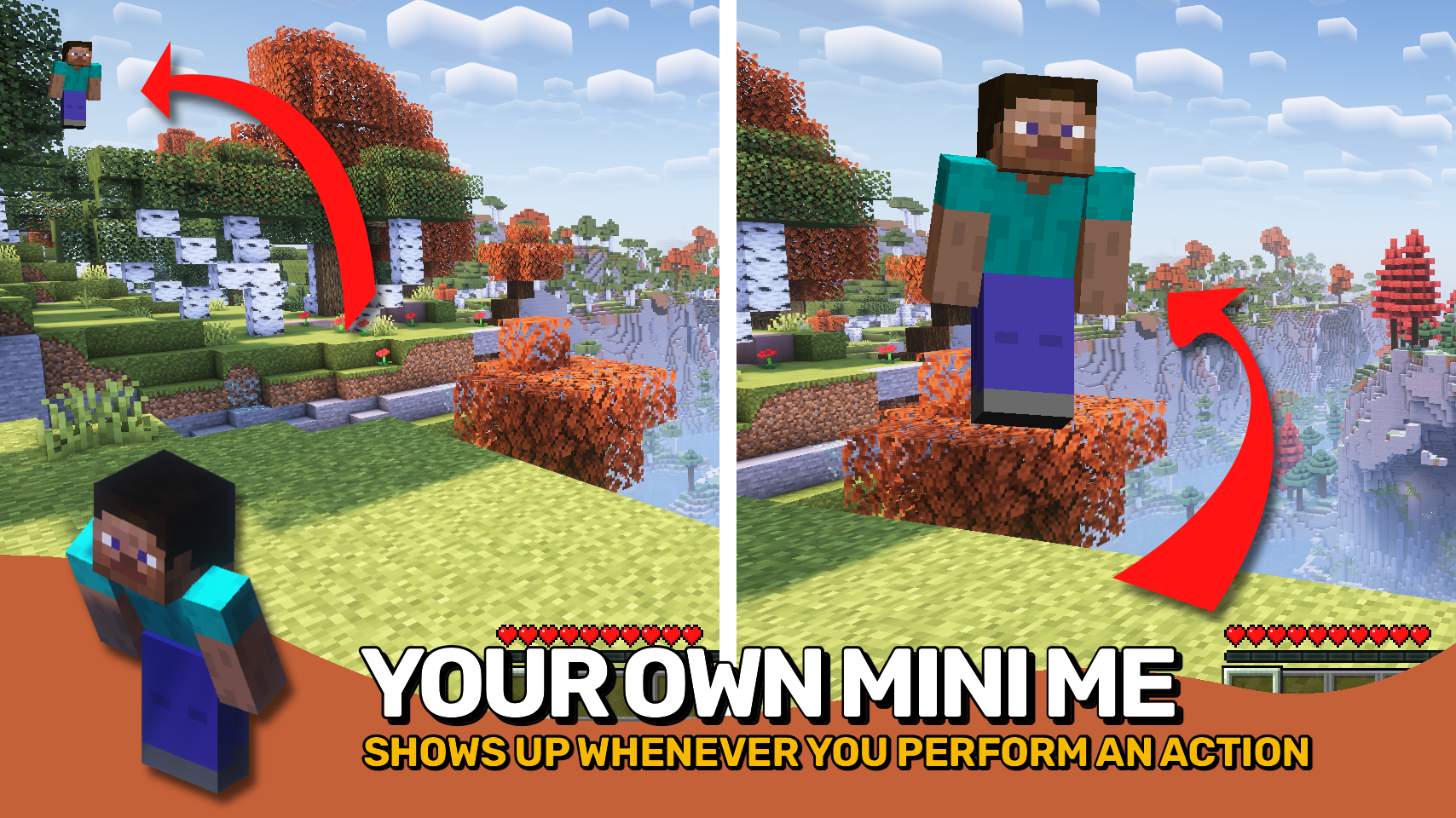
Paper Doll adds the familiar Bedrock Edition paper doll to Minecraft: Java Edition, showing a small model of your character on screen while performing various actions. 🧍
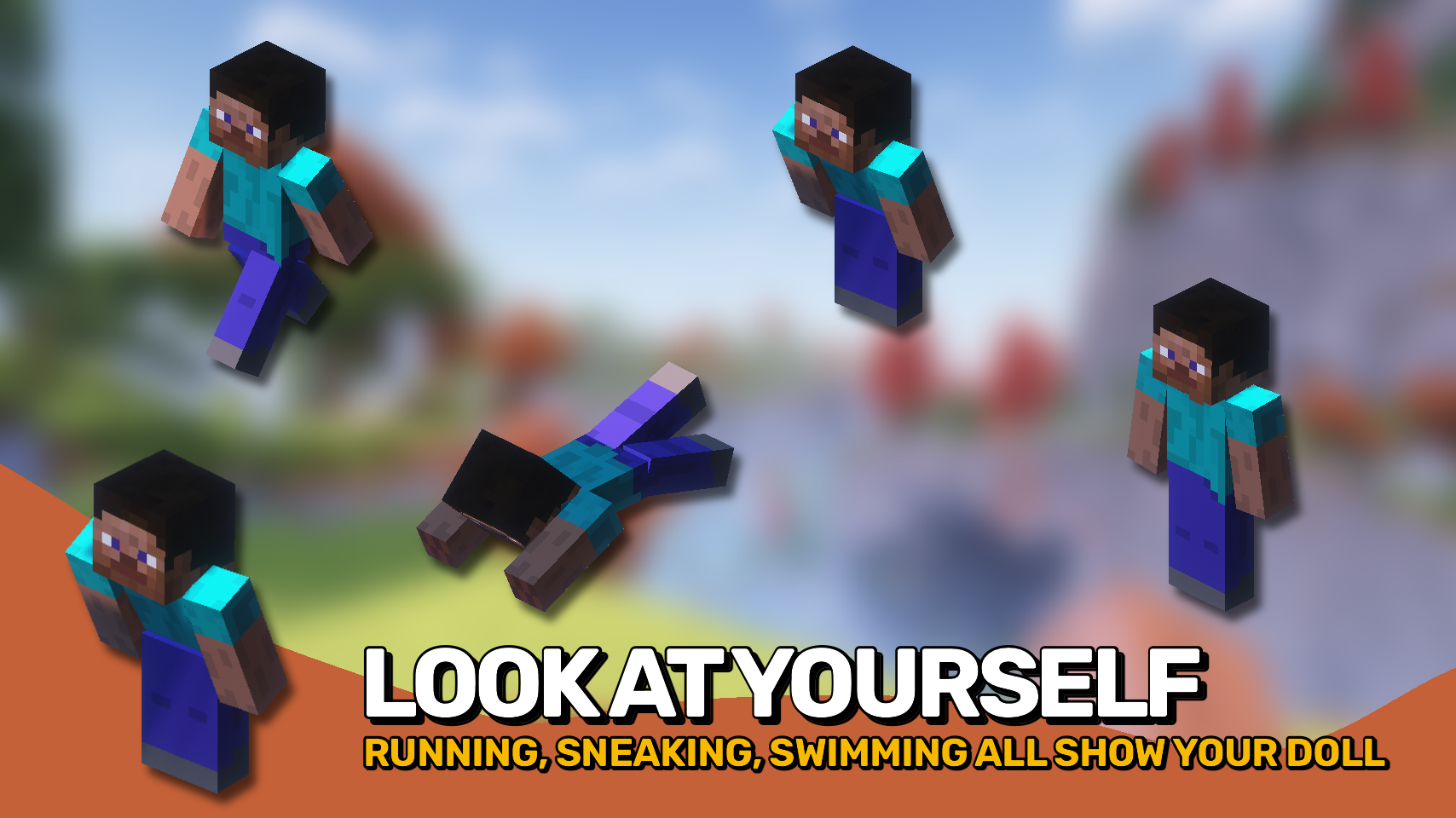
The paper doll can appear while sprinting, swimming, crouching, crawling, flying, gliding, and more, giving you a quick visual overview of your character without opening any menus. ✨
Everything is highly customizable. Adjust its position, size, display duration, head movement, and exactly which actions should make it appear. Whether you want a faithful Bedrock experience or your own custom setup, this mod lets you tailor the display to your liking. ⚙️

- 🧍 Bedrock-Style Display: Shows a miniature version of your player directly on the HUD.
- 🏃 Action-Based Visibility: Display the paper doll while sprinting, swimming, crouching, crawling, flying, gliding, and more.
- 🎯 Custom Positioning: Place the display anywhere on the screen using configurable anchor points and offsets.
- 🔍 Adjustable Scale: Resize the paper doll to fit your preferred HUD layout.
- 👀 Head Tracking: Configure head movement to follow yaw, pitch, or both.
- ⏱️ Smart Display Timing: Keep the paper doll visible briefly after an action ends or display it continuously.
- ⚙️ Fully Configurable: Customize exactly which actions trigger the display and how it behaves.


⏩ INSTALLATION REQUIRED ON CLIENT
⏩ REQUIRES PUZZLES LIB TO BE INSTALLED (FABRIC & NEOFORGE)
⏩ REQUIRES FABRIC API TO BE INSTALLED (FABRIC)
⏩ REQUIRES FORGE CONFIG API PORT TO BE INSTALLED (FABRIC)

If available for a mod, configuration is possible directly from in-game using the mod menu (requires Mod Menu by Prospector to be installed on Fabric).
For manual configuration using an external text editor all files are found at .minecraft/config, named as MOD_ID-client.toml, MOD_ID-common.toml, or MOD_ID-server.toml, depending on the type of config. Not all types might exist for a mod, if any at all.
 |
 |
|
 |
 |
|
 |
 |
|
 |
 |
|
 |
 |

© 2026 @heyitsfuzs. All rights reserved. This page was last edited on 11 September 2026, at 06:44 (UTC).
Available Versions
How to Install Paper Doll on Your Client
Install the Mod Loader Locally
Install fabric for your local Minecraft version.
Download the Matching File
Choose the Paper Doll file for fabric and Minecraft 26.3.
Install Mod
Place the .jar file in your local .minecraft/mods folder and restart Minecraft. No server-side installation is required.
Compatibility
Mod Loaders
Minecraft Versions
26.3, 26.2, 26.1.2 (+17 more)
Server-side
✗ UnsupportedRecommended RAM
4 GB(min. 3 GB)Frequently Asked Questions
Does Paper Doll need to be installed on the Minecraft server?
No. Modrinth marks Paper Doll as unsupported on the server side. Install it only in your local Minecraft mods folder. Your server can remain unchanged unless the mod page lists an additional dependency.
Which version and loader does Paper Doll require?
Use a file for fabric, forge, neoforge and your exact Minecraft version. Supported versions include 26.3, 26.2, 26.1.2. Files for different loaders are not interchangeable.
Paper Doll is not working – what should I check?
First check the Minecraft version, loader version and required dependencies. Put the .jar file in your local .minecraft/mods folder and remove older duplicates. Because this mod is client-side, adding server RAM will not fix it.
Similar Mods




![[ETF] Entity Texture Features](https://cdn.modrinth.com/data/BVzZfTc1/af683d206d50b05258d865b0d6e4aa2f2cee12f2_96.webp)

Minecraft Server for Your Group
Paper Doll stays on your client. Host a compatible world for your group.