
PolyBlur
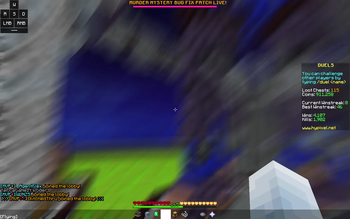
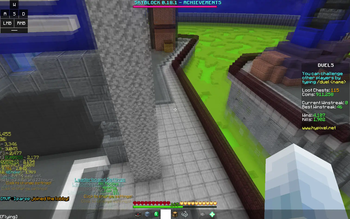
Apply motion blur in-game in way, way too many options
Screenshots

About this Mod
PolyBlur


Apply motion blur to your mod in way, way too many ways.
Allows customizing:
- Whether to forcefully disable OptiFine's Fast Render when using the blur
- The blur type
- There are three blur types:
- Monkey Blur - Uses a type of blur based on BSL / NVIDIA blur shaders
- Phosphor Blur - Uses a modified version of the Minecraft "phosphor" shader. Similar to Lunar / BLC's blur. (default)
- Moulberry Blur - Achieves a similar effect to Phosphor blur via a different method. Originally made by Moulberry.
- Strength of the blur
Available Versions
How to Install PolyBlur on Your Client
Install the Mod Loader Locally
Install fabric for your local Minecraft version.
Download the Matching File
Choose the PolyBlur file for fabric and Minecraft 26.3.
Install Mod
Place the .jar file in your local .minecraft/mods folder and restart Minecraft. No server-side installation is required.
Compatibility
Mod Loaders
Minecraft Versions
26.3, 26.2, 26.1.2 (+12 more)
Server-side
✗ UnsupportedRecommended RAM
4 GB(min. 3 GB)Frequently Asked Questions
Does PolyBlur need to be installed on the Minecraft server?
No. Modrinth marks PolyBlur as unsupported on the server side. Install it only in your local Minecraft mods folder. Your server can remain unchanged unless the mod page lists an additional dependency.
Which version and loader does PolyBlur require?
Use a file for fabric, forge, ornithe and your exact Minecraft version. Supported versions include 26.3, 26.2, 26.1.2. Files for different loaders are not interchangeable.
PolyBlur is not working – what should I check?
First check the Minecraft version, loader version and required dependencies. Put the .jar file in your local .minecraft/mods folder and remove older duplicates. Because this mod is client-side, adding server RAM will not fix it.
Similar Mods




![[ETF] Entity Texture Features](https://cdn.modrinth.com/data/BVzZfTc1/af683d206d50b05258d865b0d6e4aa2f2cee12f2_96.webp)

Minecraft Server for Your Group
PolyBlur stays on your client. Host a compatible world for your group.
Details
- License
- LicenseRef-GPL-3.0-with-Minecraft-Linking-Exception
- Server-side
- Unsupported