
ProbeJS
Supercharging your modpack experience.
Screenshots
About this Mod
0. ProbeJS v8.0
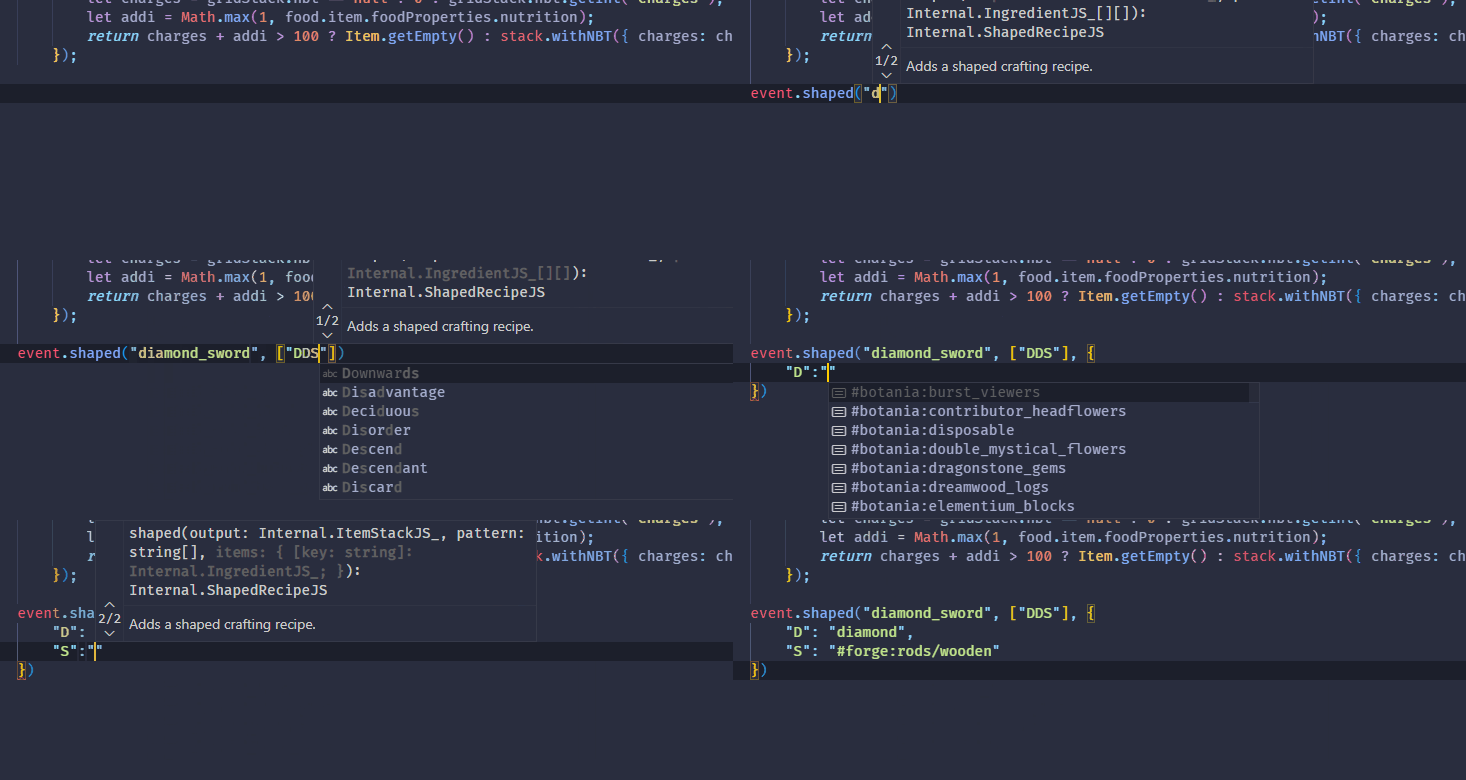
Welcome to the future! As TypeScript had experienced a major update that deprecated the typing structure of ProbeJS in v7.7.2, we rewrote the mod and the extension to be compatible with the new TypeScript version (and hopefully backward-compatible with the previous TypeScript versions.)
However, there are some features missing in the mod due to the TypeScript Native (tsgo) is not fully implemented yet, the mod will receive continuous updates to add the missing features when TypeScript Native is ready.
What's new in v8.0:
tsgocompatible type declarations. TypeScript Native is a new TypeScript compiler written in Go, which is 10x faster and use much less memory than the original TypeScript. We had testedtsgoand it showed less than 500ms item literal completion time and instant class/event completions on ATM10.- A GUI that allows you to configure the mod easily in-game and show the dumping progress. Also, it allows you to convert
require()toJava.loadClass()due totsgois not supporting language plugins yet. - (Hopefully) more correct typing generation. Most problems in the previous versions are now fixed as the type resolution is rewritten.
- Intensive support of agents and LLMs. You can make AIs like DeepSeek or GPT generate 100% correct KubeJS code now!
1. Installation
- Get VSCode. And install
Typescript (Native Preview)extension by Microsoft. - Install the mod, and install the ProbeJS VSCode Extension.
- In game, use
/probejsand click the dump button. - Open the
.minecraftfolder in VSCode, you should see snippets and typing functioning. - Re-dump in case of you want to refresh the generated typing. If VSCode is not responding to file changes, restart VSCode to force a refresh in extension and the language server.
Available Versions
How to Install ProbeJS on Your Server
Order Server
Order a Minecraft Java server with at least 3 GB RAM (4 GB recommended).
Set fabric Loader
In the panel under "Egg", select the fabric loader and matching Minecraft version (1.21.1).
Install Mod
Open the mod browser in the dashboard and search for "ProbeJS". Click "Install" – done! Alternatively, upload the .jar via SFTP to the /mods folder.
Compatibility
Mod Loaders
Minecraft Versions
1.21.1, 1.20.1, 1.19.2
Server-side
✓ RequiredRecommended RAM
4 GB(min. 3 GB)Frequently Asked Questions
ProbeJS server crashes on startup – what to do?
Most common cause: wrong fabric version or insufficient RAM. Check the server log (latest.log) for "OutOfMemoryError" or "Mixin" errors. With Mado Hosting: ensure at least 3 GB RAM is allocated and the loader matches the mod version (1.21.1). You can switch loaders with one click in the panel.
Is ProbeJS compatible with fabric and forge and neoforge?
ProbeJS officially supports fabric, forge, neoforge for Minecraft 1.21.1, 1.20.1, 1.19.2. Note: Forge and Fabric mods are NOT cross-compatible – pick one loader and stick with it. The Mado dashboard automatically detects incompatible loader combinations.
Server lagging with ProbeJS – how to optimize performance?
Recommended RAM: 4 GB (per 8 players). Use /spark profiler to check if ProbeJS consumes the most tick time. Common fixes: reduce server view-distance to 8-10, install "performant" or "starlight" as supplementary mods on Forge. With Mado Hosting, your server runs on NVMe SSDs with dedicated CPU cores for minimal latency.
Similar Mods




![[ETF] Entity Texture Features](https://cdn.modrinth.com/data/BVzZfTc1/af683d206d50b05258d865b0d6e4aa2f2cee12f2_96.webp)

Rent Modded Server
Install ProbeJS with just one click on your server.