
Respackopts
Config menus for resource packs
Screenshots
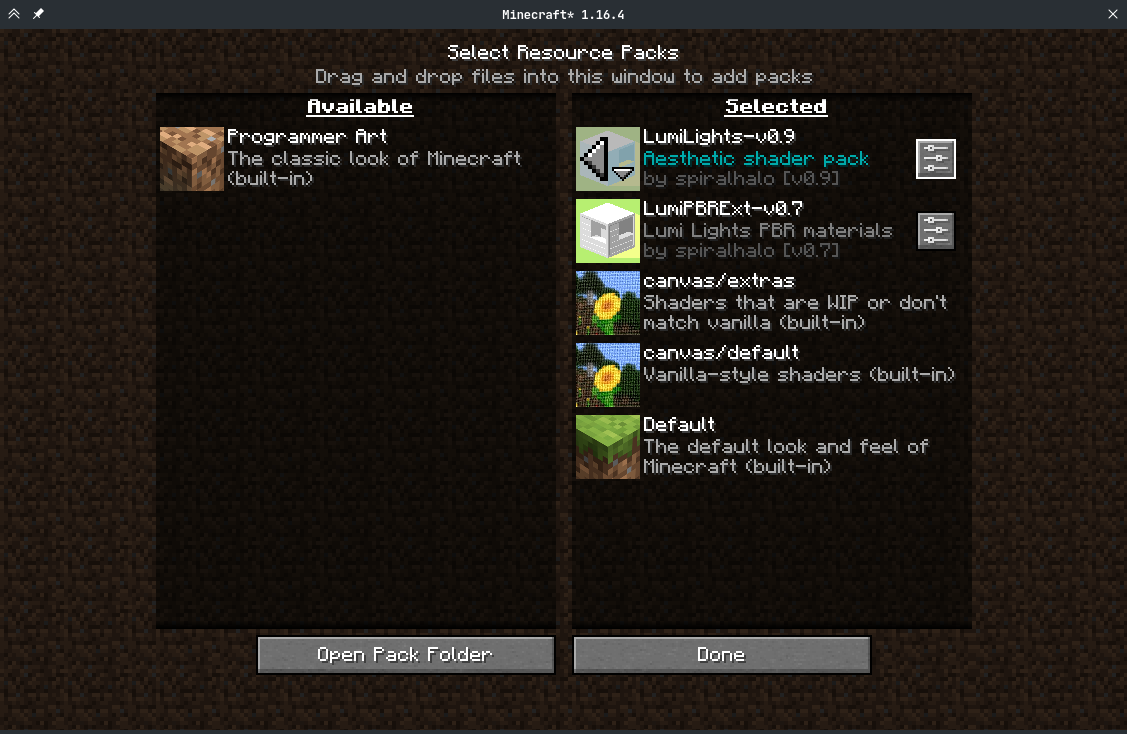
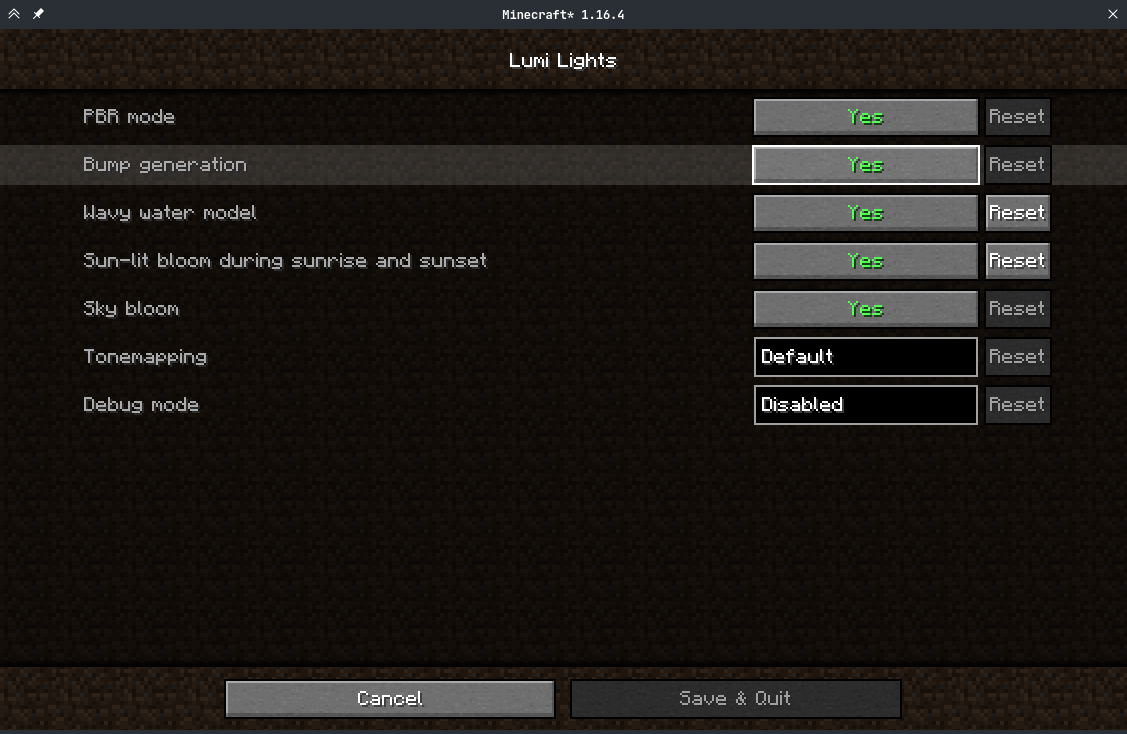
About this Mod
Respackopts
PSA: Respackopts depends on LibJF, which you must add alongside it.
Respackopts provides resource and data packs with config menus
By default, it provides a custom system for conditional resources, resource expansion and integrates with fabulous shaders
Using Respackopts
Users
After installing Respackopts, a menu button will appear besides all supported resource packs.
No further configuration is needed.
Pack authors
Please head to the wiki for details on how to use Respackopts in a pack.
Performance Impact
Performance always depends on factors other than the game itself like disk speed, resource usage by other programs, the OS you are using, etc. These measurements were made with Minecraft 1.20.1, Fabric Loader 0.14.21, Fabric API 0.84.0, and LibJF 3.8.0 on Linux 6.3 with a Ryzen 5 7600X processor and an NVMe SSD. Please do not expect them to be representative for all other versions and setups, but they should give you a general idea of the impact of using Respackopts.LibJF injects hooks into the resource loader, meaning there is additional overhead for every resource access.
In practice, this results in a five-percent increase in resource reloading time over vanilla, and an eight percent increase in game load times over vanilla (.2 seconds).
Respackopts uses those hooks and additional mixins to work, adding additional overhead.
In practice, this results in a six-percent increase in resource reloading time over vanilla, and an eighteen percent increase in game load times over vanilla (.43 seconds).
The most significant increase is measurable during pack scanning, which takes nearly 100 times longer when comparing Minecraft with Respackopts to vanilla.
This is because Respackopts performs and caches most parsing and computation during this stage.
As the statistic for game loading shows, this is not necessarily noticeable during startup, because the total is still comparably small.
It is only noticeable in the resource pack screen, where scanning is performed every 20 ticks and whenever the screen is resized, which can lead to minor freezes while it is visible.
For this reason, I have created a separate mod that tweaks that screen for increased performance.

Available Versions
How to Install Respackopts on Your Server
Order Server
Order a Minecraft Java server with at least 3 GB RAM (4 GB recommended).
Set fabric Loader
In the panel under "Egg", select the fabric loader and matching Minecraft version (26.3).
Install Mod
Open the mod browser in the dashboard and search for "Respackopts". Click "Install" – done! Alternatively, upload the .jar via SFTP to the /mods folder.
Compatibility
Mod Loaders
Minecraft Versions
26.3, 26.2, 26.1.2 (+33 more)
Server-side
~ OptionalRecommended RAM
4 GB(min. 3 GB)Frequently Asked Questions
Respackopts server crashes on startup – what to do?
Most common cause: wrong fabric version or insufficient RAM. Check the server log (latest.log) for "OutOfMemoryError" or "Mixin" errors. With Mado Hosting: ensure at least 3 GB RAM is allocated and the loader matches the mod version (26.3). You can switch loaders with one click in the panel.
Is Respackopts compatible with fabric and neoforge?
Respackopts officially supports fabric, neoforge for Minecraft 26.3, 26.2, 26.1.2. The Mado dashboard automatically detects incompatible loader combinations.
Server lagging with Respackopts – how to optimize performance?
Recommended RAM: 4 GB (per 8 players). Use /spark profiler to check if Respackopts consumes the most tick time. Common fixes: reduce server view-distance to 8-10, install "performant" or "starlight" as supplementary mods on Forge. With Mado Hosting, your server runs on NVMe SSDs with dedicated CPU cores for minimal latency.
Similar Mods




![[ETF] Entity Texture Features](https://cdn.modrinth.com/data/BVzZfTc1/af683d206d50b05258d865b0d6e4aa2f2cee12f2_96.webp)

Rent Modded Server
Install Respackopts with just one click on your server.