
RPG-HUD
A mod to change the Heads-Up-Display (HUD, i.e. ingame user interface) to one more akin to popular RPGs or MMORPGs while being very customisable.
Screenshots
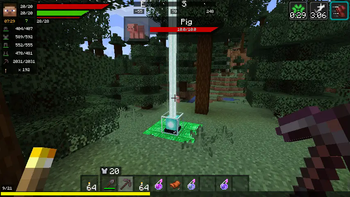
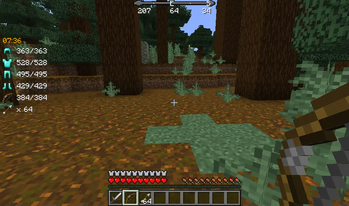
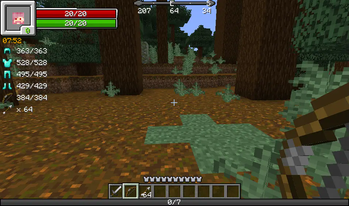
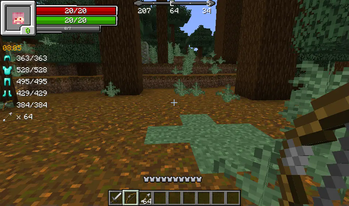
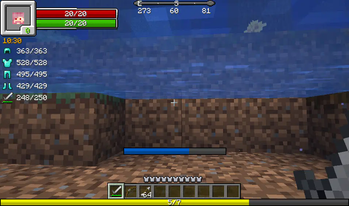
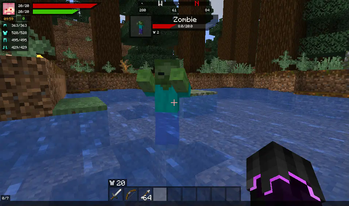
About this Mod
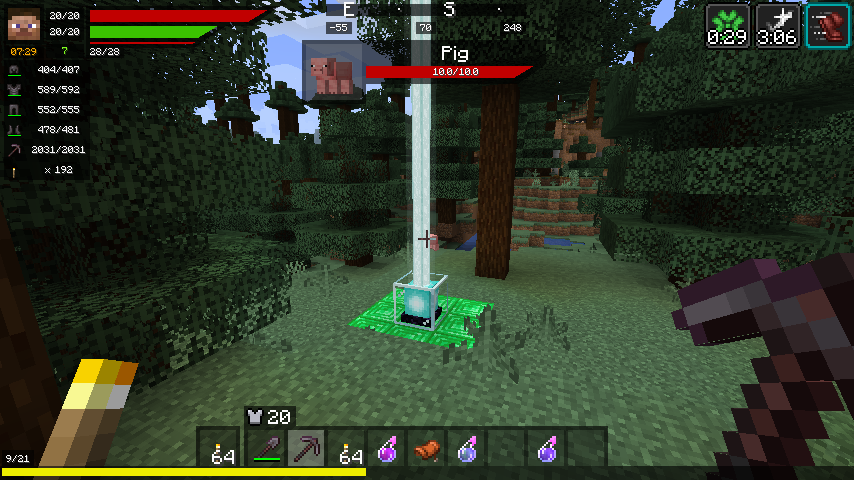
This mod will change your HUD (Heads Up Display) and add a few new features to it!
Features:
- Health bar
- Hunger bar
- Experience bar
- Breath bar
- Horse jump bar
- Character widget
- Numeric values
- Health
- Stamina
- Experience
- Clock widget (See the world's time!)
- Different time formats (24h,12h)
- Immersive (Set it to only display if you carry a clock!)
- Compass widget (See the direction you are going)
- Immersive (Set it to only display if you carry a compass)
- Item details
- Display the item durability of your armor and equipped items
- Display how many of the equipped block you have in your inventory
- Display which arrow will be shot and how many of that type you carry
- EntityInspect
- Display Health and armor of the Creature you are looking at
- Status Effects
- See your active Status Effects with a timer
- Resize the Status Effects to your liking
- Render the Status Effects vertically instead
- Free repositioning
- You can reposition every single element of the mod
- Debug settings (If this mod conflicts with another)
- Disable anything you want of this mod
- Disable the event other mods use to render certain elements (e.g. the health event)
- Different HUD types (plus possible plugins!) - see Media for screenshots!
- Vanilla HUD (you only want the other features, not the RPG-styled HUDs)
- Simple HUD (My favorite - similar to vanilla but with bars!)
- Default HUD (simple, effective)
- Extended HUD (also simple, also effective)
- Full Texture HUD (if you want to re-texture the entire thing)
- Modern HUD (smooth, simple, transparent)
Available Versions
How to Install RPG-HUD on Your Client
Install the Mod Loader Locally
Install fabric for your local Minecraft version.
Download the Matching File
Choose the RPG-HUD file for fabric and Minecraft 26.2.
Install Mod
Place the .jar file in your local .minecraft/mods folder and restart Minecraft. No server-side installation is required.
Compatibility
Mod Loaders
Minecraft Versions
26.2, 26.1.2, 26.1.1 (+9 more)
Server-side
✗ UnsupportedRecommended RAM
4 GB(min. 3 GB)Frequently Asked Questions
Does RPG-HUD need to be installed on the Minecraft server?
No. Modrinth marks RPG-HUD as unsupported on the server side. Install it only in your local Minecraft mods folder. Your server can remain unchanged unless the mod page lists an additional dependency.
Which version and loader does RPG-HUD require?
Use a file for fabric, forge, neoforge and your exact Minecraft version. Supported versions include 26.2, 26.1.2, 26.1.1. Files for different loaders are not interchangeable.
RPG-HUD is not working – what should I check?
First check the Minecraft version, loader version and required dependencies. Put the .jar file in your local .minecraft/mods folder and remove older duplicates. Because this mod is client-side, adding server RAM will not fix it.
Similar Mods




![[ETF] Entity Texture Features](https://cdn.modrinth.com/data/BVzZfTc1/af683d206d50b05258d865b0d6e4aa2f2cee12f2_96.webp)

Minecraft Server for Your Group
RPG-HUD stays on your client. Host a compatible world for your group.