Simple Stages
A simple staging mod to slow/lock progression
Screenshots
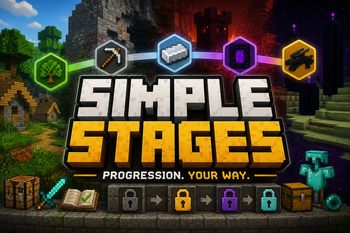
About this Mod
Simple Stages
A lightweight, powerful progression framework for NeoForge modpacks
Simple Stages allows modpack creators to lock content behind custom progression stages using simple, data-driven JSON configuration.
Create progression systems where players unlock new items, recipes, dimensions, mobs, structures, and more as they advance through your modpack.
Features
✔ JSON-driven stage definitions
✔ Persistent player stages
✔ Stage commands
✔ Item locking
✔ Recipe locking
✔ Armor locking
✔ Block interaction & mining locking
✔ Dimension locking
✔ Mob locking
✔ Structure locking
✔ Loot staging
✔ Tooltip masking as Unidentified Item
✔ Client/server stage syncing
✔ Multiplayer support
Fully Data-Driven
Simple Stages is designed with flexibility in mind.
Everything is configurable through JSON files, making it easy to integrate into custom progression systems without scripting.
Examples of what you can lock behind stages:
-Items
-Recipes
-Blocks
-Dimensions
-Mobs
-Structures
-Loot
Get an example datapack here:
https://www.curseforge.com/minecraft/data-packs/simplestagesexamplepack
You can use and alter this datapack.
Designed For Modpack Creators
Whether you want simple age progression or complex gated progression systems, Simple Stages gives you the tools to control player progression with minimal setup.
Examples:
-Stone Age → Iron Age → Diamond Age
-Lock dimensions until progression milestones
-Prevent access to dangerous mobs or structures early game
-Gate powerful loot behind progression
Thank you for using Simple Stages.
You are allowed to use this mod in private and public modpacks. Downloads must come directly from the official Modrinth or CurseForge pages. Redistribution, reuploading, modification, or reuse of code/assets without explicit permission is prohibited.
Available Versions
How to Install Simple Stages on Your Server
Order Server
Order a Minecraft Java server with at least 3 GB RAM (4 GB recommended).
Set neoforge Loader
In the panel under "Egg", select the neoforge loader and matching Minecraft version (26.2).
Install Mod
Open the mod browser in the dashboard and search for "Simple Stages". Click "Install" – done! Alternatively, upload the .jar via SFTP to the /mods folder.
Compatibility
Mod Loaders
Minecraft Versions
26.2
Server-side
✓ RequiredRecommended RAM
4 GB(min. 3 GB)Frequently Asked Questions
Simple Stages server crashes on startup – what to do?
Most common cause: wrong neoforge version or insufficient RAM. Check the server log (latest.log) for "OutOfMemoryError" or "Mixin" errors. With Mado Hosting: ensure at least 3 GB RAM is allocated and the loader matches the mod version (26.2). You can switch loaders with one click in the panel.
Is Simple Stages compatible with neoforge?
Simple Stages officially supports neoforge for Minecraft 26.2. The Mado dashboard automatically detects incompatible loader combinations.
Server lagging with Simple Stages – how to optimize performance?
Recommended RAM: 4 GB (per 8 players). Use /spark profiler to check if Simple Stages consumes the most tick time. Common fixes: reduce server view-distance to 8-10, install "performant" or "starlight" as supplementary mods on Forge. With Mado Hosting, your server runs on NVMe SSDs with dedicated CPU cores for minimal latency.
Similar Mods






Rent Modded Server
Install Simple Stages with just one click on your server.