Smart Block Placement
Fast and smart block placement.
Screenshots
About this Mod
Fabric API is required.
Mod Menu and Cloth Config API are optional.
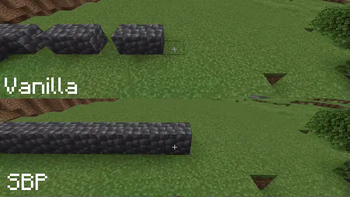
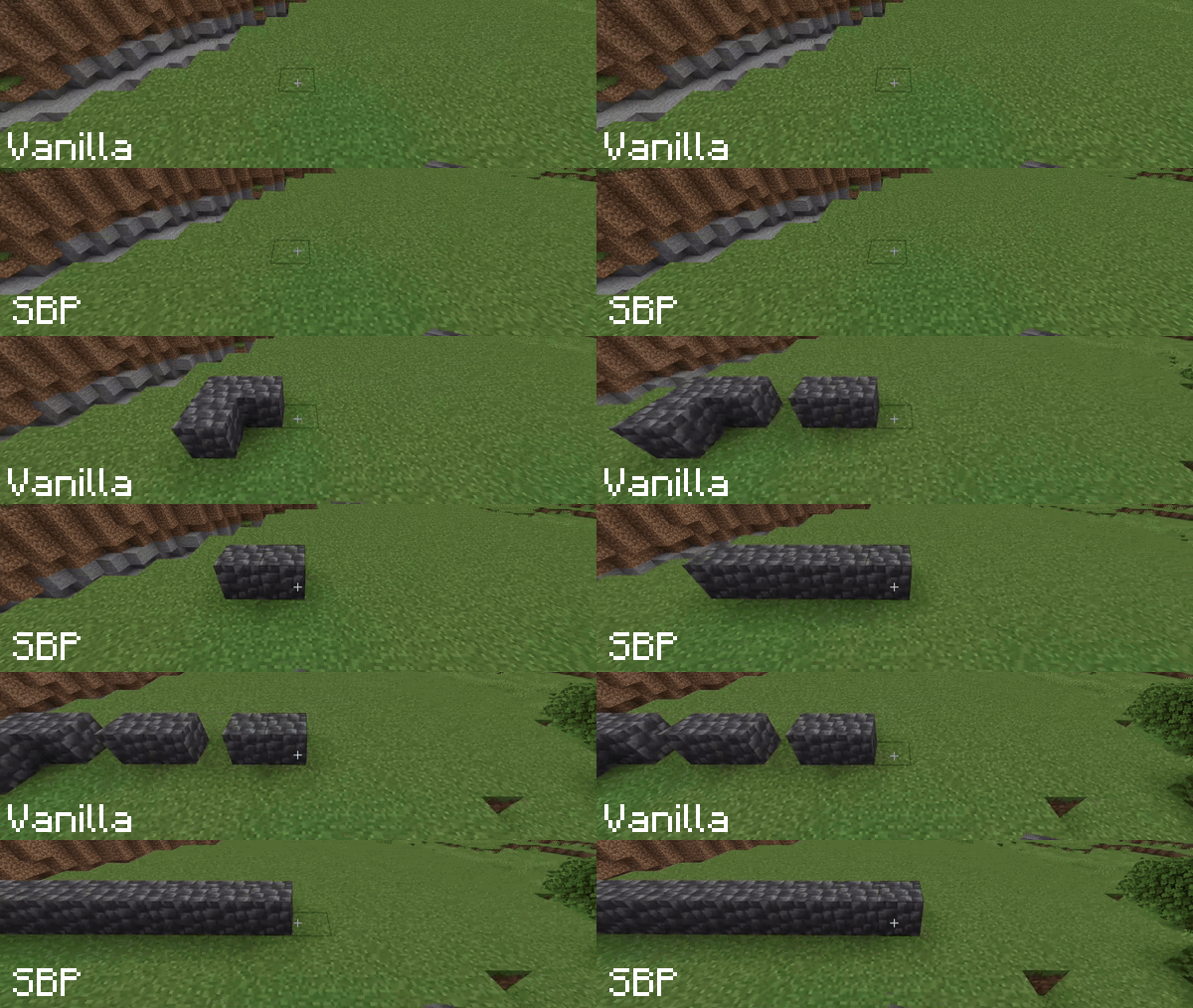
In vanilla Minecraft, holding the right mouse button to place blocks results in a slow placement speed due to animation delays. Smart Block Placement solves this problem.
With this mod, you can not only place blocks rapidly but also streamline your interactions by removing unnecessary delays.
Key Features:
- Fast Building – Place blocks as fast as you can click, bypassing the vanilla placement delay. Perfect for rapid construction and editing.
- Creative Mode Only – Toggle this option if you want to use the mod exclusively in Creative mode, ensuring fair play on Survival servers.
- Customizable Usage Delay – Control the vanilla delay for interacting with blocks and using items (levers, doors, food, etc.).
[WARNING] On multiplayer servers, some Anti-Cheat plugins may flag rapid block placement or reduced usage delays as suspicious. Use with caution and respect server rules.
P.S. If the mod doesn't seem to be working, please check your Controls settings to ensure the "Enable Smart Placement" key is bound.
Available Versions
How to Install Smart Block Placement on Your Client
Install the Mod Loader Locally
Install fabric for your local Minecraft version.
Download the Matching File
Choose the Smart Block Placement file for fabric and Minecraft 26.3.
Install Mod
Place the .jar file in your local .minecraft/mods folder and restart Minecraft. No server-side installation is required.
Compatibility
Mod Loaders
Minecraft Versions
26.3, 26.2, 26.1.2 (+16 more)
Server-side
✗ UnsupportedRecommended RAM
4 GB(min. 3 GB)Frequently Asked Questions
Does Smart Block Placement need to be installed on the Minecraft server?
No. Modrinth marks Smart Block Placement as unsupported on the server side. Install it only in your local Minecraft mods folder. Your server can remain unchanged unless the mod page lists an additional dependency.
Which version and loader does Smart Block Placement require?
Use a file for fabric and your exact Minecraft version. Supported versions include 26.3, 26.2, 26.1.2. Files for different loaders are not interchangeable.
Smart Block Placement is not working – what should I check?
First check the Minecraft version, loader version and required dependencies. Put the .jar file in your local .minecraft/mods folder and remove older duplicates. Because this mod is client-side, adding server RAM will not fix it.
Similar Mods




![[ETF] Entity Texture Features](https://cdn.modrinth.com/data/BVzZfTc1/af683d206d50b05258d865b0d6e4aa2f2cee12f2_96.webp)

Minecraft Server for Your Group
Smart Block Placement stays on your client. Host a compatible world for your group.