
Somnia Awoken
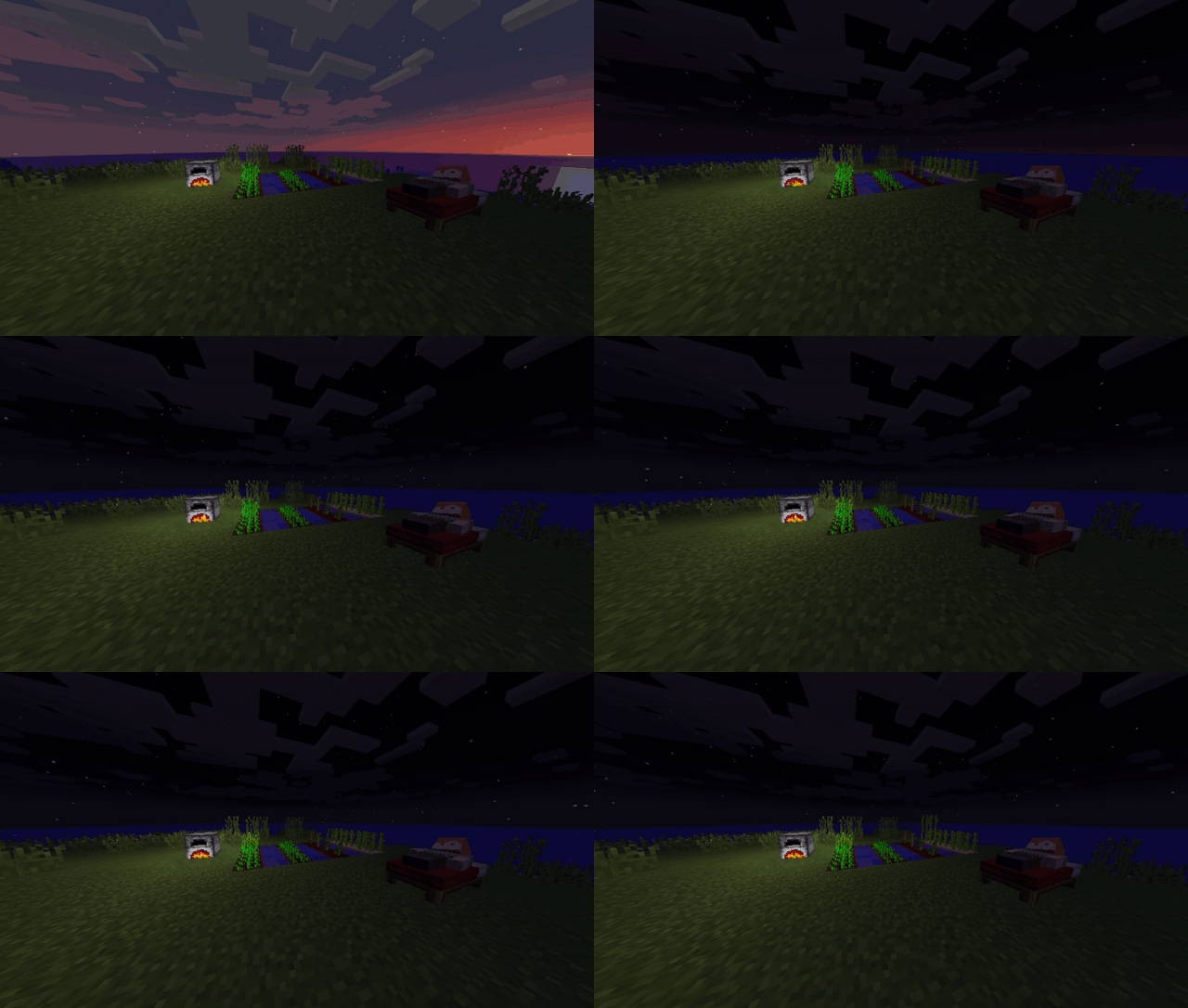
Simulating the world while you sleep
Screenshots
About this Mod
Somnia Awoken
Somnia Awoken is a Minecraft mod that simulates the world while you sleep. It is a port/rewrite of the mod Somnia, which was initially released in 2011.
Imagine skipping the night and wasting 10 hours of Minecraft time. Your furnaces won't smelt anything, and your crops won't grow. With Somnia, you make use of every tick. Put some ores into the furnace, sleep for a bit, then wake up to see them smolten.
Features
- World simulation
- High configurability - the config allows you to ignore nearby monsters when sleeping, set your custom valid sleep times, and more!
Fatigue
Fatigue is a game mechanic used to control the player's sleep, ranging from 0 to 100. You can enter sleep at any time, but only if you have enough fatigue. It is displayed on the screen, in the position of your choice (bottom right by default). While the player's fatigue is updated every tick, the display is only updated every 5 seconds. If it drops below the required amount during sleep, you won't wake up.
Side Effects
It's recommended to watch your fatigue regularly, as getting too tired will result in some debuffs. These debuff will be applied only once for a certain period of time when you enter a new side effect stage. The last side effect is permanent.
The default side effects are:
- Nausea at 70 fatigue for 150 ticks
- Slowness II at 80 fatigue for 300 ticks
- Poison at 90 fatigue for 200 ticks
- Slowness III at 95+ fatigue
Simulation
Instead of skipping the night, the world is sped up while you sleep. This includes mob spawns, so it's recommended to find a shelter for the night. Alternatively, you can disable mob spawning while you're alseep in the config.
Wake Time Selection
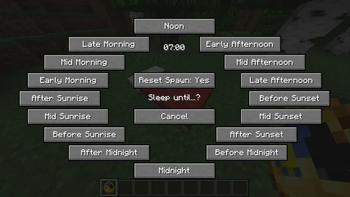
Somnia Awoken provides a way to select your wake time by right clicking a bed using a certain item (Default: clock). The Wake Time Selection GUI also lets you sleep without resetting your respawn point.
Enhanced Sleeping GUI
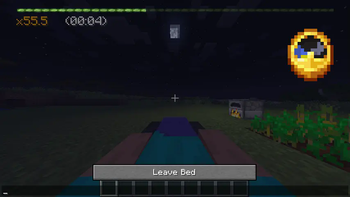
Somnia provides an enhanced sleeping GUI for tracking the sleep progress, simulation tick multiplier and ETA remaining sleep time.
Vanilla Sleep
Somnia adds an option to sleep normally, disabling simulation and skipping the night. To achieve this, sneak while entering a bed. This re-enables the default time check, so that you can only sleep at night. However, Somnia checks, such as the minimum fatigue to sleep, ignore monsters and armor, still apply. In multiplayer, Somnia will deactivate if most players choose to sleep normally.
Compatibility
- Dark Utilities' Sleep Charm
- Various mods adding coffee to reduce fatigue
- Sleeping bags mods
Credits
The original author of Somnia is MALfunction84, who released it in 2011. Original thread here.
In around 2014, kingrunes ported the mod to newer minecraft versions 1.5, 1.6 and 1.7. Their thread is available via the Wayback machine.
Available Versions
How to Install Somnia Awoken on Your Server
Order Server
Order a Minecraft Java server with at least 3 GB RAM (4 GB recommended).
Set forge Loader
In the panel under "Egg", select the forge loader and matching Minecraft version (1.20.4).
Install Mod
Open the mod browser in the dashboard and search for "Somnia Awoken". Click "Install" – done! Alternatively, upload the .jar via SFTP to the /mods folder.
Compatibility
Mod Loaders
Minecraft Versions
1.20.4, 1.20.1, 1.19.3 (+4 more)
Server-side
✓ RequiredRecommended RAM
4 GB(min. 3 GB)Frequently Asked Questions
Somnia Awoken server crashes on startup – what to do?
Most common cause: wrong forge version or insufficient RAM. Check the server log (latest.log) for "OutOfMemoryError" or "Mixin" errors. With Mado Hosting: ensure at least 3 GB RAM is allocated and the loader matches the mod version (1.20.4). You can switch loaders with one click in the panel.
Is Somnia Awoken compatible with forge?
Somnia Awoken officially supports forge for Minecraft 1.20.4, 1.20.1, 1.19.3. The Mado dashboard automatically detects incompatible loader combinations.
Server lagging with Somnia Awoken – how to optimize performance?
Recommended RAM: 4 GB (per 8 players). Use /spark profiler to check if Somnia Awoken consumes the most tick time. Common fixes: reduce server view-distance to 8-10, install "performant" or "starlight" as supplementary mods on Forge. With Mado Hosting, your server runs on NVMe SSDs with dedicated CPU cores for minimal latency.
Similar Mods




![[ETF] Entity Texture Features](https://cdn.modrinth.com/data/BVzZfTc1/af683d206d50b05258d865b0d6e4aa2f2cee12f2_96.webp)

Rent Modded Server
Install Somnia Awoken with just one click on your server.