
Streams Reflowing
Adds beautiful flowing streams to your world.
Screenshots
About this Mod
Streams Reflowing
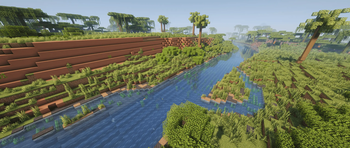
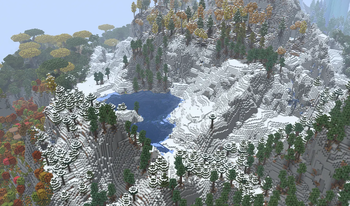
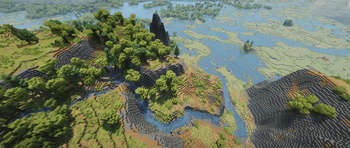
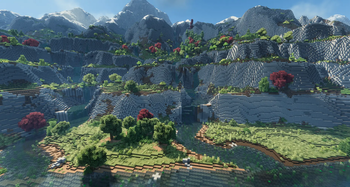
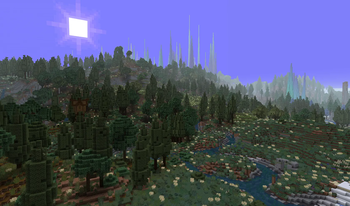
Streams Reflowing weaves wonderful waterways to your Minecraft world. Streams follow terrain contours, flow downhill, pool into lakes at varying elevations, and drain all the way out to rivers and oceans oceans. Rivers now also get a consistent directional flow towards oceans. The first ever mod to bring realistic hydrology to ANY terrain, built for compatibility first, it works alongside ALL of your favorite world generation mods, into any landscape without conflict.
The mod is optimized for smooth creative-mode exploration on vanilla-based world generation, and smooth survival exploration while alongside heavy terrain-generation mods on the default quality preset. On heavily modded worlds or lower-end systems, consider lowering your quality preset or disabling flowing vanilla water for a smoother experience.
Streams Reflowing is not affiliated with or in any way derived from delvr's original Streams mod. It's built on entirely new mechanisms and design philosophy, the name is simply a nod to the spirit of that original creation.
Primary Features:
Terrain-Following Streams
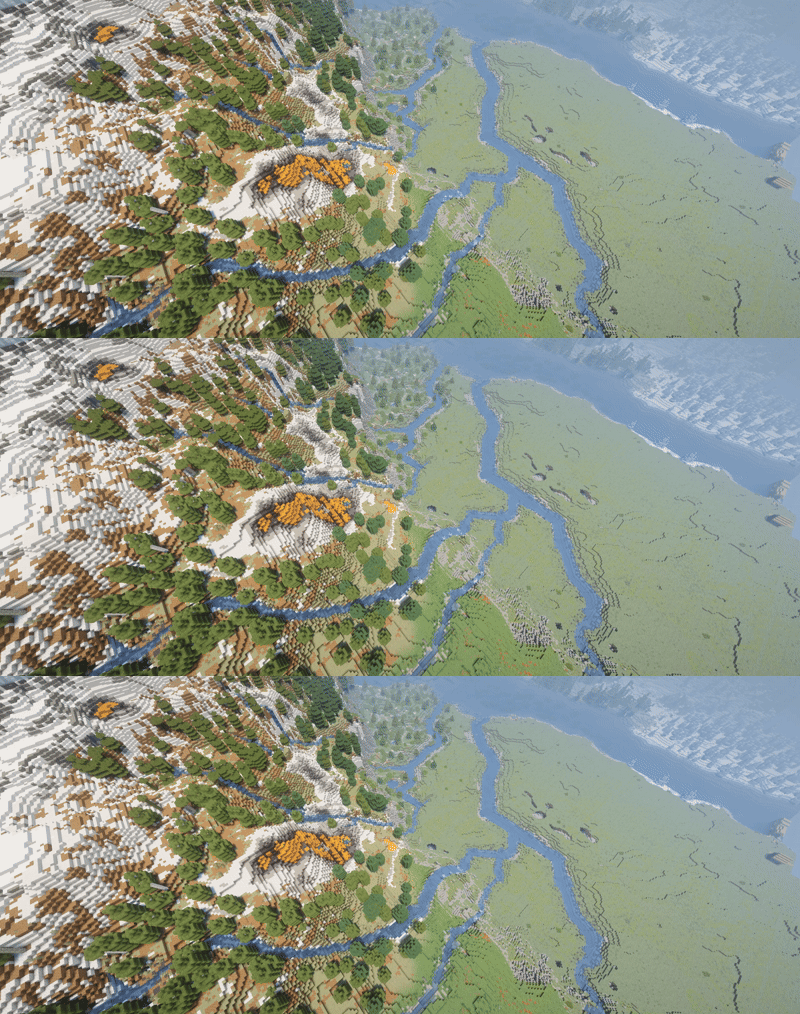
Streams carve their way through the world organically, reading elevation and terrain shape to produce waterways that feel like they actually belong. Stream generation is fully configurable, and can be disabled entirely if you only want the vanilla behavior tweaks.
Lakes and Ponds at Varying Elevations
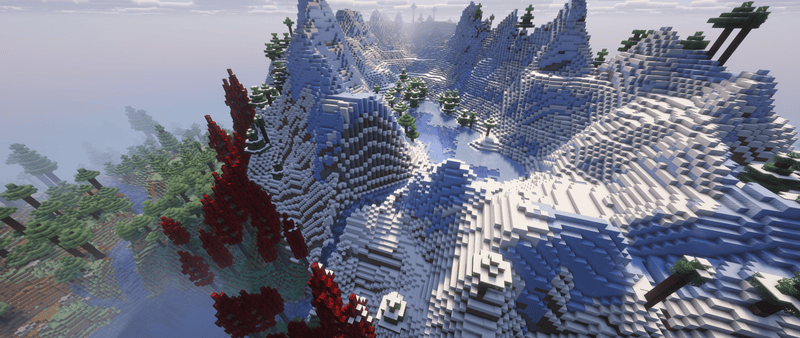
Lakes and ponds now generate at varying elevations, fitting naturally into the existing terrain, and providing realistic pools for streams to flow in and out of. In drier biomes a lake fills to a lower level (covering less ground), and a dryness-scaled share of basins stay dry altogether, so wet biomes keep full lakes while arid ones get shallow ponds and empty beds.
Rivers Drain to Oceans (optional)
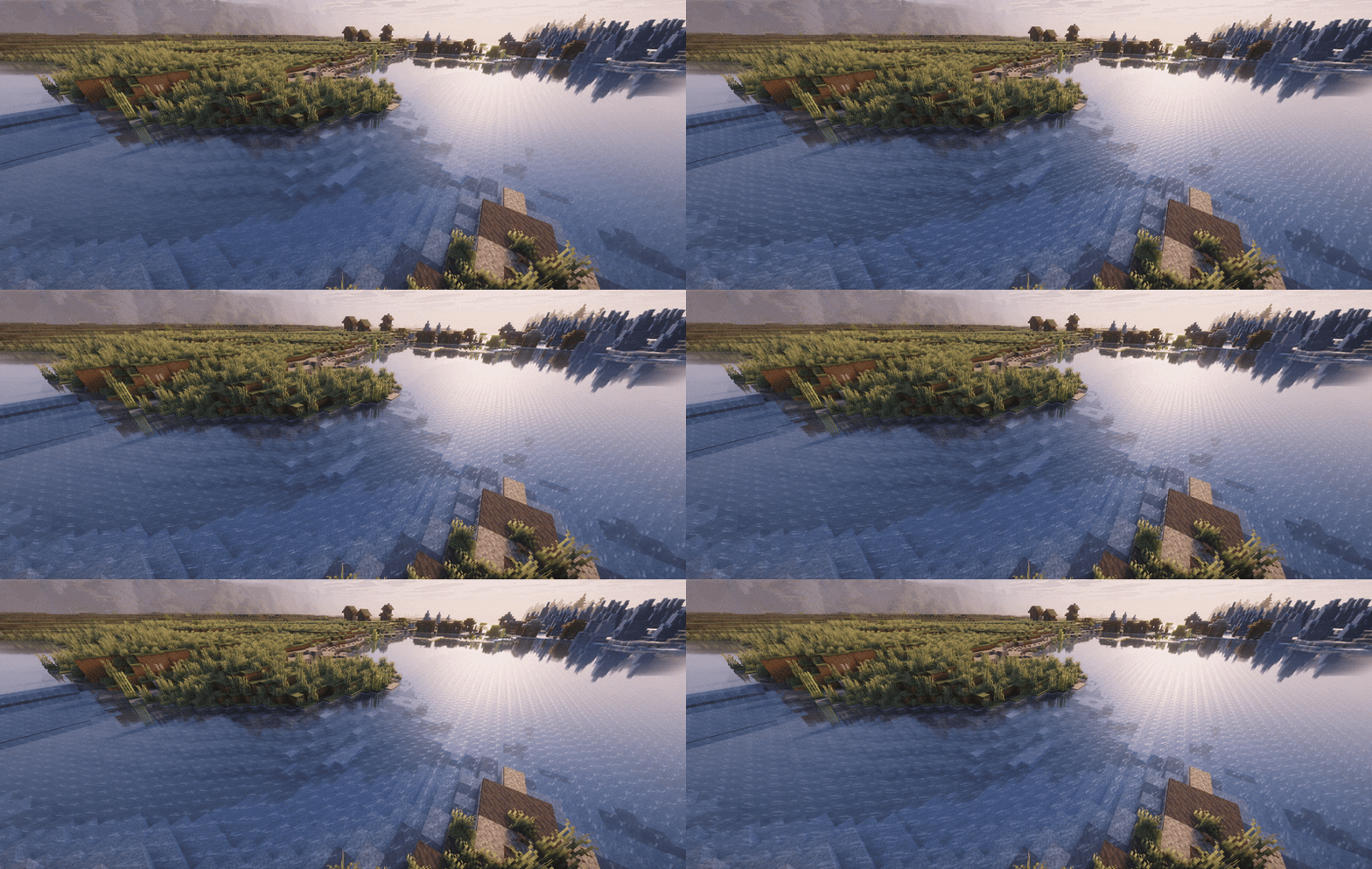
Any river (vanilla or modded) now has a directional flow that drains to nearby oceans when connected. Boats and items will bob downstream alongside fallen leaves and twigs. Can be disabled in config.
Organic Water Flow
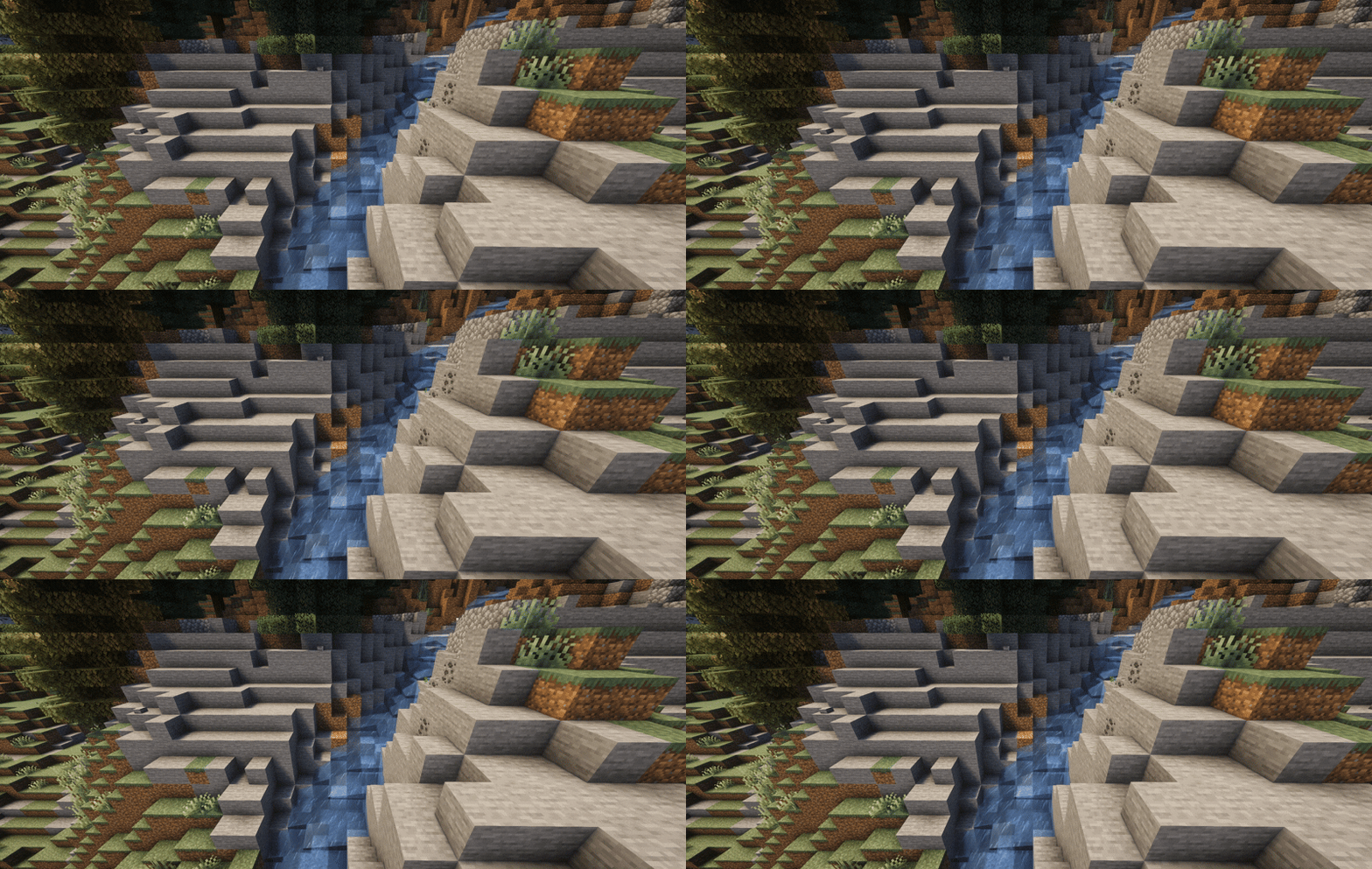
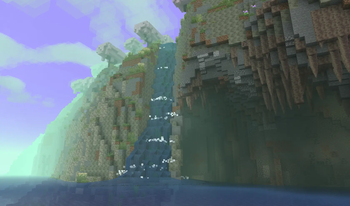
Vanilla Minecraft stops flowing water dead in its tracks the moment it hits a water source block. Streams Reflowing allows water to continue flowing over source blocks, preserving momentum and direction so elevation drops produce natural cascades rather than flat pools. This behavior is configurable and can be toggled off independently of other features.
World Gen Compatible
Designed for compatibility first, Streams Reflowing comes with no biome conflicts, no worldgen fights, just streams and lakes cleanly integrated with all of your favorite world-gen mods. Streams Reflowing is tested and proven to work with countless terrain mods, and has so far only been found incompatible with Terrain Diffusion and Tellus.
Detailed Feature List:
There's a lot more under the surface. Every one of these is configurable, and most can be toggled off entirely.
Boat-Friendly Currents
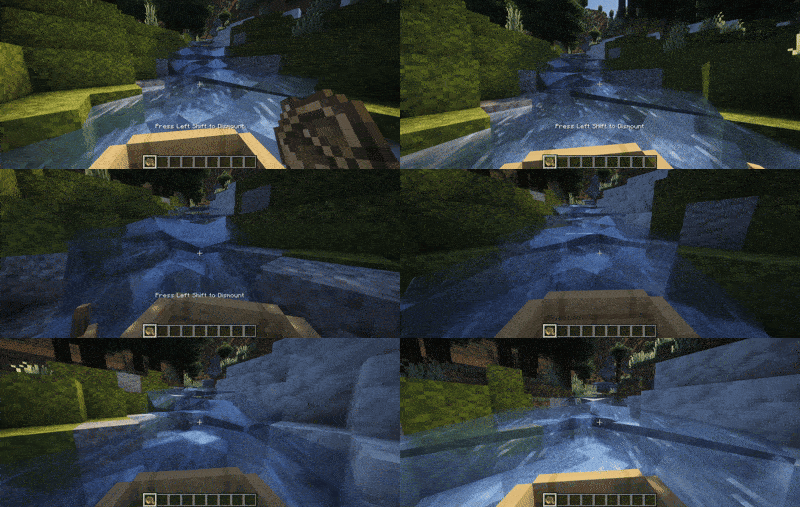
Custom Banks: Biome-aware, datapack & config driven
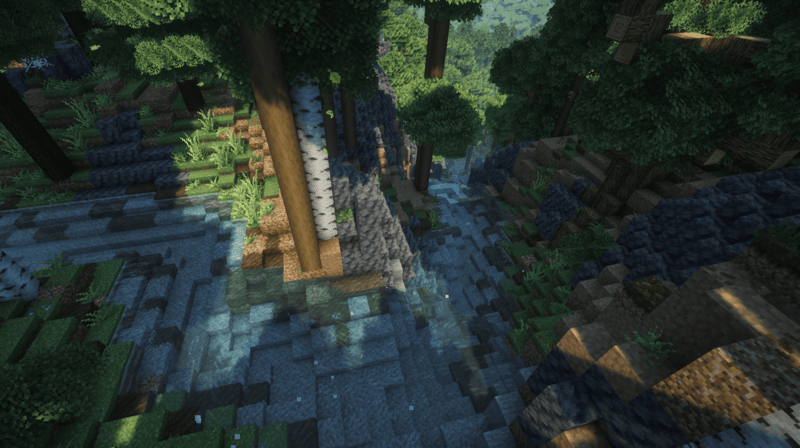
Streams get proper banks instead of bare stone. Each bank style is a set of rings running out from the water: the bed, the waterline, the bank, and an optional second bank ring. Ring sizes scale with the stream, so a wide river gets wide banks and a small brook gets narrow ones.
- Good defaults out of the box: gravel beds and grassy banks, sand in deserts and badlands, sandy beaches, and bare stone in mountains and cliffs (including Terralith's).
- Mix several blocks in a ring and they come out in natural patches. A style can also switch blocks where a stream is steep, fast, bending, near its mouth, or running flat for a long way.
- Pick styles by biome or biome tag, exclude the ones you don't want, or turn banks off for a biome.
- Add your own styles in the
bank_stylesconfig folder or ship them in a datapack. The folder includes aGUIDE.mdand examples, and styles made for older versions still work.
Waterside Vegetation & Bank Features
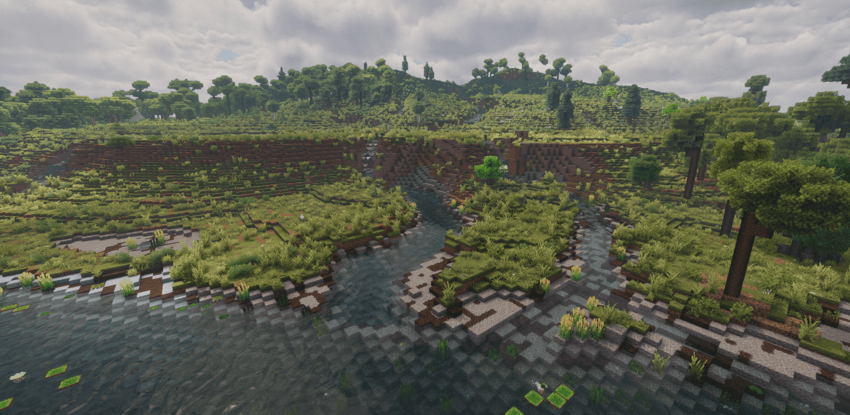
- Bank plants: extra grass, ferns and flowers along the water, thinning out as you move away from it. You can set how dense they are.
- Native plants: near the water, the mod can re-run the biome's own plants and rocks, so the banks look like they belong: jungle undergrowth, desert shrubs, mountain boulders. Anything you don't want on the banks can be blacklisted (pumpkin patches are off by default).
- Scenery in the rings: a bank style can place things on any of its rings: seagrass and kelp on the bed, lily pads at the waterline, plants along the bank.
- Your own features: add reeds, bushes, fallen logs or even trees along the banks, by biome, from the config folder or a datapack. A style can also call them into one of its rings.
Whitewater, Spray & Particles
- Waterfalls churn. Falling water throws white spray and soft foam that scales with the height of the drop.
- Whitewater at the details: water flecks a little spray wherever it steps down even a single block, at the lip of every drop, and along seams where a stream meets a wall, a drop edge, still water, or a stream turning a different way. Froth appears naturally at bends and confluences.
- On vanilla water too: rivers, lakes, and vanilla waterfalls get the same treatment, not just the mod's own streams (toggle with
particlesOnVanillaWater). - Distant waterfalls froth far past the ~16 blocks the game animates around you, out to a configurable range, with level-of-detail so faraway falls stay cheap.
- Gentle surface bubbles drift on calm water.
Floating Debris
Small leaves (tinted to the local foliage colour) and the occasional forked wooden twig drift downstream with the current, lying flat on the water: a subtle touch of life on the surface. Uses the mod's own textures, so it shows on every supported version. Toggle with streamDebris.
Rebiome Streams as Rivers (disabled by default)
Turn on rebiomeStreams and carved streams are stamped as minecraft:river after they generate so they read as rivers for water colour, fish/mob spawns, and ambience. It runs as the very last worldgen step, so it never changes what the surrounding biome placed. New chunks only.
Deeply Configurable
- Every feature can be toggled or tuned: flow, boats, vegetation, particles, debris, banks, the works.
- Quality presets from Potato to Max (see below).
- Settings are split into a worldgen/gameplay file and a client rendering file, so dedicated servers never load the client one.
- Fine dials for wetness (how much water the land carries), stream width and meander, appearance, and performance.
Performance & World Generation
If you have any issues with performance or compatibility, please take a look at our configuration file. The mod is highly configurable and designed to flex to fit any machine or modpack.
First Load
On the default performance settings when creating a new world, Streams Reflowing needs to query terrain height across the spawn area before it can place streams. During this process, the loading bar may appear stuck at 0% for a minute. This is completely normal. Once the world opens for the first time, you may notice initially slow chunk loading while height data is queried. This is also normal and will resolve after the first couple minutes of playtime.
Traveling Through Unexplored Areas
Players moving quickly through unvisited regions may encounter unrendered chunks while the mod catches up with terrain queries. Slowing down or pausing in place will allow chunks to finish generating. For the smoothest experience, we strongly recommend pregenerating your world with Chunky before playing. Or try lowering your performance preset in the config if you run into hitches.
Quality Presets
Streams Reflowing includes quality/terrain accuracy presets in the config ranging from Potato to Max. These control how accurately streams follow natural terrain waterflows and how far watersheds extend across the landscape. If you plan to pregen your world with Chunky, consider bumping up your quality preset. You'll get streams that trace the terrain's natural waterflows much more faithfully, with no runtime cost once generation is complete.
Compatibility
Streams Reflowing is standalone, requires no dependencies, and is built to drop into any pack alongside other world-generation mods without biome or worldgen conflicts. It integrates with Sable, Create, and many other great mods.
Found a bug or have a suggestion? Use the Issues tab above.
Want to include this in a modpack hosted somewhere other than Curseforge or Modrinth? DO IT! You can add this to any modpack, anywhere.
Available Versions
How to Install Streams Reflowing on Your Server
Order Server
Order a Minecraft Java server with at least 4 GB RAM (6 GB recommended).
Set fabric Loader
In the panel under "Egg", select the fabric loader and matching Minecraft version (26.3).
Install Mod
Open the mod browser in the dashboard and search for "Streams Reflowing". Click "Install" – done! Alternatively, upload the .jar via SFTP to the /mods folder.
Compatibility
Mod Loaders
Minecraft Versions
26.3, 26.2, 26.1.2 (+14 more)
Server-side
✓ RequiredRecommended RAM
6 GB(min. 4 GB)Frequently Asked Questions
Streams Reflowing server crashes on startup – what to do?
Most common cause: wrong fabric version or insufficient RAM. Check the server log (latest.log) for "OutOfMemoryError" or "Mixin" errors. With Mado Hosting: ensure at least 4 GB RAM is allocated and the loader matches the mod version (26.3). You can switch loaders with one click in the panel.
Is Streams Reflowing compatible with fabric and forge and neoforge?
Streams Reflowing officially supports fabric, forge, neoforge for Minecraft 26.3, 26.2, 26.1.2. Note: Forge and Fabric mods are NOT cross-compatible – pick one loader and stick with it. The Mado dashboard automatically detects incompatible loader combinations.
Server lagging with Streams Reflowing – how to optimize performance?
Recommended RAM: 6 GB (per 5 players). Use /spark profiler to check if Streams Reflowing consumes the most tick time. Common fixes: reduce server view-distance to 8-10, install "performant" or "starlight" as supplementary mods on Forge. With Mado Hosting, your server runs on NVMe SSDs with dedicated CPU cores for minimal latency.
Similar Mods




Rent Modded Server
Install Streams Reflowing with just one click on your server.