
Tensura:Dungeon
Tensura: Dungeon expands on Tensura Reincarnated by introducing a full dungeon system inspired by Rimuru’s Labyrinth. Explore a procedurally generated dungeon filled with traps, shrine trials, rare mobs, and boss fights — all tied into a progression-based
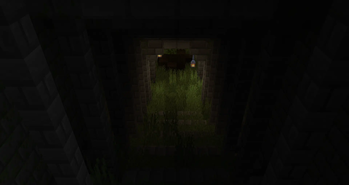
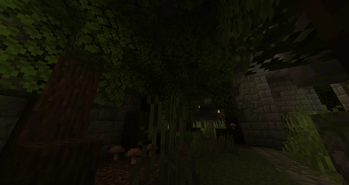
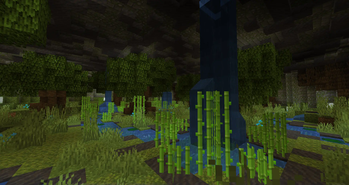
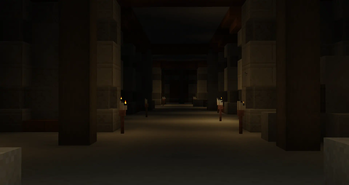
Screenshots
About this Mod
Support The Dungeon
Click here to support on Patreon

About the Add-On
Tensura: Dungeon expands on Tensura Reincarnated by introducing a full dungeon system inspired by Rimuru’s Labyrinth.
Explore a procedurally generated dungeon filled with traps, shrine trials, rare mobs, and boss fights — all tied into a progression-based loot system.
The current release includes 10 unique floors, with more planned in future updates. We’ll be expanding the dungeon over time to add new content, new challenges, and even deadlier encounters.
How to Enter
- Find a Cartographer – 50% chance they’ll sell a Dungeon Map for 2 emeralds
- Right-click the map to reveal coordinates to the Colosseum (your dungeon entrance)
- Pay 3 Silver Coins or use a Dungeon Voucher from the Dryad to enter
Server Setup Tips
- Disable mob griefing for smoother gameplay:
/gamerule mobGriefing false - In
server.properties, set:max-tick-time=180000
If the dungeon generation breaks or glitches:
- Go to your world folder →
dimensions→ delete thetrbeyondfolder - Run:
/cleardungeon /createdungeon 100 0.75 0.6
yaml Copy Edit
Commands / Configs / Gamerules
Commands
/cleardungeon – Wipes the current dungeon/createdungeon 100 0.75 0.6 – Generates a new dungeon/dungeon summonelite – Summons a unique monster
Gamerules
/gamerule colosseumGeneration true/false
Toggles generation of the Colosseum.
/gamerule nightmareMode true/false
All bosses gain:
• All Resistances
• All Bosses are unique
• Resistance Shred
• Anti-Skill Effects
• Disabled Flight (includes race-based flight)
• Spatial Movement Disabled
/gamerule mobsSpawnWithDungeon true/false
Controls if mobs automatically spawn with dungeon structure generation.
/gamerule uniqueMonsterChance [value]
Sets the chance for mobs to spawn as Unique Monsters.
/gamerule lootExplosionChance [value]
Adjusts the chance for chests to trigger a loot explosion on open.
/gamerule dungeonfloorsize [number]
Number of dungeon pieces per floor. Default: 100
/gamerule ambientmobspawnrate [value]
Reduces the ambient mob spawn rate around players inside the dungeon.
/gamerule uniqueMonsterOverworld true/false
Toggles the spawning of Unique Monsters in the overworld.
/gamerule uniqueMonsterParticles true/false
Toggles the particle effects on Unique Monsters for easier visibility.
Configs
Boss stats– All boss stats are configurabletrapSpawnChance– Sets the overall chance for traps to generatemaxPlayersInDungeon– Limit how many players can be in the dungeon at oncedungeonReentryCooldown– Cooldown before a player can re-enter the dungeondisableSkillsInDungeon– List of skill IDs or categories to disable during dungeon runsnpcShopConfigs– Set which NPCs sell items in the dungeon shop/lobbycoinReplacement– Replace Bronze/Silver/Gold/Stellar Coins with custom items or valueschestRefreshTimers– Set timers for how often dungeon chests refreshspecialMobSpawnChances– Configure rare mob spawn chances (like Dungeon Dominators)disablechallenges– Turns off dungeon challenges
Trailer
New Update
Join the Community


Available Versions
How to Install Tensura:Dungeon on Your Server
Order Server
Order a Minecraft Java server with at least 3 GB RAM (4 GB recommended).
Set forge Loader
In the panel under "Egg", select the forge loader and matching Minecraft version (1.19.4).
Install Mod
Open the mod browser in the dashboard and search for "Tensura:Dungeon". Click "Install" – done! Alternatively, upload the .jar via SFTP to the /mods folder.
Compatibility
Mod Loaders
Minecraft Versions
1.19.4, 1.19.3, 1.19.2
Server-side
✓ RequiredRecommended RAM
4 GB(min. 3 GB)Frequently Asked Questions
Tensura:Dungeon server crashes on startup – what to do?
Most common cause: wrong forge version or insufficient RAM. Check the server log (latest.log) for "OutOfMemoryError" or "Mixin" errors. With Mado Hosting: ensure at least 3 GB RAM is allocated and the loader matches the mod version (1.19.4). You can switch loaders with one click in the panel.
Is Tensura:Dungeon compatible with forge?
Tensura:Dungeon officially supports forge for Minecraft 1.19.4, 1.19.3, 1.19.2. The Mado dashboard automatically detects incompatible loader combinations.
Server lagging with Tensura:Dungeon – how to optimize performance?
Recommended RAM: 4 GB (per 8 players). Use /spark profiler to check if Tensura:Dungeon consumes the most tick time. Common fixes: reduce server view-distance to 8-10, install "performant" or "starlight" as supplementary mods on Forge. With Mado Hosting, your server runs on NVMe SSDs with dedicated CPU cores for minimal latency.
Similar Mods




Rent Modded Server
Install Tensura:Dungeon with just one click on your server.