
Time Control
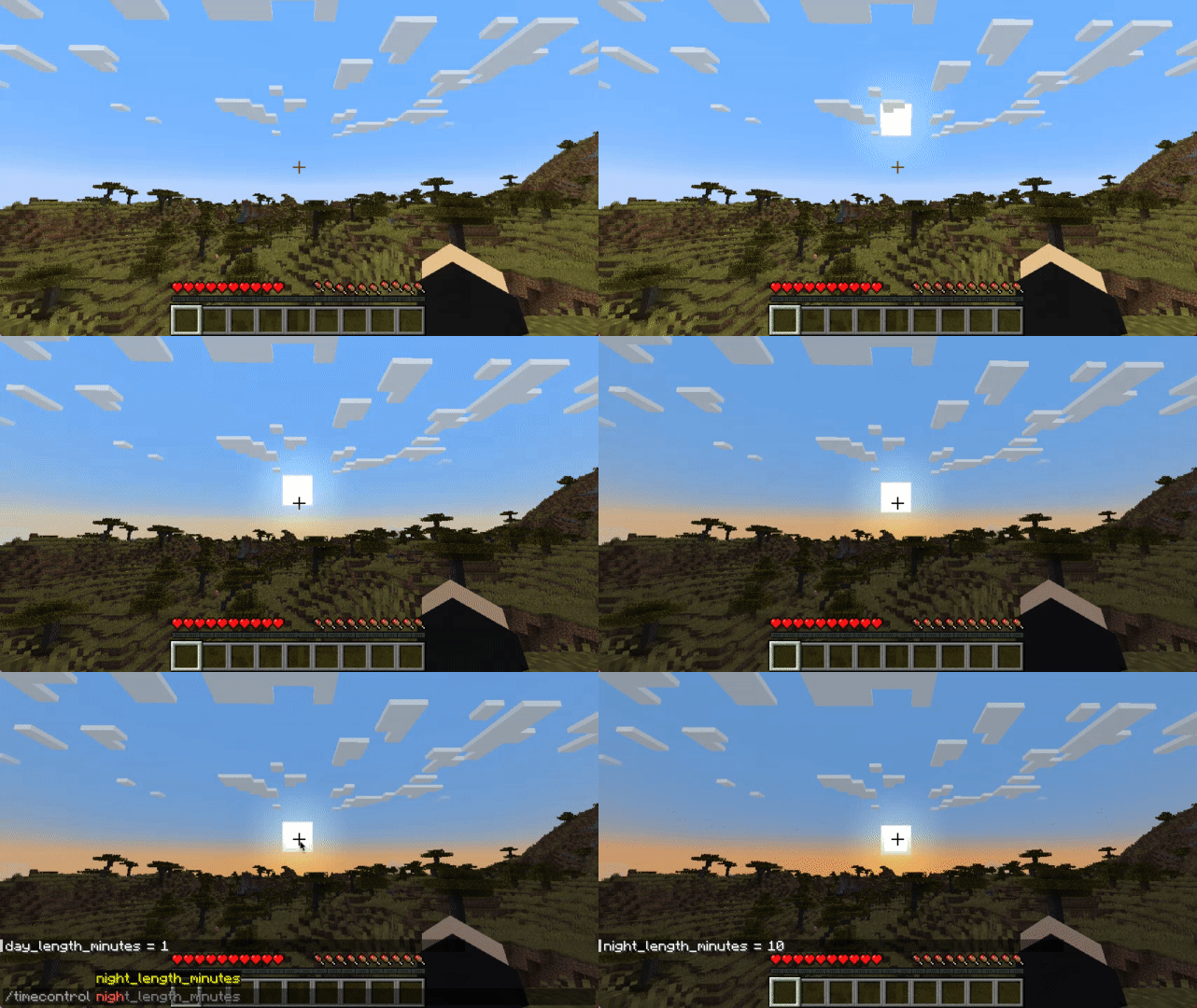
Want longer or shorter in-game days/nights? So did I.
About this Mod




Since 1.20.1 there is also a version for Fabric!
Control Minecraft’s day-night cycle using a simple config file, choosing either:
- Set length for day and night in minutes (can be configured independently)
- Or sync in-game time with system clock
No base classes are modified, no ASM/mixin transformations (on the Forge version) and no touching tick lengths.
For years when playing the game I couldn't stand vanilla day length.
No other mod that tried to implement a similar feature satisfied me, either due to breaking other mods or having unnecessary features.
This is my simplistic, non-invasive implementation that relies on the vanilla "doDaylightCycle" gamerule being off.
The mod will set it to false on it's own during world startup.
/time command works, sleeping works (sleep should be mostly handled by vanilla)
There is also compatibility with Comforts and Vampirism's day sleeping

Configuration
File:
Starting with 1.20.1 on Forge configuration is saved per-world (serverside config):
.minecraft/saves/{world}/serverconfig/timecontrol-server.toml
On Fabric 1.20.1+:
.minecraft/config/timecontrol.json
If you're using Forge, on Minecraft versions up to and including 1.19.4 you can find it at:
.minecraft/config/timecontrol-common.toml
[system_time]
	#Synchronize game world time with system time
	sync_to_system_time = true
	#Sync time every n ticks
	#Range: 1 ~ 864000
	sync_to_system_time_rate = 20

[arbitrary_time]
	#How long daytime lasts (0 - 12000)
	#Range: 1 ~ 178956
	day_length_minutes = 30
	#How long nighttime lasts (12000 - 24000)
	#Range: 1 ~ 178956
	night_length_minutes = 25

[miscellaneous]
	debug = true
The Fabric version json does not have comments, so you can refer to the above example.
Commands:
There is also an in-game command:
In 1.20+
/timecontrol day_length_minutes [<value>]
/timecontrol night_length_minutes [<value>]
/timecontrol sync_to_system_time_rate [<value>]
/timecontrol sync_to_system_time [<value>]
Up to 1.19.4:
/timecontrol get < sync_to_system_time | night_length_minutes | day_length_minutes >
/timecontrol set < night_length_minutes | day_length_minutes > <value>
At this time it works with both multiplayer and singleplayer (must be installed on both), but on Dedicated Servers due to possible ping and ticks per second discrepancies slight skybox jitter may be noticeable.
FAQ
Q: Forge?
A: Forge, and since 1.20.1 - Fabric.
Q: Can I include your mod in a video?
A: As long as you include a link to the mod/modpack (if it happens to be in one), absolutely
Q: Can I add your mod to a modpack?
A: CurseForge/Modrinth modpacks are cool.
P.S.
If you don't feel confident enough about my mod and may have also become distrustful of all the previously existing mods attempting to give control to daylight cycle length:
I've been using it myself since 1.12.2, always in heavily modded packs (200+ mods), (usually) on a multiplayer server. This should be a vanilla feature in my opinion.
The mod also doesn't have any permanent effects on the game or save, so if you install/remove it without worry.
Available Versions
How to Install Time Control on Your Server
Order Server
Order a Minecraft Java server with at least 3 GB RAM (4 GB recommended).
Set fabric Loader
In the panel under "Egg", select the fabric loader and matching Minecraft version (1.20.4).
Install Mod
Open the mod browser in the dashboard and search for "Time Control". Click "Install" – done! Alternatively, upload the .jar via SFTP to the /mods folder.
Compatibility
Mod Loaders
Minecraft Versions
1.20.4, 1.20.1, 1.20 (+8 more)
Server-side
✓ RequiredRecommended RAM
4 GB(min. 3 GB)Frequently Asked Questions
Time Control server crashes on startup – what to do?
Most common cause: wrong fabric version or insufficient RAM. Check the server log (latest.log) for "OutOfMemoryError" or "Mixin" errors. With Mado Hosting: ensure at least 3 GB RAM is allocated and the loader matches the mod version (1.20.4). You can switch loaders with one click in the panel.
Is Time Control compatible with fabric and forge and neoforge?
Time Control officially supports fabric, forge, neoforge for Minecraft 1.20.4, 1.20.1, 1.20. Note: Forge and Fabric mods are NOT cross-compatible – pick one loader and stick with it. The Mado dashboard automatically detects incompatible loader combinations.
Server lagging with Time Control – how to optimize performance?
Recommended RAM: 4 GB (per 8 players). Use /spark profiler to check if Time Control consumes the most tick time. Common fixes: reduce server view-distance to 8-10, install "performant" or "starlight" as supplementary mods on Forge. With Mado Hosting, your server runs on NVMe SSDs with dedicated CPU cores for minimal latency.
Similar Mods




![[ETF] Entity Texture Features](https://cdn.modrinth.com/data/BVzZfTc1/af683d206d50b05258d865b0d6e4aa2f2cee12f2_96.webp)

Rent Modded Server
Install Time Control with just one click on your server.