
Time in a bottle
Accelerate your blocks!
Screenshots

About this Mod



https://sodiumhosting.com/mangorage
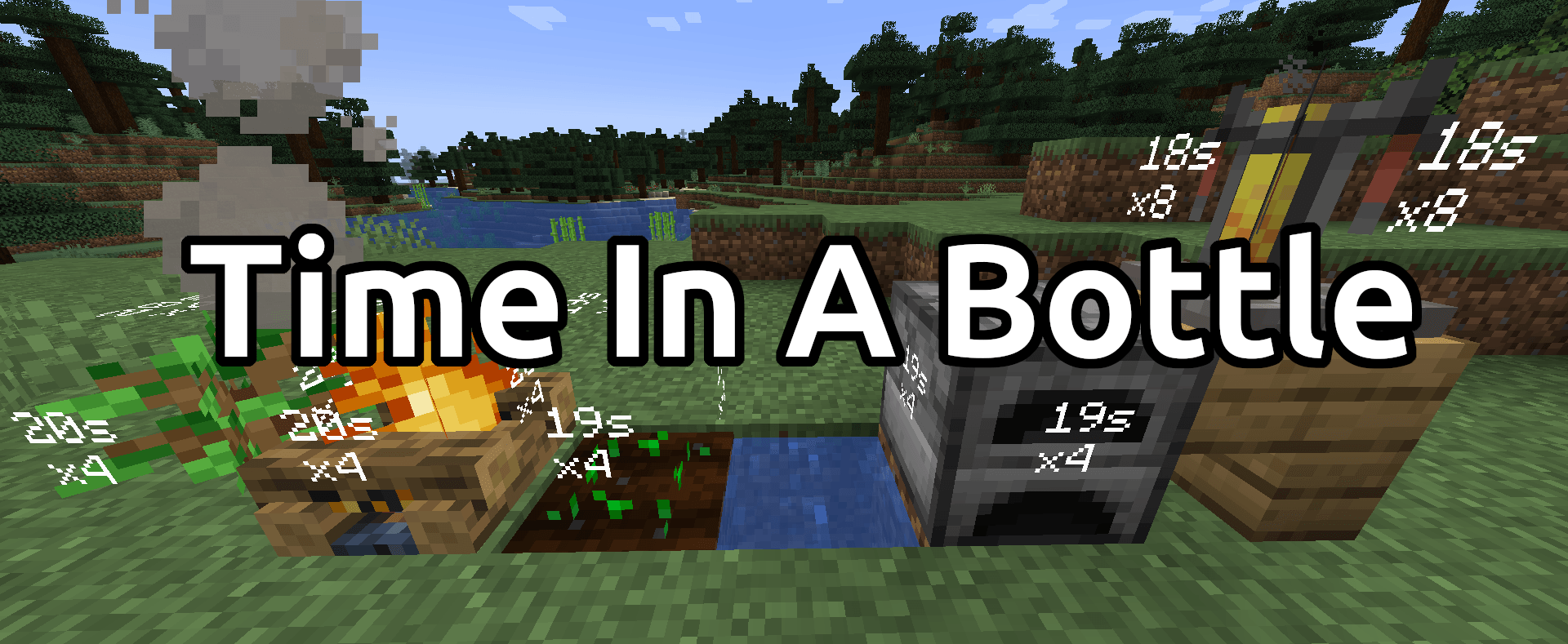
Tired of waiting for your ore to finally finish smelting? Are you starving to death while watching your wheat grow? Growing tired of watching (theoretical) paint dry? Stop wasting time and start using Time In A Bottle! Just click any tickable block, like a furnace, crops, brewing stand, and more!
Features
- Accelerate how fast blocks are ticked!
- Passively collect time
- Easy to use admin command
- Curio and keybind support with the TIAB Curio Support Mod
- Forge, Fabric, and NeoForge support! (1.20.6+)
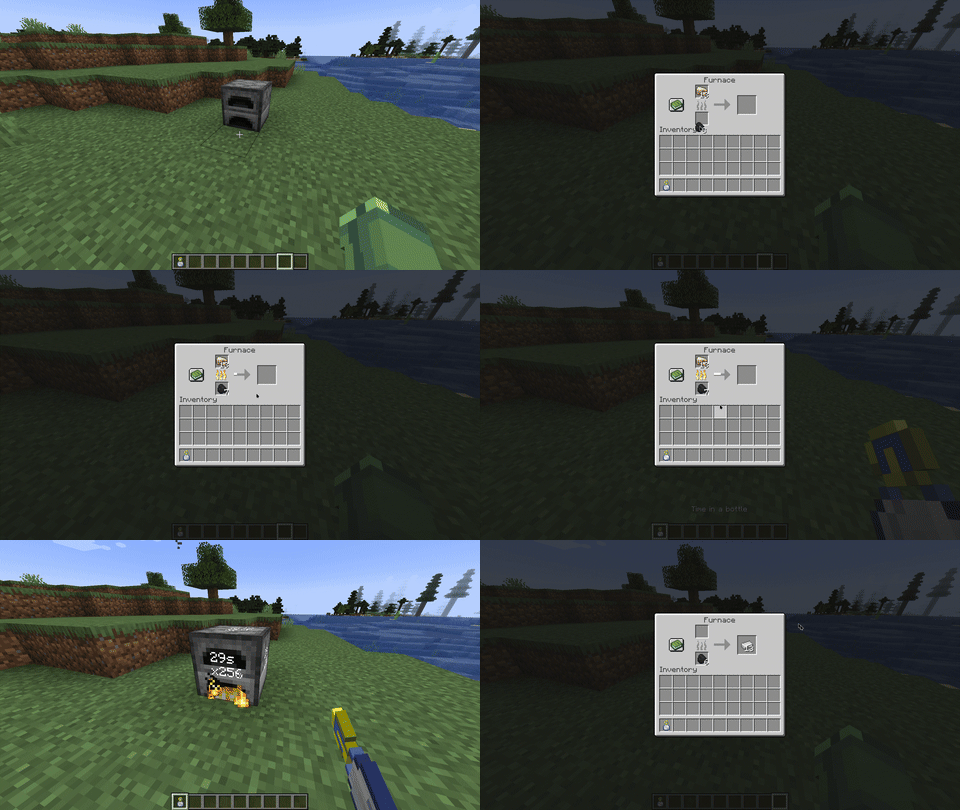
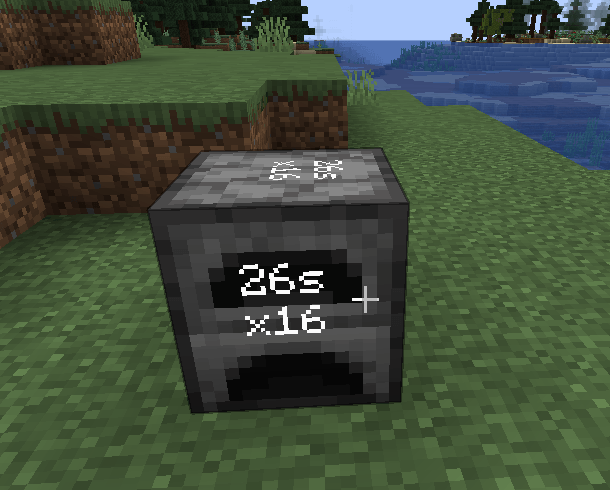
Super fast furnace
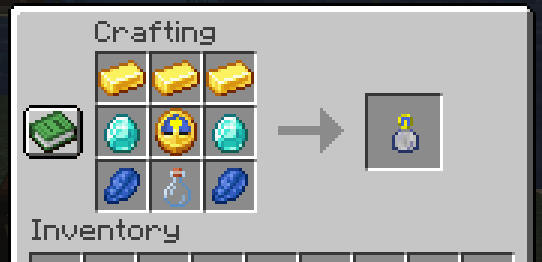
Crafting recipe

Use commands to add/remove time from a bottle

Grow wheat fast!

Usage
First a "Time in a bottle" item is required.
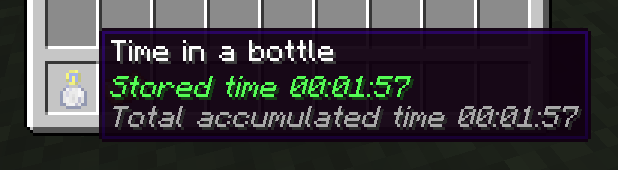
Once obtained, wait for the time to increase.
Once the time has increased, right click (Shift right click for blocks like the furnace), and the block has been sped up! Each click doubles the speed applied and will last 30 seconds.
Commands
There is one command that change add/remove time from a bottle
/tiab <addTime/removeTime> <seconds>
Times required
For each "x2" 30 seconds of stored time is required. Each click requires the following time.
x2 - 30 seconds
x4 - 30 seconds
x8 - 60 seconds
x16 - 120 seconds
x32 - 240 seconds
x64 - 480 seconds
etc
Configuration
The configuration file can be found in <world folder>/serverconfig/tiab-server.toml
#Max Stored Time Possible in ticks
max_stored_time = 622080000
#Ticks constant in ticks
ticks_const = 20
#Each use Duration in seconds
each_use_duration = 30
#Define maximum time the items can be used continuously. Corresponding to maximum times faster: Eg. 2^8=256
max_rate_multi = 8
Notes
Only 1.20.1 and above is supported, for earlier versions use the mod this is a fork of Time in a bottle standalone.
If you wish to support me you can donate or subscribe to Patreon.
Support
Support can be provided over the discord server or on the GitHub repository
Credit
Forked from Time in a bottle standalone by haoict
The original idea comes from the Random Things Mod by Lumien231
Description done by JustDoom ;)
Available Versions
How to Install Time in a bottle on Your Server
Order Server
Order a Minecraft Java server with at least 3 GB RAM (4 GB recommended).
Set fabric Loader
In the panel under "Egg", select the fabric loader and matching Minecraft version (26.3).
Install Mod
Open the mod browser in the dashboard and search for "Time in a bottle". Click "Install" – done! Alternatively, upload the .jar via SFTP to the /mods folder.
Compatibility
Mod Loaders
Minecraft Versions
26.3, 26.2, 26.1.2 (+5 more)
Server-side
✓ RequiredRecommended RAM
4 GB(min. 3 GB)Frequently Asked Questions
Time in a bottle server crashes on startup – what to do?
Most common cause: wrong fabric version or insufficient RAM. Check the server log (latest.log) for "OutOfMemoryError" or "Mixin" errors. With Mado Hosting: ensure at least 3 GB RAM is allocated and the loader matches the mod version (26.3). You can switch loaders with one click in the panel.
Is Time in a bottle compatible with fabric and forge and neoforge?
Time in a bottle officially supports fabric, forge, neoforge for Minecraft 26.3, 26.2, 26.1.2. Note: Forge and Fabric mods are NOT cross-compatible – pick one loader and stick with it. The Mado dashboard automatically detects incompatible loader combinations.
Server lagging with Time in a bottle – how to optimize performance?
Recommended RAM: 4 GB (per 8 players). Use /spark profiler to check if Time in a bottle consumes the most tick time. Common fixes: reduce server view-distance to 8-10, install "performant" or "starlight" as supplementary mods on Forge. With Mado Hosting, your server runs on NVMe SSDs with dedicated CPU cores for minimal latency.
Similar Mods




![[ETF] Entity Texture Features](https://cdn.modrinth.com/data/BVzZfTc1/af683d206d50b05258d865b0d6e4aa2f2cee12f2_96.webp)

Rent Modded Server
Install Time in a bottle with just one click on your server.