
Time On Display
Do you play in full screen? Now you can see the time in real life by pressing just one key!
Screenshots
About this Mod
!
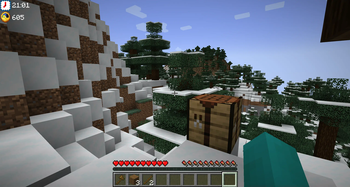
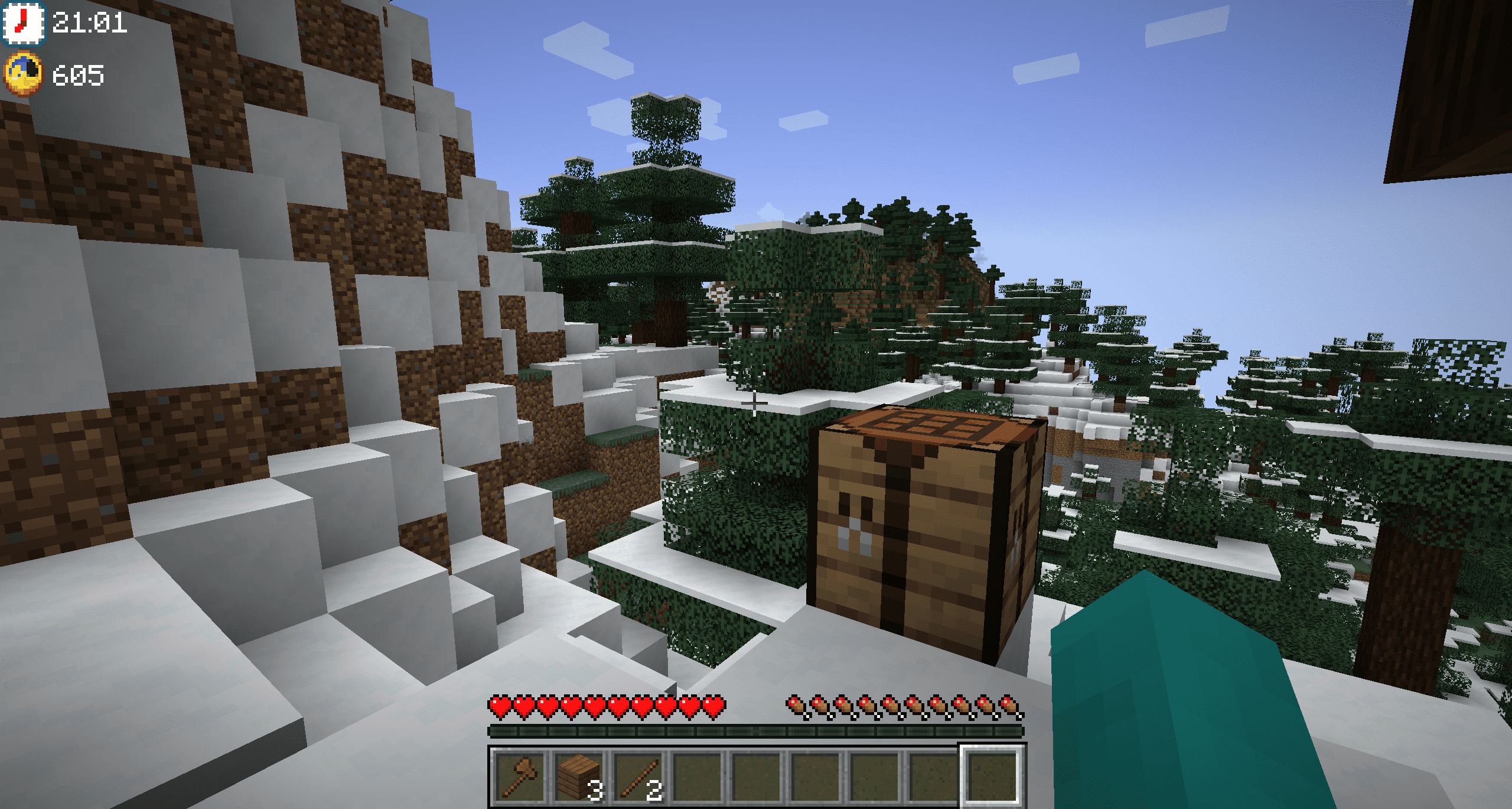
Are you used to playing Minecraft in full screen? So I'm sure that more than once you've had to look at your phone, or leave the full screen to see what time it is, don't worry, now you can see it in the middle of the game, by pressing a single key, F8.
In addition, you can also check the time in Minecraft, so you can know if it is day or night, or how long it is until dawn. It's great!
Do you need a server to play with your friends?
For exceptional server hosting services, look no further than ****. Of course, you can install all the mods or modpacks you want, and their support team is always available to help you.
!
Do you play in full screen, don't you have a clock, do you have to turn on your cell phone to know what time it is? Then Time On Display is the ideal solution for your game, since you only have to press the F8 key (configurable) to know what time it is.
Moreover, it will not only tell you the real world time, it will also show the Minecraft time, again, this is something you can configure, as well as the location where the clock is displayed.
!
Does it work on servers?
Sure! Remember that the best way to play with mods and friends is with BisectHosting, and by .
Can this mod be used in modpacks?
Of course! As long as it is published only on Modrinth or CurseForge. Uploading it to any other platform would be violating our rights and is not allowed at all.
However, we are really grateful if you consider adding it to your Modrinth or CurseForge modpack. If you need any small changes or have any questions, contact us!
!
](https://discord.gg/X8VY5WMbe4)
.
Available Versions
How to Install Time On Display on Your Client
Install the Mod Loader Locally
Install fabric for your local Minecraft version.
Download the Matching File
Choose the Time On Display file for fabric and Minecraft 1.21.1.
Install Mod
Place the .jar file in your local .minecraft/mods folder and restart Minecraft. No server-side installation is required.
Compatibility
Mod Loaders
Minecraft Versions
1.21.1, 1.21, 1.20.4 (+3 more)
Server-side
✗ UnsupportedRecommended RAM
4 GB(min. 3 GB)Frequently Asked Questions
Does Time On Display need to be installed on the Minecraft server?
No. Modrinth marks Time On Display as unsupported on the server side. Install it only in your local Minecraft mods folder. Your server can remain unchanged unless the mod page lists an additional dependency.
Which version and loader does Time On Display require?
Use a file for fabric, forge, neoforge and your exact Minecraft version. Supported versions include 1.21.1, 1.21, 1.20.4. Files for different loaders are not interchangeable.
Time On Display is not working – what should I check?
First check the Minecraft version, loader version and required dependencies. Put the .jar file in your local .minecraft/mods folder and remove older duplicates. Because this mod is client-side, adding server RAM will not fix it.
Similar Mods




Minecraft Server for Your Group
Time On Display stays on your client. Host a compatible world for your group.