
Unfortunate Development (Discontinued)
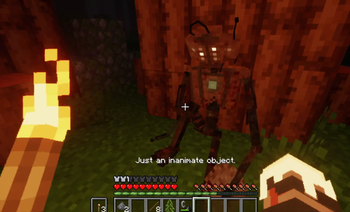
In the quiet stillness of the forest, an eerie groaning echoes through the trees. From the depths of the dark, a scrapped accidental creation. Unfortunate Developement
Screenshots
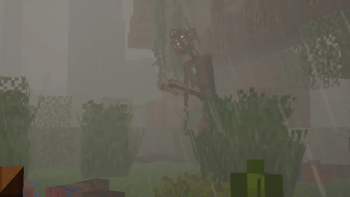
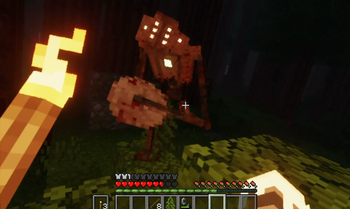
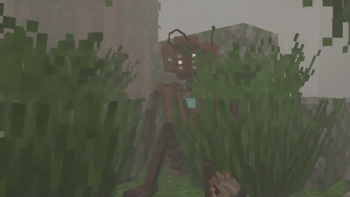
About this Mod
In the quiet stillness of the forest, an eerie groaning echoes through the trees. From the depths of the dark, a scrapped accidental creation.

This mod is incompatible with the Creation mod by Flamc04. That is because I used that mod as a base. So the mod appears as "creation" and the entity's ID is "creation:creation", but it appears as "Unfortunate Developement" in game.
Most things are configurable. To configure the mod, you can use Configured and Catalogue mods.
PS: The higher the timers' value, the lower the rate of Unfortunate Development spawning.
This is a dweller copy made just to showcase the concept.
I want to state that I am ashamed of making this a dweller copy.
Have fun!
The assets of this mod by Arcle are all licensed under CC BY-NC-ND 4.0
Available Versions
How to Install Unfortunate Development (Discontinued) on Your Server
Order Server
Order a Minecraft Java server with at least 3 GB RAM (4 GB recommended).
Set forge Loader
In the panel under "Egg", select the forge loader and matching Minecraft version (1.19.4).
Install Mod
Open the mod browser in the dashboard and search for "Unfortunate Development (Discontinued)". Click "Install" – done! Alternatively, upload the .jar via SFTP to the /mods folder.
Compatibility
Mod Loaders
Minecraft Versions
1.19.4, 1.19.3, 1.19.2
Server-side
✓ RequiredRecommended RAM
4 GB(min. 3 GB)Frequently Asked Questions
Unfortunate Development (Discontinued) server crashes on startup – what to do?
Most common cause: wrong forge version or insufficient RAM. Check the server log (latest.log) for "OutOfMemoryError" or "Mixin" errors. With Mado Hosting: ensure at least 3 GB RAM is allocated and the loader matches the mod version (1.19.4). You can switch loaders with one click in the panel.
Is Unfortunate Development (Discontinued) compatible with forge?
Unfortunate Development (Discontinued) officially supports forge for Minecraft 1.19.4, 1.19.3, 1.19.2. The Mado dashboard automatically detects incompatible loader combinations.
Server lagging with Unfortunate Development (Discontinued) – how to optimize performance?
Recommended RAM: 4 GB (per 8 players). Use /spark profiler to check if Unfortunate Development (Discontinued) consumes the most tick time. Common fixes: reduce server view-distance to 8-10, install "performant" or "starlight" as supplementary mods on Forge. With Mado Hosting, your server runs on NVMe SSDs with dedicated CPU cores for minimal latency.
Similar Mods




Rent Modded Server
Install Unfortunate Development (Discontinued) with just one click on your server.
Details
- License
- Creative Commons Attribution Non Commercial No Derivatives 4.0 International
- Server-side
- Required